In the News


We’re devoted to revolutionizing the way our clients do business. Sometimes that gets us noticed.

No big deal.

Posts by Full Sail Partners:

Ways to Track Marketing Success

Posted by Full Sail Partners on May 29, 2019

Digital Marketing

When you are determining what marketing techniques are going to be the best for your company, there are some important things to consider. It’s common for business owners to cast a wide net in their initial marketing plan, throwing everything they can against the wall to see what sticks. However, continuing to throw money at a marketing strategy that is not generating conversation will result in loss of revenue and time. Fortunately, there are ways that you can avoid this by tracking the success of your marketing techniques and being able to adjust the ones not yielding results.

Website Analytics

Let’s start with one of the easiest and most common methods of tracking marketing success: website analytics. Utilizing this method, you can see who is coming to your site and from what sources. This lets you know which marketing tactics are creating the most clicks and how those clicks could be converted into leads or sales. A lot of website analytic tools are easy to setup and simple to use.

Email Outreach

Email marketing is easy to track and measure. Most email marketing platforms offer a host of data that will help you gauge the efficiency of your email campaigns. Your task is to find those metrics that best suit your email marketing goals and to keep an eye on them. There are many different things that are important to look at when it comes to the success of email marketing. Deliverability, open rates, click-through rates, conversation and bounce rates. These all can give you a better idea of how your email marketing campaign is going.

Phone Tracking

Call tracking is one of the most effective ways to evaluate lead generation sources. By taking advantage of call tracking technology, you can see what marketing ventures are generating the highest number of phone calls. This gives you the opportunity to keep track of who is calling from where and gauge where your budget is best spent.

CRM Tracking

Customer Relationship Management (CRM) helps sales staff stay organized and track marketing campaign results. Using a CRM software, sales professionals create profiles for each prospect including name, company, phone number, lead source, and any other relevant information. CRM platforms not only lead the way in tracking initial marketing efforts but continue to serve in following the future of client dealings.

Save Time and Effort by Tracking Marketing Success

Tracking marketing success is quite effective when using the right techniques. You can learn what works and what doesn’t when marketing to contacts to create more business and ultimately generate more income for your firm. Using a tool like the Deltek CRM, you can easily.

Why a Good User Interface Matters?

Posted by Full Sail Partners on May 15, 2019

computer_inside

In essence, a User Interface (UI) guides users – it is a chain of screens, pages, buttons, forms or any visual element that interacts with a user. It may prompt the user to seek further information, navigate the site, make a registration or purchase decision with a series of clicks. Having a good user interface can ultimately change the way you work and process information for your business. There are many different aspects that a UI can offer to make things more efficient, quicker, and easier to understand.

Clarity 

Clarity is one of the most important elements of a user interface design. The whole purpose of a UI design is to enable people to interact with your system by communicating meaning and function. Clarity throughout the application can make this easier and more efficient. One great way of simplifying an interface is to use whitespace which breaks up the content and allows the user to concentrate on the important areas.

Presentation

An interface that is poorly designed can drive incoming traffic away and leave a bad impression. Features such as attractive branding, color scheme, layout, graphics, tabs and other tools make a great design that users will want to utilize. You want the UI to look good while still having the right features to work well keeping users satisfied.

Easy-to-Decipher

Easy-to-decipher and consistent navigation that is simple to locate and browse through is the basic requirement for a good UI. If the navigation is complex for a user to work with, there is no way they will want to spend more time trying to figure it out. One way to make things better is to make buttons and options more easily recognizable by using the icons the users expect to see. A good example is the trash can as most users will understand what this does without further explanation.

Functional

In the end, it is all worthless if the UI’s functionality is not up to speed. A quality User interface focuses on making the user interactions simple and efficient. Having such a user interface can go a long way in ensuring an exceptional user experience. Every single second a user spends on the interface is directly attributable to the functionality of that UI.

Make Sure Your User Interface is Exceptional

The User experience is tantamount to business success, and the User Interface is the most significant touch point for your users. If your UI is user friendly, it will be used repeatedly increasing your business productivity. Without a quality UI, the opposite is true, and that is why having a good User Interface matters.


Have You Heard of the Blackbox Connector?

Posted by Full Sail Partners on Feb 27, 2019


Blackbox ConnectorIn today’s world, data lives everywhere! Reducing duplicate data in the entry and maintenance process can be a time-consuming effort. The Blackbox Connector leverages the robust APIs available in Deltek Vantagepoint and Vision to automagically bring together data from your Deltek solutions and other best of breed 3rd party solutions you use to help run your business. 

The Blackbox Connector vastly reduces manual, error prone, data import/exports between systems by directly speaking the language of each endpoint and making the translations between them instantly and accurately every time. As the Blackbox Connector keeps them in sync, changes made in one system just appear in the other. Let’s check out what types of Blackbox Connectors are available.

Concur Blackbox Connector

It begins with the realization that there must be a better way to manage business expense. Give your employees their own personal assistant by combining the power of Deltek Vantagepoint or Vision and Concur. Improve efficiency for employees, allowing them to focus on core business goals.

Concur reduces mistakes and fraud with built-in controls and duplication verification. Your business can lower costs by implementing company-wide policies to control expenses enabling accounting staff to better manage expense processing, from approval to payment posting. Enjoy shortened payment cycles along with improved payables and consultant accruals with invoice. Learn more about Concur here!

Constant Contact and Mailchimp Blackbox Connector

With the Constant Contact and Mailchimp Blackbox Connector for Vantagepoint or Vision, your business can utilize emails like never before. Both solutions have many different features that make things simple while still being effective. Both reduce duplication of entry while maintaining consistent and accurate marketing data.

With either, you can leverage email results to further segment and target contacts and leads. You can track performance of email campaigns and receive insight on the latest email statistics. These connectors will save you hundreds of hours each year by consolidating disparate systems. Get the facts about email marketing and why your firm should be using Constant Contact or MailChimp. 

Client Feedback Tool Blackbox Connector

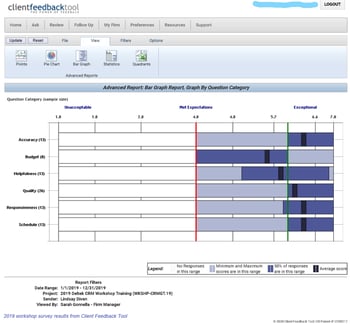
Reliable feedback is essential to understanding your client’s goals. Integrating the Client Feedback Tool with Vantagepoint or Vision ensures you can gather client feedback throughout the entire lifecycle of a project. Firms can fine-tune their performance to achieve maximum benefit for their clients and ultimate satisfaction. Find out how client satisfaction can be improved!  

Informer Blackbox Connector

The most recently introduced Blackbox Connector brings business intelligence and Deltek data together. Instead of wasting time on reviewing black and white spreadsheets of data, you can now visualize it with this connector. With customized dashboards, all members of your firm will have access to graphics available in real time so you can keep your finger on the pulse of your business. Learn how a good business intelligence solution can improve your firm's performance! 

HubSpot Blackbox Connector

The next Blackbox Connector in the works is HubSpot. With Hubspot, you can track performance of inbound marketing campaigns directly in Deltek Vantagepoint or Vision. With the ability to link your HubSpot inbound marketing tool with your Vantagepoint or Vision, you can maintain consistent and accurate marketing data and reduce duplicate entry.

With the HubSpot Blackbox Connector, you will be able to create a real-time information hub in Deltek CRM with the latest customer behaviors and activities. Share marketing awareness insight on your inbound marketing efforts to your entire organization. This connector will be available in fourth quarter 2019.

Bringing it all Together

Professional services firms have faced many data challenges, but the innovative solutions developed to bring data together with Vantagepoint or Vision from Concur, Constant Contact/Mailchimp, Client Feedback Tool, Informer, and HubSpot can make a huge difference. You can automagically synchronize your data between systems without human interaction or transcription errors. You can read, write and transform data to your specifications to a variety of end-points. The Blackbox Connector is the future for connectivity for Deltek Vantagepoint and Vision users.


Reasons Why You Should Attend Deltek Insight

Posted by Full Sail Partners on Sep 12, 2018

Deltek Insight 2018Deltek Insight 2018 is fast approaching­! Have you thought about attending? This year it will be in Dallas, Texas from November 5th to the 8th at the Gaylord Texan Resort & Convention Center. If you are not sure yet about attending Deltek Insight this year, here’s a look at some reasons to make it worth your while.

Learn More at Sessions Led by Experts

Deltek products can do so much for your business. At Insight, there are multiple sessions with Deltek experts where you can learn things you might have never known. These educational sessions are provided to Deltek users, so they can utilize their Deltek products successfully.

Additionally, experts from Full Sail Partners will be on-site leading other sessions. Rick Childs along with Tim Burns will be demonstrating how to speed up your accounts payable process through automation. If you are struggling with workflows, join Kelly Duquette as she shows how you can use standard workflows to automate repetitive tasks. Check out the whole list of Full Sail Partners’ led sessions here.

There is also a great lineup of keynotes at Insight. The list includes Mike Robbins, The Four Oarsmen, and Johnny Cupcakes. These sought-after speakers will provide inspirational stories and talk about their achievements. Learn more about the educational opportunities at Insight 2018 here

Meet Other Deltek Users

Insight is the largest gathering of Deltek users. Attending this conference gives you the opportunity to connect with Deltek users from around the world that you would normally not be able to meet. You will be able to speak with others in your industry about common issues and how they use their Deltek products. With so many Deltek users in one spot, you can get answers to questions that you have or give feedback to those struggling with an obstacle that you have overcome.

Have Fun While You Work

Deltek Insight will kick off Monday, November 5th with a general session where attendees can mingle while learning what will be going on throughout the four days of Insight. Then at the welcome reception, everyone will enjoy snacks and beverages provided by Deltek. Make sure to stop by our booth and see what we have been doing this year to improve our customer experience!

Finally, Celebrate Insight which is the last night of the conference will be held at the world-famous Gilley’s in downtown Dallas. Attendees will be dancing through the decades with six decade-inspired rooms including the 60’s Revolution, a 70’s disco, I Love the 80’s, Smells like 90’s Spirit, and Y2K Tech Nerds. Food and beverages will be provided in each room, and if that’s not enough, the legendary Kool & The Gang will be performing their iconic hits. This Celebrate Insight is something you’ll not want to miss.

Register Now for Deltek Insight 2018

With all these amazing events that are going on this year, you are going to want to sign up right away! From the networking, to the learning experiences, to the fun, it is worth the effort to attend. See you there!


Spend Management Reporting Made Easy

Posted by Full Sail Partners on May 9, 2018

Spend Management ReportingFinancial reports are essential to every organization for providing information about the health of a business to internal stakeholders as well as interested outside parties. For many firms, this is a manual process which requires significant time and resources to collect expense and invoice details, code them to the ledger, and then organize high-level summary information. Your accounting staff shouldn’t be spending their time organizing data, but instead analyzing the data to help your firm make better business decisions.

What’s the Solution?

To get started, SAP Concur has organized the key information into many standard dashboards, tiles and over 180 reports available in the standard report catalog. Many of the standard dashboards include the bulk of information your teams need, but they can also be personalized to meet specific requirements or preferences. These dashboards, tiles, and reports can be used to assist managers in tracking budgets and forecasting for future cashflow management. Tracking elements include spend by expense type, time-period, and project or department.

Why SAP Concur Reporting?

To budget for future spending and forecast future cash needs, you need to understand what you have spent in the past and what spend is still outstanding. Firms often use the processed spend data from within their financial or enterprise resource planning (ERP) system. However, the challenge firms face is real time access to spend and accrual data that hasn’t yet been submitted into their ERP system. Concur Analytics Data is available in real time and is available before the expense report or invoice is submitted for payment.

Get to Know Tiles

Tiles in Concur can be used by themselves or pulled into dashboards for a more comprehensive view of spend.

  • Top 5 Spend by Category allows users to easily view where your spend has been incurred. This lets you quickly determine if it is incurred in the expected categories, if spending needs to be reduced, and where might make the greatest impact. Accountants can then utilize the Spend Analysis dashboard or Expense Entry Analysis Details report to drill further into the categories and spend by vendor to help negotiate better pricing with your top vendors.

Concur 1

  • Top 5 Entry Exceptions by Category enables users to easily view exceptions. This allows your team to identify the impact of any policy changes and see the policies with the most violations that should be investigated further. For even more visibility, they can then drill down into the Policy Exception Detail or Spend Analysis dashboard as well as the Expense Exception Analysis for both Report Level and Report Entry Level reports.Top 5 Entry Exceptions by Category
  • Accrual Detail lets you identify the largest opportunity to take action on with outstanding spend, and specifically which individuals carry the largest value of outstanding spend. Your managers can either find training opportunities with these top individuals or focused spending cuts. For your accounting staff, this tile will help you determine the impact to future cashflow during tight budget cycles.

Accrual Detail

  • Credit Card Transaction Report is one of the best features since it enables you to easily regain hours or even days’ worth of your accounting staff’s time. Although it may not be the sexiest feature, it is critical for keeping your data in compliance. This report lists all credit card transaction details imported into Concur. It can be used as a comprehensive listing or as an ad hoc exception report to look at certain subsets of credit card transactions. Organizations with a corporate card program need to reconcile their credit card transactions with the card statement to ensure all expenses are being processed, and this report can assist with that reconciliation. Also, this report can be grouped by Employee, then sorted by Posted Date to mirror the format of the credit card statement for simplified reconciliation. Another version of this report, the Unassigned Credit Card Transaction report, can help you quickly find those expenses which have been accrued are not yet assigned to an expense report.

Credit Card Transactions

Take a Deep Dive with Reports

For more in-depth analysis and details, reports can help streamline your workflows and drill down into the data you need. Custom reports can also be created by the Concur team if your requirements fall outside of the standard options.

Quick Access with Dashboards

You can start with one of many pre-built dashboards or create your own from scratch by adding tiles and reports to existing templates. While there are many dashboards available, some of the top ones include the Expense Overview dashboard and Policy Compliance dashboard. 

The Expense Overview dashboard is a perfect starting point for budget, cashflow management, and policy compliance all in one place. This dashboard can be used as a starting point to create a new custom “Spend Management” dashboard. Managers can use this detail for budget and forecasting purposes. Personalization recommendations are to retain the Spend, Accruals, and Top 5 Spend by Category tiles as well as adding additional tiles: Spend Summary Trends, Spend Change by Category, and Accrual Detail.

Expense Overview

The Spend Analysis dashboard is an incredibly functional dashboard that offers users an in-depth analysis on total spend for a given period along with a summary breakdown of that spend by Expense Type and associated detail. This dashboard can be easily filtered to show specific Spend Categories, Expense Types, or Employees for total spend analysis or grouped and sorted in ways that are meaningful for specific tasks. It allows leaders to identify what their teams have spent in a given period. They can even track individual spending patterns to identify specific areas for follow-up or track improvements in spending behaviors. This report is versatile in that it can be filtered to show trends in spending patterns or behaviors. If more detailed analysis is required, use the Expense Entry Analysis Detail report.

It is recommended that an organization review their travel policy once a year and adjust as needed. It is important to consider the potential impact of a policy change before one is implemented. If an organization does not have a limit on cell phone reimbursement, but needs to create a policy on this expense, the Spend Analysis dashboard can be reviewed to identify average reimbursement rates to establish a baseline for a new policy. This dashboard can also be used to assess the impact of such a policy change to identify how many individuals would have been out of policy if the value was changed.

Spend Analysis

SAP Concur is a Complete Spend Management Solution

With over 180 reports available in the standard report catalog, Concur can help you quickly and easily analyze your Travel, Expense, and AP automation program to gain valuable insight into how to proactively manage all aspects of your business’s finances. It’s been said that knowledge is power, but having too much information can be as bad as not having enough. You need to be able to see spend clearly so you have more time to run your business. As your business and reporting needs evolve, let Concur and Full Sail Partners help you capture and monitor the data you need.

Marketing Analytics: Understanding the Value of Marketing Efforts

Posted by Full Sail Partners on Nov 1, 2017

Marketing is tough. Marketers are expected to be jacks of all trades:  Brand manager, technology expert, social butterfly and head collaborator. Yet at the end of the day marketing is often a thankless job. Unfortunately the fruits of our labors are often six degrees of separation removed from our actual efforts. We do not directly sell and there is no physical doo-dad at the end of the day that we can point to in order to justify our existence. Enter the world of ‘marketing analytics.’

What the heck are marketing analytics? Marketing analytics are the lifeblood of your efforts. You spend countless hours working on integrated marketing content – blogs, newsletters, infographics, proposals and much more! Yet at the end of the day can you honestly claim to understand the impact of these efforts? Marketing analytics are not only the indicators of our successes but the learning blocks of our mistakes.

Don’t fool yourself! Know what metrics are worth tracking.

Like many things in life, we can often get caught focusing too much on the nice-pretty red herring rather than digging deep and identifying what truly matters. Metrics are no different! Marketers often get caught looking at superficial statistics rather than focusing in on metrics strengthen our business case. To better understand what kind of metrics you should focus on let’s identify the two main data types:

Vanity Metrics | these metrics often look good – and make you feel good – at first glance. Unfortunately, vanity metrics focus on pumping up our ego – not our business. I often equate these metrics to a high school popularity contest: All that matters is how many people sign my yearbook. But don’t be fooled, these metrics are not your friends. So what are some examples of these metrics?

  • Total website visits
  • Page views
  • Number of subscribers or followers

As you can see, these metrics look good at first. But do they actually provide actionable data that allows you to drive your business case forward? The ambiguity of these analytics leaves your marketing efforts reactive rather than proactive.

Action Metrics | meaningful metrics are the bread and butter of your efforts. To be able to leverage marketing analytics to improve your marketing campaigns you must be able to understand the customer behavior represented by these metrics. Using the above high school analogy, these action metrics are representative of the number of people that invite you to their party. These metrics do not only want to know you – they want to hang out with you! Examples include:

  • Site behaviors – what are people actually viewing and consuming on your website
  • Who is converting; is there a common buyer persona?
  • Customer acquisition costs

These metrics actually mean something to your business. They are not only indicative of your efforts, but reflective of your results.

How do we track marketing analytics?

So now that we understand what we want to track we must figure out how to track our desired marketing analytics. Luckily for you, there are hundreds of tools out there. Highlighted below are examples of each type of tool you will want to add to your marketing arsenal.

Content Management System (CMS) | a content management system will allow you to seamlessly optimize all of your integrated marketing efforts within your website. Gone are the days of fumbling with html and css codes. While in the day-to-day trenches of marketing you need the ability to quickly and easily access the living data regarding your marketing campaigns – and this is precisely what a CMS allows you to do.

Examples of CMS include:

  • Act-On
  • Hubspot
  • Marketo

Whatever CMS you decide is right for you, make sure that it integrated with all of your other business systems and processes to provide you with maximum visibility.

Web Analytics Platform| integrating your website with a Web analytics platform is essential for taking the step from analytics-shmoe to analytics-pro. Yes, you already get analytics from your CMS. However, think of a CMS as fast food and a full Web analytics platform as a five-course meal. Your Web analytics platform is your go-to asset when you need the full meat and potatoes of reporting.

Examples of Web analytics platforms include:

  • Google analytics
  • Mixpanel
  • Webtrends

Understanding a full Web analytics platform can be intimidating. Luckily you can often find free training. For example, Google offers a free analytics certification course that you can complete at your own leisure!

Customer Relationship Management (CRM) System | what good are all of these marketing analytics if you can’t actually do anything with them? A CRM system will allow you to better understand your leads, holistically track your marketing campaigns and most importantly provide you with the tools needed to build meaningful relationships. Our CRM recommendation for professional-services firms is Deltek Vision.

Go forth and spread your analytical marketing wings!

Gone are the days where you fear that your marketing efforts will be glossed over. You now have the tools and knowledge needed to go out and make something of your marketing campaigns! We hope that you take this new found knowledge and prove your resolve by becoming an analytical marketing guru!

Topics:  

Why Architectural and Engineering Firms Need To Properly Manage Their Documents

Posted by Full Sail Partners on Jul 28, 2017

Document Management

It is interesting to note that most document management systems are designed for the Architectural and Engineering (A&E) world where document management is quite the opposite of most other industries. Whereas typical industry documents are standardized and repeatable, with templates that rarely ever change, those required of the A&E environment are not. Here, every drawing is unique, and workflows require systems specifically designed to meet the needs of the A&E space. Here are some examples of the differences for standard businesses and project-based business.

Standard businesses

  • Documents are standardized and repeatable
  • Minimal revision control with unidirectional workflows
  • Basic transmittals
  • Simple file naming

Architectural & Engineering Firms

  • Every drawing is unique
  • Revision control is crucial due to edit-review-rework flows
  • Transmittals can include documents, drawings, xref images, specs and more
  • Complex naming schemes including: Project & Client Name, Discipline, Floor or Phase of Project, Sheet Category, Drawing # and more

Do You Have More than One Version of the Truth?

Employees can spend hours or days updating a drawing. If an obsolete version is used, then that work must be repeated, costing your firm time and money. Also, using the incorrect version of an engineering document can leave your firm vulnerable to increased corporate risk, failed audits, cost overruns that can extend into the millions of dollars, not to mention significant risks to safety, schedules, and reputation.

Furthermore, manual methods of version control are difficult and prone to error. In most companies, you can find multiple versions of files, one on the server, on a user’s hard drive, in email, and even a paper copy. Using a document management system creates a central point for document access which ensures users across the organization always can obtain the latest version. Document management systems also store previous versions and maintain the historical metadata for auditing the document history.

Are Transmittals Weighing You Down?

Gathering files, ensuring the correct version, attaching xrefs, specs, and any other necessary files are all very time consuming and tedious. Because it is a manual process, there is always a high risk for missing information. Once you include creating, sending, and tracking transmittals, this process becomes a very large, time-intensive process. 

A good A&E document management system provides automatic cover sheet creation and a built-in address book for quickly adding recipients. It also automatically tracks sending, receiving, editing, and routing so you can easily maintain the relationship between the cover sheet and all the files and data you send.

Are Your Naming Conventions Working?

Many companies try to impose naming standards, but without a way to enforce or automate these standards, all it takes is one person choosing to name a document in a way that makes sense to them, and an important file could be irretrievable. When more than one department or branch is involved, or new businesses are acquired, chaos can ensue!

An A&E focused document management system will auto-generate number sequences, include fixed width text place holders for user entered text, predefined data from drop down lists, user entered free texts, and delimiters. In addition, file names would not be the only way to search for files…using metadata either manually tagged to the document or found within it, would be a key part of your file storing and searchability. 

Where Are Your Critical Communication Documents?

Are your firms’ critical communications being housed in email boxes and scattered throughout your organization? What happens when someone is out of the office, or leaves the company? Do you or your staff spend hours trying to locate that critical communication?

A document management system allows you to save emails from Outlook to your projects, contacts and organizations, including version controls, with very few steps. It also saves just one copy of an email and eliminates duplicates to reduce storage and communication that must be sorted through and searched. These emails would then be stored centrally and permanently for audit and legal purposes, essentially preventing them from ever being deleted or lost, especially if a team member leaves the practice.

Why an A&E Document Management System?

A great document management system will provide documentation that is:

  • Accurate, current, and trusted
  • Easily found, even without knowing specific identifying information
  • Under control, using predetermined workflows
  • Easily communicated
  • Fully audited for changes

If users can bypass procedures to access and change files without proper auditing, you aren’t truly managing your documents. Document management software uses database tables to store both data and files and ensure compliance.

Document management systems cut costs. The time needed to locate a document using easy searches and metadata should drop to seconds. No walking, telephoning or emailing is required - just a connected computer. Errors from using incorrect documentation virtually disappear. Only the latest, approved and published versions are used.

Time spent manually moving files and attaching to emails is eliminated with file sharing. Instead, documents are displayed to the user as soon as they are found. Audit reports can be automatically generated. Knowledge recorded in markup is stored in the system, visible to all who need to know, and your staff are more productive when they know information is reliable.

Calculating the Costs of Disorganized Documentation…Are You Scared to Know the Truth?

Do you know how much time your staff spends naming, organizing, and then trying to find documents? Are you, like many, scared to really find out?

  • How much time is spent by users looking for drawings or other documentation?
  • How much time your staff spends helping others find what they need?
  • How much downtime is also a consequence of these delays?
  • How many occasions production has been lost and/or re-working was required due to use of incorrect or outdated documentation?

Multiply these hours by burdened rates and estimate the costs of incidents caused by inaccurate data to extrapolate a typical yearly cost. It appears to be very expensive. Without a good document management system in place, these situations put a true financial strain on your firm.

Are You Ready for a Document Management System?

Using a proper document management system will not only save time, which we know equates to money, but will also prevent the unnecessary headaches of having to constantly forage through numerous files trying to find needed documents. We all know that the A&E industry is a unique and specialized industry which requires organization for project management. It doesn’t need to be so challenging to manage your documents.

Adobe Creative Cloud

Posted by Full Sail Partners on Mar 1, 2017

Last year Adobe released their comprehensive new cloud offering, Adobe Creative Cloud’. The Adobe Creative Cloud provides users full access to all of Adobe’s creative offerings, in addition to exclusive features and products only available to subscribers. With this new bundle, companies are able to take their design capabilities to a new level!    

Many small A/E firms struggle with the decision to empower their marketing team with the various Adobe offerings. This usually is not a decision based on product functionality, but rather a decision based on economics. Let’s be honest, Adobe products are not cheap! But like many things in life, you get what you pay for.

Adobe has realized this hurdle that many small business face, and they answered with the Creative Cloud! Rather than outright purchasing an Adobe license (Photoshop, Illustrator, etc.), a large one-time expense, Cloud members pay a monthly fee of $49.99 – yearly costs are about equal to purchasing one Adobe product outright. This is a pretty fair deal if you ask me: You are ensured to always have the most up to date software, you gain access to every Adobe product, and you avoid costly upgrades!

In addition to limiting your company’s investment, the Adobe Creative Cloud also provides the following features and offerings:

  1. Creative Cloud users get 20 gigs of online storage.  This space is great for sharing files with clients, storing files while on the go, and creating online backups of critical design files.  Many times designers are working in off-site locations and collaborating over the web.  Use this storage space to share important project files like font types, swatches, templates and more!
  2. In addition to acting like a storage locker, the Creative Cloud also acts as an information desk.  Upload files from Photoshop, InDesign or Illustrator and get important file information not provided in other browsers.  Quickly see what font types are used, color schemes and layers.  The cloud interface even allows users to turn off layers, previewing the changes without having to open Adobe!  This is a great way of sharing file previews with someone that does not have Adobe!
  3. Host and manage your websites!  That’s right; Creative Cloud membership comes with hosting for five websites.  This is a great feature for small firms that are trying to optimize their marketing efforts, on a restricted budget.
  4. Training library.  Adobe has always been known to have great training resources via their website.  Creative Cloud members gain access to additional valuable training content from industry experts at Kelby Training, video2brain, Attain & Adobe.  Training material is broken down in to three main categories:  Adobe products, specific workflows, and creative fields.
  5. Install your Adobe products on more than one computer!  A major complaint from business development professionals is that they simply cannot afford to put Adobe on their home machine.  Unless your company has provided you with a laptop, you must be in the office to work on that proposal with an upcoming deadline.  Not with Adobe Creative Suite!  Install the products on two computers, MAC or PC, and use the programs freely as long as the computers are not running at the same time. 

Marketers are constantly looking for more ways to get value out of their tools and efforts. These ancillary features from the Adobe Creative Cloud better help professional services firms tackle day to day functions.

If your firm is looking to take proposals to the next level -- or if you have already made the transition to Adobe and its time to upgrade -- check out the Creative Suite.

Topics:  

Bid / No Bid – When to Decide During the Proposal Process

Posted by Full Sail Partners on Feb 15, 2017

Deltek Kona, Deltek Vision, Win ProjectsIn today’s day and age of fast changing technology, firms must stay abreast of all available solutions to better compete with competition, and win work. Since the ‘great recession’ of 2009, competition on winning work has increased exponentially. Successful firms have combated this increased competition by staying current with technology, and using well thought out techniques to win projects. Included below are five tips that will help your firm better impress clients, and ultimately win more work.

  1. Collaboratively share information with your project team. When responding to a client request / RFP, sharing data can become a cumbersome task in itself when working with remote teaming partners or staff. Often, the ability to seamlessly coordinate tasks/assignments, or share large files amongst your team can be the difference in winning or losing the work. To avoid these types of hiccups, leverage collaborative sharing tools such as Deltek Kona to keep your project team on the same page. Deltek Kona allows users to share files, and schedule important dates, seamlessly as though the users were all working in the same centralized office. You will be amazed at how Kona will empower your project team!
     
  2. Hasten your proposals process through the use of templates. Unfortunately, many times firms will find out a about a project that they are a perfect fit for days before the due date. These time restrictions can ensnare the proposal process and make it difficult to respond sufficiently. Empower your marketing/business development department by creating templates that will allow you to export your information from Deltek Vision CRM to Microsoft Word or InDesign. This will allow you to streamline the proposal process, and concentrate on the areas of the proposal that require custom attention.
     
  3. Avoid boring old PowerPoint presentation. Many firms make it to the short-list process only to utterly disappoint the client through the use of a boring, stale PowerPoint presentation. If you are unable to separate yourself from your competition, you are not doing your best to win projects. PowerPoint has been around since the late 1990’s, and sadly a large majority of presentations look like they came out of that same era. By using presentation software such as Prezi or PreZentit, your firm can immediately stand apart from your competition. With that said, don’t forget the importance of impressing the client by being personable and demonstrating your understanding the project. Overly relying on the use of presentation software is one of the quickest ways to lose a client’s attention.
     
  4. Use a CRM solution to track relationships. We have all heard the saying, “It’s not what you know, but who you know!” This begs the question; does your firm know who it knows? If you are not tracking your relationships through CRM software such as Deltek Vision, then you are simply throwing darts at a board, blindfolded. A CRM solution will allow you to track who you know, recent conversations, and other important relationship data such as birthdays or anniversaries. This type of knowledge insight is important for creating meaningful relationships between your company, and your clients.
     
  5. Optimize information for smart devices. If you own a smart device, and you have not optimized your marketing contact the device, you are not working smart! You never know when, or where, you might bump in to a perspective client. If you are unable to demonstrate your firms expertise at the drop of a hat, expect to lose out on a lot of potential work. Your firms website should be optimized for smart devices (iPhones, Androids, Tablets, Everything!) allowing you to be ready to show off how great your firm is, at a moment’s notice! In addition to optimizing your website for these smart devices, take the initiative to pre-load content on to your smart phone, in case you are unable to get internet service! By doing this, you will not only impress the client with all of your great works, but you will also demonstrate your ability to think ahead and be ready for the unexpected.

    If your firm is utilizing Deltek Vision CRM, make sure to check out Vision Unleashed. Vision Unleashed will allow you to access your full Vision system on teh go, from a mobile device. It also allows MAC users to access Vision without the need for running parallels or bootcamp. This allows MAC users to utilize their workstation to it maximum potential without dedicating resources to addition process just to access Vision!

I hope you learned something from this blog. Some of these technologies or techniques might seem obvious, but unfortunately many times it’s the obvious omissions that cause us to lose out on winning new work. If you use any of the concepts highlighted in this blog, make sure to comment below and let us know. We love to hear success stories!

Once you win your next project, make sure to review these project management concepts.

From Zero to Hero: 4 Ways to Start Winning the Battle for the Inbox

Posted by Full Sail Partners on Jan 25, 2017

Email List+Envelope.pngEmail marketing is one of the most cost-effective tactics for acquiring new clients and re-engaging existing customers. So why is it that so many firms are resistant to adopting a dedicated email marketing strategy? Failure to implement a dedicated email marketing strategy focused around best practices can lead firms to experience lackluster email results. This blog is going to dissect the most common reasons emails sit unread and collect dust. Apply these tips to start winning the battle for the inbox!

Common Mistakes Keeping You from Winning the Battle for the Inbox

  1. Unclear subject lines | Did you know that 33% of email recipients open email based on subject line alone [source: Convince & Convert]? Experience greater success with your emails by providing your audience with a compelling reason to open your email. In other words, make the subject line attractive to your intended target so that they want to read your email!
  2. Missing the mark on content | Not every member of your audience is interested in the same content. The foundation of a successful email marketing campaign is grounded in keeping content relevant to your readership. Utilize your CRM system to drill down your segment list and keep your content relevant to your audience.
  3. One way flow of communication | Have you ever received an email from a ‘do not reply’ email address? This type of tactic comes off as impersonal and will leave a sour taste in a recipient’s mouth. When companies send out mailers from a ‘do not reply’ address they tell their audience that they don’t care to have a real conversation. Give your audience the impression that you are receptive to feedback and you will be amazed at how active your subscribers become.
  4. Too many links, not a clear enough call-to-action | Links to important content can be helpful and convenient for readers. As a content provider it is important to tread carefully here! Too many links can detract from more important content and confuse your readers. Focus on your message at hand and optimize your emails to drive viewers to engage in your call-to-action.

Get the Most Out of Your Email Marketing Campaigns

We hope that you have learned something from this blog that can be applied to your email marketing efforts. Remember that each email campaign is an additional opportunity for you to attract and delight your audience. Following these best practices can make a huge impact on your outbound efforts and lead to increased conversions and growth in your subscription base.

Interested in learning more about winning the battle for the inbox? Join us on February 8th to learn how to take your email marketing efforts to the next level.

Most Recent News Mentions

We’re changing the way project-based firms operate.

People can’t help but notice.
Who will be next?

Check out our latest newsworthy work: