In the News


We’re devoted to revolutionizing the way our clients do business. Sometimes that gets us noticed.

No big deal.

Posts about CRM (5):

Lead Management in Deltek Vision: From Qualifying to Closing the Deal

Posted by Dale Busbey on Jun 21, 2013

One of the most important tasks within any organization is lead management.  It is vital for the sales staff to have the most comprehensive and up to date information available on a new lead.  With this information the sales or marketing team can seamlessly follow the Lead qualification processes established by your firm.  Once it has been established that a Lead is a qualified prospect, it is time to convert the lead into a company, opportunity and/or contact.

Did you know that you don’t have to create each record in the respective info centers and enter the same information over and over?  Vision can use the information from the Leads Info Center to create the Company, Opportunity and Contacts records in a few easy steps.  Here is how it works… In the lead info center menu, there is a “Convert” option. 

Deltek Vision CRM Lead Management 

By choosing this option, you will receive a dialogue box that is defaulted to qualify the lead.  There is also the option to disqualify a lead if need be, but we will focus on lead qualification. 

Within the dialogue box you will have the option to convert the information entered into the Leads info center over to a company, contact or opportunity.  You may only want to convert this lead to a contact or maybe you only want to have them set up in the company and contact info centers, you can do so by checking only the radial button next to those options. 

Deltek Vision CRM Lead Management Conversion 

You may also want to associate this lead with the corresponding Marketing Campaign that brought you the Lead.   The appropriate campaign may be selected from the drop down box at the bottom of the dialogue box. 

Once you have checked the appropriate options and associated the Lead with a marketing campaign (if appropriate), you will select the ok button.  Vision will create a new Company, Contact and Opportunity for this Lead.  All the corresponding information such as Company name, address, phone number, e-mail address, company  type, etc for this Lead will be copied into the fields in the new records created in the Company, Contacts and/or Opportunity info centers you have selected. 

Your company now has all of the lead management information necessary to track this client in the Client Info Center, including associating the new contact record with the company.  Within the newly created opportunity is all the vital data your sales team will need to engage and move forward with the sales process.  The transfer of this information has been done without the need to manually copy and paste between the info centers.  Vision has copied the information for you within seconds and the focus can now turn from qualifying the Lead to managing the sales process and closing the deal.  

Learn more about Deltek Vision CRM.

5 Tips to Win Projects with Deltek Vision CRM to Kona

Posted by Full Sail Partners on Jun 12, 2013

Deltek Kona, Deltek Vision, Win ProjectsIn today’s day and age of fast changing technology, firms must stay abreast of all available solutions to better compete with competition, and win work. Since the ‘great recession’ of 2009, competition on winning work has increased exponentially. Successful firms have combated this increased competition by staying current with technology, and using well thought out techniques to win projects. Included below are five tips that will help your firm better impress clients, and ultimately win more work.

  1. Collaboratively share information with your project team. When responding to a client request / RFP, sharing data can become a cumbersome task in itself when working with remote teaming partners or staff. Often, the ability to seamlessly coordinate tasks/assignments, or share large files amongst your team can be the difference in winning or losing the work. To avoid these types of hiccups, leverage collaborative sharing tools such as Deltek Kona to keep your project team on the same page. Deltek Kona allows users to share files, and schedule important dates, seamlessly as though the users were all working in the same centralized office. You will be amazed at how Kona will empower your project team!
     
  2. Hasten your proposals process through the use of templates. Unfortunately, many times firms will find out a about a project that they are a perfect fit for days before the due date. These time restrictions can ensnare the proposal process and make it difficult to respond sufficiently. Empower your marketing/business development department by creating templates that will allow you to export your information from Deltek Vision CRM to Microsoft Word or InDesign. This will allow you to streamline the proposal process, and concentrate on the areas of the proposal that require custom attention.
     
  3. Avoid boring old PowerPoint presentation. Many firms make it to the short-list process only to utterly disappoint the client through the use of a boring, stale PowerPoint presentation. If you are unable to separate yourself from your competition, you are not doing your best to win projects. PowerPoint has been around since the late 1990’s, and sadly a large majority of presentations look like they came out of that same era. By using presentation software such as Prezi or PreZentit, your firm can immediately stand apart from your competition. With that said, don’t forget the importance of impressing the client by being personable and demonstrating your understanding the project. Overly relying on the use of presentation software is one of the quickest ways to lose a client’s attention.
     
  4. Use a CRM solution to track relationships. We have all heard the saying, “It’s not what you know, but who you know!” This begs the question; does your firm know who it knows? If you are not tracking your relationships through CRM software such as Deltek Vision, then you are simply throwing darts at a board, blindfolded. A CRM solution will allow you to track who you know, recent conversations, and other important relationship data such as birthdays or anniversaries. This type of knowledge insight is important for creating meaningful relationships between your company, and your clients.
     
  5. Optimize information for smart devices. If you own a smart device, and you have not optimized your marketing contact the device, you are not working smart! You never know when, or where, you might bump in to a perspective client. If you are unable to demonstrate your firms expertise at the drop of a hat, expect to lose out on a lot of potential work. Your firms website should be optimized for smart devices (iPhones, Androids, Tablets, Everything!) allowing you to be ready to show off how great your firm is, at a moment’s notice! In addition to optimizing your website for these smart devices, take the initiative to pre-load content on to your smart phone, in case you are unable to get internet service! By doing this, you will not only impress the client with all of your great works, but you will also demonstrate your ability to think ahead and be ready for the unexpected.

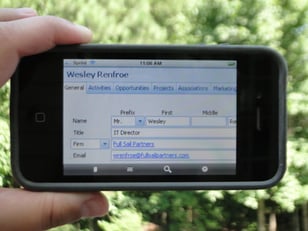
    If your firm is utilizing Deltek Vision CRM, make sure to check out Vision Unleashed. Vision Unleashed will allow you to access your full Vision system on teh go, from a mobile device. It also allows MAC users to access Vision without the need for running parallels or bootcamp. This allows MAC users to utilize their workstation to it maximum potential without dedicating resources to addition process just to access Vision!

I hope you learned something from this blog. Some of these technologies or techniques might seem obvious, but unfortunately many times it’s the obvious omissions that cause us to lose out on winning new work. If you use any of the concepts highlighted in this blog, make sure to comment below and let us know. We love to hear success stories!

Once you win your next project, make sure to review these project management concepts.

Are Forums Just as Good as Top Consulting Firms?

Posted by Sarah Gonnella on Apr 30, 2013

In keeping up with CRM related forums, someone asked about the best approach to handling and maintaining their CRM system.  It started to make me think about the value of what is communicated in these forums and how much people trust advice from others they believe to be their peers. It made me wonder why people instantly trust others that may or may not have all of the background information that top consulting firms discover when providing their services.  

Top Consulting Firms, Deltek Vision, ERP, Forum AdviceIn this situation, I observed people giving advice as opposed to just sharing experiences.  I found it curious that contributors to the forum assumed many of the variables the person inquiring had not provided and further, the person making the inquiry hoped to find solutions without providing any background or specifics.  

No two companies are alike. Sure there are similarities, but my experience in consulting has led me to believe that if you want a true solution to your issue, you have to take the time to identify the “who”, “what”, “where”, “when”, “why”, and “how” (wwwwwh) questions and the most important question, “What do you need?”.  As the forum conversation continued the inquirer thanked people for their input, but soon added more information as the responses were not really the direction they were looking for.  This occurred to me to somewhat frustrate many of the individuals that had already offered their “advice”.  One such comment was “well if you had told me that when you asked the question.” 

So What Happened?

When we ask a question, individuals drive off of their experience and what worked for them. However, they don’t necessarily provide context of why that worked for them and include those specific reasons. This poses a huge problem to the answers they receive. Many people go directly to wanting a solution without having any true understanding of the context of their question. When the basic “wwwww” are not qualified, the inquirer runs the risk of not addressing their true needs. Even some of the top consulting firms tend to take the same approach with their clients.  In fact earlier in my career I used the phrase, “when I was in industry, what worked for us was…”. 

So why do individuals seek a solution in these forums before building context and clearly defining what they need?  Here are a few thoughts I had on why this may occur:

1)     We seek good ideas from others in the same industry

2)     We crave solutions with little challenge

3)     We need immediate answers

4)     We love FREE advice!

Just like the advice provided by contributors in a forum, consultants sometimes fall into this pitfall of providing quick advice. In order to not challenge a client, consultants may diminish the level of anxiety to both their client and themselves by giving “a solution”.  As a consultant, ready-made solutions give a sense of accomplishment.  But sometimes that solution is short-term because the question asked is out of context of the bigger issue.  Because the question was asked in a vacuum (forum), there is little room for further qualifying discovery. 

Inquiring about what others in industry are doing and or have done allows one to know others experiences.  From this may come ideas that generate further inquiry, but the inquirer should look to put this further inquiry in context of their “wwwww” questions.  The key here is to be able to have these “wwwww” questions already established and to quickly hear the advice against what you already know.  The same preparation should be part of ones working relationship with the consultant. The difference is, one can dynamically interact with a consultant and establish the context.

So an important distinction the next time one works with a consultant: if the consultant is not looking to build the context of your issue, they likely are going to only provide short-term solutions that do not fit well in the long run with your company’s needs. 

Do you have any stories to share about a consultant that applied the “wwwwwh” principals that allowed you to develop a true solution and avoid thinking short-term? Share in our comments section below. 

Deltek Vision Tips: Setting Up Remote Access for Deltek Touch

Posted by Wes Renfroe on Apr 19, 2013

Vision UnleashedSo, you’ve heard about the new Vision Unleashed, Deltek Touch Time and CRM mobile applications and want your smartphone users to be able to utilize these applications to access Vision offsite. Perhaps you like the idea of your Vision users having the ability to work from home or abroad or maybe you think the new Navigator interface would be really helpful for project managers out in the field.  However, you feel opening up Vision access from the web sounds kind of scary and you have questions. Is it safe? Is it expensive to set up? Is it hard to configure? 

Well, let’s take a look!  

Is it safe?

Yes it is!  When properly deployed using Secure HTTP and a strong password policy, accessing your Vision data from anywhere is as safe as accessing your banking information. 

Is it expensive?

Only in the time to set up (generally an hour or two) and the purchase of a security certificate. The certificate is good for several years and costs only a few hundred dollars. 

Is it hard to configure?

For a single server install the process is simple and can be completed with very little downtime or afterhours with proper planning.  Multi-tier installs offer a bit more complexity and should be discussed to ensure all the nuances are covered before beginning.  Full Sail Partners has assisted many firms with the transition. Feel free to reach out to us for support.  

Here are the steps to open Deltek Vision to the internet to allow your firm access to new features like Deltek Touch.

  1. Configure a Fully Qualified Domain Name (FQDN) that you will use to reach Vision from offsite. ‘Vision.yourcompanyname.com’ is a common format.
  2. Purchase and install a SSL security certificate for your new FQDN on your Vision server.
  3. Modify your firewall rules to allow port 443 (secure http) traffic to be forwarded to your Vision server. Note: This is a good time to try visiting your Vision login page to see if everything is on the right track, in Internet Explorer. Visit HTTPS://Vision.yourcompanyname.com and make sure it loads.
  4. Verify the FQDN is also reachable internally, DNS may need tweaking.
  5. In Reporting Services Configuration Manager, under the Web Service URL tab, add the SSL identities now available since applying the new security certificate.
  6. In the Vision Weblink, on the reporting tab, change the Server URL to your new FQDN/reportserver. For example: https://vision.yourcompanyname.com/reportserver. Note: Be sure to click the Test button to verify you have it right!
  7. Voila! You should now be able to log in from both onsite and offsite and successfully run reports.  Once verified, you can notify all of your users to use the new link for their Vision needs. 

iAccess, Deltek Touch, and Vision Unleashed can now be deployed.  Enjoy safely and securely accessing Vision, anywhere, anytime! Let us know your experience.

Deltek Vision Customization: Past Trends Provide Insight into the Future

Posted by Sarah Gonnella on Mar 11, 2013

When evaluating your professional services firm, understanding your past trends can provide valuable insight into the future.

It is important to know where you are going, as well as, where you have been. Understanding mistakes and achievements is paramount to truly understanding how to progress your firm. The old adage by George Santayana remains true, “Those who cannot remember the past, are condemned to repeat it.”

Luckily, firms don’t have to rely on people’s memory. There are all kinds of ways to track information. However, having the tools set-up to extract, dissect, and analyze the data is a different story. When it comes to proposals, it is essential to know the Win to Loss Ratio (Hit Rate).


In a recent 2012 survey, SMPS Technology Committee reported firms are tracking the following marketing metrics:

56% | Win to Loss Ratio
50% | Client Satisfaction
46% | Marketing Expenditures
39% | Revenue
30% | Sales Funnel/Pipeline
27% | Sales Potential Forecast
26% | Proposal Cost vs. Revenue         Generated
24% | Referrals

In a recent, SMPS Technology Committee survey, only 56% of firms stated they tracked this information, which is surprising. This type of report allows you to evaluate the overall hit rate by the firm, a division, the pursuit lead, or other criteria.  You can also evaluate it by percentage or by revenue.  Knowing both provides you a different story.

Take William Apple, who has a 50% hit rate for the number of projects he has pursued.  He pursued 10 and won 5.  Ann Johnson on the other hand only has a 33% hit rate. She pursued 3 and won 1.  Seems like William is doing better, right?  However, if you evaluate them on revenue, William only has a 24% while Ann has a 73% hit rate.  Why the difference? 

Well, the one project Ann won, was a large project worth millions of dollars.  William however, won a lot of smaller projects and lost out on the bigger project. Both are important to the business.  However, if you start to see that William is constantly losing out on the large projects or maybe particular project types, this type of analysis would be valuable information that could be acted upon.

Key metrics like the Win to Loss Ratio allow a quick snap shot to determine if you need to dig deeper.  The historical progress of an opportunity sometimes provides further clues. 

  • Were you realistic with your expectations?

  • What stage did you lose the opportunity?

  • Did you have an established relationship and effective pursuit strategy?

Is your firm able to answer these questions or are you repeating the same mistakes? Let us know how your firm learns from your success and failures and how your firm is improving your hit rate by leaving a comment. Interested in more historical trends information?

Deltek Vision How-To: Info Center Help

Posted by Sarah Gonnella on Jan 10, 2013

Welcome to our first Deltek Vision How-To Video Series. Today we will learn about Deltek’s Vision Info Center Help section. This video will answer some common questions asked by clients are:

  1. Do you have a complete list of the fields in Vision?
  2. Do you have a help guide so I can learn about the fields available?


Check out additional how-to videos by clicking here. 

Deltek Vision Tips: Workflow for Modified User

Posted by Sarah Gonnella on Dec 21, 2012

It looks like the world will not come to an end! So back at it campers. Let's learn some quick tips about Deltek Vision.

As the first of our Deltek Vision Tips & Tricks Series we would love to hear if you find the information helpful. Recently I came across a question about how to know who modified a record. Of course the audit reports can provide this information, but there are two easier ways to get this information.

In every info center you can hover over the name of the record at the top of the record. It will tell you who created the record and on what date. Additionally, it will tell you who last modified the record and on what date. So in the image below for item #1, the mouse is hovering over the word Paul A. Collier in blue. If you need to know what field was modified then you would need to run an audit report.  

Deltek Vision Record Audit Trail


Additionally, you could set-up a field that displays who modified the record. This is accomplished through a workflow. First create a new character field. (Note: An employee field will not work.)  In this example it is named Modified By.  See image item #2 above. 

Then set-up a User Initiated Workflow. Choose the Application, which in this instance will be the Contacts. Click Insert on the Workflows grid. The Workflow Table will be Contact Record and the Workflow Type will be Change. This simply means every time the contact record is changed, the workflow will trigger.

User Initiated Workflow


User Initiated Workflow Contacts


Now on the Actions grid click Insert to add an action. Choose Column (Field) Change for the Actions column. Next, choose the field to update. In this case it is ContactCustomTabFields.CustModifiedBy.  Then set-up a SQL Expression. The expression is simply, a field that already exists: [:Contacts.ModUser]. Find that code and click Add Column. Then click Save. Be sure to add descriptions so you know what the workflow is related to and then Save the workflow. To test it, change something on a Contact record. You should see the users login name filter in.

Column Field Change


Column Field Change SQL Expression


Check back in 2013 for new blog entries related to Deltek Vision tips. Let us know if you learned something new by leaving a comment. Wishing you a wonderful 2013!


What Singer Adele and Business Building Strategies Have in Common

Posted by Sarah Gonnella on Sep 7, 2012

marketing campaigns, Business Building Strategies, Measuring Return on InvestmentAnyone that knows me, knows I love music and sing karaoke.  I was learning one of Adele’s songs and listening to the lyrics: “Should I just keep chasing pavements, even if it leads nowhere?” I started thinking about the things we chase in our own life that lead nowhere. Even though this song by Adele is referring to love, it really can apply to pursuing business or ways to grow business.  Does your firm have a way to analyze if the business you chase is leading anywhere?  Better yet, do you know what efforts are paying off?  Below are things to consider when evaluating the effectiveness of your business building strategies:

Are You Chasing the Flavor?
A recent client described that each week they discuss the potential business everyone is pursuing.  However, each sequential week everyone was chasing the flavor of the week.  She had no idea what happened to the previous week’s pursuits and if anyone was even following up until she received a proposal request.  To avoid chasing the flavor and ensure your firm is following-up on all opportunities, consider these steps:

  1. Document All Stages with Action Items: You don’t need a proposal to document the opportunities you are pursuing.  Even if business is in a discovery or assessment phase, documenting these efforts with actions items can remind you to follow-up. 
  2. Identify Trends and Outstanding Items: Using an integrated system allows marketing and executives to track the progress of the entire company through reports to identify if there are trends or items that are outstanding.
  3. Administrator and Automation: Identifying someone to administer and review your pursuits is critical to ensuring progress. Also look at ways to automate alerts to remind you when you should follow-up.
  4. Win/Loss Report: It’s important to know how successful you are. Knowing the history of past pursuits can help future go/no-go decisions and improve your win rate. By developing a win/loss report and evaluating how successful you are by department, opportunity champion, and the type of project can help you make better decisions in the future.

Are You the Nurturing Type?

Many of us attend events, are a part of an organization, and are involved in business development efforts in hopes to nurture business.  However, most individuals and firms don’t know the effectiveness of their efforts.  To ensure your firm is making good use of your time, consider these steps: 

  1. Network vs. Attend: Not every event you attend will result in business.  There are many reasons to network.  However, showing up to an event doesn’t equate to networking. After attending an event log who you talked with. What did you discover about the individual and what was important to them?  Think about how you might follow-up with that individual. Maybe there is a subject they are interested in, someone they want to meet, a project they are working on, or you found out something about their personal life. How can you use your knowledge or connections to follow-up?  Social media is making it easier to connect with people and stay up-to-date with their changes. Be sure to personalize your request.
  2. Get Involved: If you are a member of an organization, take the plunge and be active.  Think about your audience when you chose an organization and then get involved in a committee, the board, or become a speaker. Volunteering can help you gain exposure, connect you with decision makers, and allow you to demonstrate your expertise. Joining SMPS was one of the best decisions I could have made for my company and career.
  3. Return on Investment: We all tend to hear the phrase, measuring Return on Investment related to effectiveness of business efforts.  Another way to look at ROI is ask yourself, if you had to pay for the marketing or business effort out of your own money, do you think it would be worth the effort?  A great way of looking at the marketing effectiveness is to track the time you spend toward business development efforts and compare it to the business you obtained from those efforts.  When you compare the expense vs. the business you received, was it worth the effort? Sometimes efforts take months or even years to pay off. So to determine trade show ROI or events that happen on a yearly basis, allow two years to determine the effectiveness. 
  4. Building Business: Most people look at clients as Existing or New.  I would challenge you to look at them as one of three categories: Prospective, Nurturing, and Maintenance. Prospective clients are those you want to do business with, maintenance clients are those you continue to do business with, while nurturing clients are those you’ve done business with or have recently received business from.  Your message and how your firm will gain business from all categories will vary. Keeping in mind that it is seven times easier to maintain an existing client than is to go out and get a new client; moving clients to the maintenance category is the goal.  So where should you spend your time and how do you know when you are effective?  First you need to define what justifies a maintenance client.  Is it the number of projects or dollar amount over a period of time?  With an integrated database system, your data can trigger when the criteria is met and send out an automated report.  This information informs “Client Champions” and executives when client business increases or decreases and provides marketing with insight for nurture campaigns.

I hope my inspiration from Adele will help your firm build business and avoid chasing pavements. Let us know what inspires you and what your firm does to ensure growth. View our webinar: Get the Most from Your Conference.

Most Recent News Mentions

We’re changing the way project-based firms operate.

People can’t help but notice.
Who will be next?

Check out our latest newsworthy work: