

In the News


We’re devoted to revolutionizing the way our clients do business. Sometimes that gets us noticed.

No big deal.

Posts by Full Sail Partners:

Top 5 Ways to Get the Most Out of Your Deltek Vision System

Posted by Full Sail Partners on Sep 12, 2014

changeIt’s not so much that firms don’t already know they aren’t taking advantage of their Deltek Vision system as much as they sometimes just don’t know where to start. I hear it almost every time I’m at a conference talking to clients. “We aren’t utilizing the system to its full potential”. Knowing you aren’t is half the battle. The harder part is figuring out what to focus on and getting the buy-in to do something about it. Below are five tips on how to get the most out of your Deltek Vision system. 

  1. Make it a Priority – We see it every day, firms deal with inefficiencies causing them to lose money each day they are not addressed. If you don’t make it a priority, who will?  Make a list of all of the things keeping you from focusing on your job, i.e. inefficiencies, duplication, lack of report, insight on trends, etc.  Then go to each role within the firm and make the same list from them. This is where you start. By applying the 80/20 rule you can reduce that list down to your priority list.
     
  2. Take Advantage of New Technology – Is your firm guilty of ignoring technological enhancements? Businesses that stay with the “old way” of doing things fall behind their competition. But change is so hard!  You know what they say, the only thing constant is change. New tools like mobile access to timesheets, expense reports, and CRM are available. Not to mention InDesign integration, expense receipt attachments and so many more enhancements of Deltek Vision. Yet, has your firm taken advantage of these new features? Fear of change, lack of understanding what’s available, inadequate IT support are some of the reasons we tend to hear despite their employees saying they need these new features. To learn about the latest enhancements and take advantage of them. Check out our What’s New in Vision webinar and be sure to read our monthly newsletter. Not receiving it? Contact us.
     
  3. Collaborate as a Team – Do you have teammates or are you dealing with the isolation effect? The modern business world is reliant on teams. Ultimately the success of your business is impacted by your teams ability to be productive together.  There is no “I” in team. You have to rely on others while they rely on you and that includes providing accessibility throughout the company. Collaboration can only happen with trust. So identifying where the trust issue sits and resolving it is key. Seek out new and innovative ways to work as team. Contact our collaboration queen for more information. 
     
  4. Improve Employee Skills – How can someone learn if you don’t edumacate ‘em? Through Osmosis! Employees typically want to do the right thing, but without the right tools or training, it makes it hard and sometimes impossible. Does your staff have access to the right metrics or information to make quick decisions? Do you know what is included and have you been trained on the latest enhancements? Full Sail Partners can help you train your employees by utilizing the priority list identified in item #1. You don’t know what you don’t know and that sometimes it is a firm’s worst enemy. To learn on demand, view our past archive section or contact us.
     
  5. Push the Envelope – Wish there was a feature or way to do something in Vision? You might just find that it’s been tackled before. Your consultant can provide great insight on the possibilities as they have worked with hundreds of firms. It seems every day I run into a client that discovers the awesome power of workflows to accomplish there challenge. Workflows can save time to free you up for more productive activities. They can automate repetitive tasks, alert users of record changes, and enable your firm to streamline process through automation. When something isn’t possible with stored procedures or workflows, there is still an option. In Customer Care, you can also submit a “new idea”. The more people that submit on a topic, the higher up on the priority list is goes.

Put on your walking shoes and “just do it”. Just like you do with a project or a marketing plan, you have to plan out what is needed and the results you expect to see. You don’t have to do it alone. Full Sail Partners is here to help guide you so your firm can get the most out of your Deltek Vision system. 
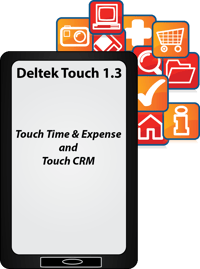
 

Get Mobile with Touch Time & Expense and Touch CRM 1.3!

Posted by Full Sail Partners on Aug 6, 2014

mobile deltek touchIt’s time to break away from the chains of your desk, and get mobile with Deltek Touch Time & Expense, and Touch CRM 1.3. With these apps, both available in iTunes and in the Play Store, it is now easier than ever to research (and update) contact records, as well as capture expenses and track time on the go. Take advantage of the following features, and provide your staff with the most powerful remote tools and utilities to do their jobs to the fullest:

Deltek Touch Time & Expense 1.3:

  • New Name, New Features, Same Reliability | In this release, expenses were added to the Touch Time application, and the application name has officially changed to ‘Touch Time and Expense’. No more waiting to manage timesheets and create expense reports. Avoid forgetting the details or losing receipts by entering as you go. Wherever your mobile device is, Touch Time & Expense follows.

  • A Picture is Worth a Thousand Words | Touch Time and Expense allows you to create a new report, and then associate expense with that report. Take pictures of receipts, and upload them directly!

  • Numerous User Experience and User Interface Upgrades | A number of improvements have been made to the application to improve your experience. Upgrades include:

    • A sliding menu to replace all tabs and provide quick access to Help and Log Out.
       
    • A menu button to allow you to perform specific tasks for timesheets and expense reports.

  • Math is Hard, Let Your Apps Figure it Out | Touch Time & Expense allows you to select or update default transaction currency and exchange rate for an expense report. This screen, however, only displays if Multicurrency is enabled in Vision core.

Deltek Touch CRM 1.3:

  • Touch Knows How to Push Your Buttons | Touch CRM now has buttons, with icons, to replace labels on certain screens. Examples of new buttons include:

    • ‘List Button’ - Tap this button to display options specific for the contacts, clients, and opportunities screens.
       
    • ‘Pen Button’ – Tapping this button allows you to edit contact, client, and opportunity information.

  • No Mobile Limitations | Touch CRM allows you to search, edit, and add clients on the go. In addition, add or update Opportunities with the touch of a button.
     
  • Syncing Made Easy | Touch CRM automatically syncs up with your Deltek Vision system, and allows you to create activities and calendar events on the desktop, and access them on your mobile device.
     
  • Full Visibility | See user defined fields in contacts, clients, and opportunities. Additionally, Touch CRM 1.3 gives you the ability to view activities!
     
  • It’s All One Touch Away | Make a phone call, send an email, or map an address with the touch of a button.

  • And more | Interested in learning more about the features and functionality included in Touch 1.3? Reach out to us today for a demo, and start operating better!

Are you currently using the Touch applications? If so, respond below and let us know what your experience has been like so far.


What to Look for in a CRM Consultant

Posted by Full Sail Partners on Jul 24, 2014

describe the imageThe other day I had a prospect call looking for a CRM (Client Relationship Management) software, but what he found was a CRM Consultant vs. a “salesperson”. Don’t get me wrong, I absolutely want to sell software…to the right fitting firm. As with most calls, the caller wanted to set-up a time for a demonstration. The issue with immediately showing the software without a discovery is that it tends to be a waste of the client's time and mine. Without understanding the prospect's challenges, and ultimately how the software will help the client’s marketing strategy, a demonstration is futile. A CRM system isn’t a magic bullet. So when you are looking for a new CRM software, it’s important to also evaluate who will assist you beyond the sale. Below is what to look for in a CRM Consultant:

1. A Results-Oriented CRM Consultant Identifies Firm Needs

When speaking to a client or potential client, a CRM Consultant asks probing questions to evaluate the firm’s current processes, their challenges, and ultimately what they were looking to accomplish. As a CRM Consultant, it’s important to understand the firm’s level of sophistication related to marketing processes and measurement. Just like a growing baby, each firm is at a different growth stage. A baby must learn to roll over, crawl, stand, walk, and then run and so must a firm. You can’t expect to immediately start running. Some firms’ processes are advanced despite the fact that they have no CRM system. Others have no processes at all. A firm must start somewhere. So as a consultant, it’s important to understand the firm’s marketing maturity before establishing a CRM implementation for that firm. 

During the above mentioned call, the prospect was a little taken back when I told him that our system wasn’t the right fit for his needs. Ultimately, he was looking for another type of software. Although it ended up not being a lead, the prospect was thankful for my honesty as I took the time to understand what his firm needed and helped guide him down a better search path.

2. A Vigilant CRM Consultant Engages Key Players Throughout Implementation

After establishing needs, it’s important to make sure you have the right players. As outlined in this previous blog article, 8 Reasons for a Successful Implementation, it’s important to ensure executive buy-in during the sales process. Just as important is having the right CRM champion and with an ERP (Enterprise Resource Planning) system it’s important to get finance involved. All of these key players must be a part of not only the implementation, but also the sales process. When involvement from any of these roles is lacking, the likelihood of success is lessened. It is the role of the CRM Consultant to make sure that these key players are established from the beginning, and play their part through the implementation. These key roles play a huge part in the roll out of the system and must also engage other end users to ensure all departments, divisions, markets, and offices are represented.

3. It is the Duty of a CRM Consultant to Look to the Future

When going through an implementation, a misconception that many firms have is that once the implementation is complete, so is the development of your CRM. What worked today won’t necessarily work tomorrow. As your marketing strategy and the competitive landscape changes, your CRM system must continue to evolve. Your CRM Consultant should look to resolve short-term and long-term needs, as well as, think about strategic marketing plans. For example, do you plan to open a new office, go into a new market or start a new service line?  A CRM Consultant is there to guide your firm on metrics that would be valuable to access your marketing traction.

4. Your CRM Consultant Should Be a Strategic Partner

A CRM Consultant should be more than a trainer or a vendor. Treating one as such is a common mistake made by firms seeking to hire a CRM Consultant. So how do you know if you have a consultant or a vendor? If we look at the basic definition of a vendor, “a person or company offering something for sale”, we can see there is no value-added beyond the sale. Whereas a consultant is “a person who provides expert advice professionally”. A value-added CRM Consultant should have a background in marketing and be able to help your firm adapt the system to your marketing strategy. A consultant will:

  • Ask strategic questions to better understand your business needs
  • Provide best practices and facilitate your company in adapting the system to gain insight on metrics that matter
  • Go beyond showing you how to just use the system
  • Help you understand how to increase user adoption
  • Look at ways to improve your business and your clients

Ultimately, your CRM Consultant should be a partner that understands your business needs whom you can rely on to help you as new needs arise. If your firm is looking to improve your CRM processes or looking for a CRM, be sure to check out Full Sail Partners’ webinar on Managing Your CRM System and Beyond! The webinar provides insight on CRM objectives, clean-up, set-up of your system, metrics that matter, and how to engage finance.


Be sure to add a comment to let us know if this article and webinar were helpful or reach out to us personally via email, phone or LinkedIn

Have you Seen Vision Lately? Check out Deltek Vision 7.3!

Posted by Full Sail Partners on Jul 15, 2014

vision 7.3The newest version of Deltek Vision (7.3) has been released, and along with it comes a new slew of powerful features and functionality. As always, operating on the newest version of Vision gives your firm the ability to manage better, achieve more, and improve your ability to better track your projects and efforts. Let’s take an overview glance of the new benefits.

Vision 7.3 Product Enhancement Synopsis

  • Manage company paid credit cards | 7.3’s new credit card functionality streamlines cost accounting. Features include the ability to setup credit cards, import credit card charges, and reconcile credit cards.
  • Expanded internationalization and localization features | New globalization functionality included in 7.3 gives your firm the tools needed to expand into new markets, and win more work!
  • Improved compensation break out | Gain additional insights into fee structures with detailed compensation breakouts.
  • Dashpart enhancements | Users can now choose which columns to include in info center dashparts; including user defined info center dashparts. Additionally, the dashpart can be populated with work breakdown structure level two or three record data.  Lastly, users can create an Invoice Review dashpart; providing a quick summary of outstanding receivables for chosen projects.
  • Core CRM | Users can now edit activities directly in the grid. Many new text editor features have been improved; including highlighting misspelled words and the ability to add words to the spelling dictionary.  Enhancements to the Opportunity Forecast Report; including revenue allocation for fiscal years.
  • And more | Interested in learning more about the features and functionality included in 7.3? Reach out to us today for a demo, and start operating better!

Is Your Firm Prepared for Deltek Vision 7.3?

Because of Microsoft’s de-support of Windows XP in April 2014, Deltek can no longer support the Windows XP client operating system beginning with Vision 7.3 and extending to future releases.

The following client operating systems will be supported for Vision 7.3:

  • Windows 8 or 8.1
  • Windows 7
  • Windows Vista

Additionally, to use this new version you must ensure that .NET Framework 4.5 or 4.5.1 is installed. For more information on the .NET Framework and to determine how best to deploy the 4.5 or 4.5.1 release within your organization, please refer to the Microsoft web site at http://www.microsoft.com/net.

The Importance of Project KPIs for Project Based Firms

Posted by Full Sail Partners on Jul 14, 2014

Project KPIsBecoming a champion of project management is as easy as solving a puzzle. The puzzle is rather complex and requires specialized training with a very specific kind of expertise, but a puzzle nonetheless.  So what does it mean to be a project based firm? What do project managers do? What do project KPI’s have to do with project management?  As with all puzzles, the best way to solve is to take the puzzle apart, piece by piece, and decode it.

Puzzle One: Am I a project based firm?

Interestingly, business theorists debate as to what determines “a project based firm”.  There is not a hard-and-fast rule for defining whether or not you’re project based and would need the services of a project manager. So let’s just stick with the basics.  The most obvious way to decide is if you have a business model where you perform “projects,” “jobs,” or “services” for external clients.  Ultimately, you are offering your expertise – NOT your goods – to an external customer.

The Project Management Institute says that a project “is a temporary group activity designed to produce a unique product, service or result like building a bridge, relief after a natural disaster or expansion of sales into a new market.”  Examples of project based companies include:

  • Management Consulting Firms
  • Architecture, Engineering or Construction Companies
  • System Integrators
  • Advertising Agencies

If you’re goods oriented (you sell software or insurance) or operationally oriented (i.e. you manage clients’ IT structure), you are not naturally a project based firm.  We could expand our definition by looking at your business organizational structure – project based firms tend to organize around their projects or jobs.  In a non-project based firm, “a business may include separate departments for manufacturing, accounting, marketing, and human resources because the organization is based around functions, not projects, …” (Miranda Morley, Demand Media, “What Is the Difference Between Project Based & Non-Project Based Organizations?”)

Puzzle Two: Am I a Project Manager?           

Most of us have a general understanding of project management, but we can go to the Project Management Institute (pmi.org) for a good definition – “project management is the application of knowledge, skills and techniques to execute projects effectively and efficiently.  It’s a strategic competency for organizations, enabling them to tie project results to business goals – and thus, better compete in their markets. Project Managers Initiate, Plan, Execute, Monitor and Control, and Close their projects.”  

Many would argue that there is more to being a Project Manager. I would argue that communication and follow-up are key areas required to be a successful Project Manager. However, the basics of being a project manager revolve around the delivery of a project. 

Puzzle Three: What are Project KPI’s for Project Management?

KPI’s are Key Performance Indicators and they are quantifiable, measurable indicators of goal attainment.  They are the very backbone as to what makes projects succeed or fail – which is directly tied, in your project based firm, to your company’s success or failure.  When given a new project, Project Managers create KPI’s to:

  • Initiate the project and its deliverables
  • Plan project details
  • Execute those details
  • Monitor and control each step in the project
  • Close the project upon completion of the deliverable and the project post-mortem

Some subject examples of project management KPI’s are adherence/deviation of budgets, milestones, and task times.  Here are some sample KPI’s that might be part of a project plan: 

  • Determine percent of rework attributable to requirements definitions. 
  • Conclude deviation of planned ROI
  • Establish cost of managing processes

For more information on writing project KPI’s, refer to “KPIs | Writing, Establishing, and Measuring" by Full Sail Partners, Inc.

Bonus Round…

Although joining a game show is potentially a quick way to make some money, it’s the savvy business owner who aligns his project based firm with project KPI’s. This alignment helps ensure the firm’s bottom line is replete with positive cash flow and employees who are happy, because they know their jobs and how to be professionally successful.  No, we shouldn’t rely on a game show host to guide us to riches, but we can depend on consultants at Full Sail Partners to help guide us to metrics that matter.  And don’t worry about buying a vowel, just turn over your mouse to this webinar and see how achievable all your goals are.


Departing platform 9 ¾, Project Management Training … all aboard!

Posted by Full Sail Partners on May 21, 2014

project management trainingHarry Potter’s Hogwarts Express isn’t the only train that uses platform 9 ¾.  There are other trains, similarly magical, that take their passengers to places they’ve never been.  Take project management training, for example.  Just like at Hogwarts, project managers are trained in a kind of wizardry, i.e. transforming the business experience of their clients from nothing more than a mere idea into something special. And those lucky enough to “receive their letter” to attend, must have honed ALL their skills in order to reach their final goal – being a productive and effective project manager. 

At Hogwarts, Harry takes classes like Divination, Transfiguration and Potions.  And although the names of the classes they take are very different, the content of the classes they take is very much the same. 

  • Divination is the art of “seeing.”  A good project manager must indeed learn to read signs.  Is the project moving smoothly?  Is the client happy with progress and with process?  Are the employees on the project satisfied and therefore doing a good job?  Too often, these “signs” are definitely not clearly communicated.  They are often muddied, and it takes a good project manager to see them.
  • Transfiguration is really about how to transform yourself.  During project management training, attendees will transform their natural business gifts – financial acumen, business savvy, and communication expertise – into a project manager who really knows how to wield those skills to benefit their customers, their employees, and their company. 
  • Potions is a class on how to take seemingly dissimilar ingredients and turn them into a concoction which is business changing.  Take, for example, a handful of employees from various areas like a programmer, a writer, a financier, an administrator, a quality controller, and an executive – put them together into a cauldron-like project plan, and you have a new business process gaining efficiency, money, and time.  A potion any business would be proud of!

Another similarity between Harry Potter and those wishing to become effective project managers is natural skill.  Wizards aren’t made at Hogwarts, they are honed:  the young wizards who attend school already have the necessary abilities and project management is very much the same. 

One doesn’t become a project manager because of project management training;

one becomes a project manager because of their natural abilities refined at training.

Other than project management training, a good project manager must also have

Communication ability – exceedingly important!  Project management is not only completing and managing a Gantt chart, but effectively and efficiently communicating every portion of the project to every person involved … to their understanding.  The project manager is the translator of all things, so that each interested party is clear and satisfied.  A superhuman feat but one which good project managers achieve every day.

Business savvy – Someone who is good at business is just plain impressive.  Those who see ramifications outside of the project plan are the best at their jobs.  Project managers have an understanding beyond the project as to the impact to the surrounding business processes and how to structure a project to either improve or not negatively impact them.  It’s really knowing how to do your job in the project management box, but seeing and managing the effect outside of the box.

Experience – you just can’t teach experience!   People who have “been there, done that” and who then apply that experience to their projects are truly the most successful project managers.  And, to be clear, it’s not the same experience over and over, but broad experience garnered through years of accumulation.   

So how do you find out if your project management training was successful?  How do you know if you have what it takes to be a great project manager?  Just call our friends at Full Sail Partners (which could be considered the Hogwarts of Project Management).  Although they aren’t called that at Full Sail, you will have access to the likes of Professors Dumbledore and McGonagall – people who are sage, savvy, and just plain good at their jobs (oh, and really nice, too).  

Although project managers will probably never make the big screen success of Harry Potter.  They are, in fact, the real wizards working in our midst.  Their project management training has sharpened their skills to perform magic every day:  turning an idea into a project plan and then into something special for our businesses. 

Without the wand or robe, of course. Click your wand below to learn more. 

Mobile CRM: A Day in the Life of a Business Developer

Posted by Full Sail Partners on May 8, 2014

mobile crmOften when discussing the benefits of using mobile CRM, we overlook just how powerful the tool actually is. You can literally leverage the power of a mobile CRM through every aspect of a client meeting or interaction. This is not hyperbole, but real life applicable benefits. Let’s break down the process of a meeting, and look at how technology can help you become a better professional:
On the way to meeting the client
I’m on the way to a meeting with a client and I can’t recall where their office is.

  • I pull up my Vision Touch Mobile CRM application that allows me to look up the client or the contact and by clicking right on the address I can map my directions right to the office.
  • If the address isn’t in there, I  update the information into my mobile CRM application to ensure the data is updated for upcoming marketing mailings or for other employees that might reach out to the same contact.

As I wait for the client to arrive

Just before I head into the meeting, I can also review previous meeting notes from myself or my co-workers who last visited the client.

  • I previously asked my marketing team to add client research to client notes. So to prepare for my meeting, I review this information to assist me with our discussion.
  • I review the list of past projects, and familiarize myself with similar clients that I might share with them.

Walking into this meeting I’m confident that I have a solid background and I’m more aware of where I still have gaps that need more information.  If any questions arise in the meeting, I have information right at my fingertips.

After the meeting, it’s time for action

When I’m leaving the meeting I pause to grab a cup of tea and add in any new contacts I met at the meeting.

  • Because I can access custom fields in my Vision Touch Mobile CRM, I can add more than just new names. I can include their role and add any upcoming opportunities we discussed.
  • In an effort to build more personal relationships, I fill in notes I learned about the client -- my contact loves to run, so I even add them to future marketing campaigns for a relay team we are organizing for a local industry charity event we are a sponsor of.

I take the time now to jot down my notes while they are fresh in my mind, as I know I won’t have time when I get back to the office.  So I pause now to make sure I add not only new contacts, but also notes regarding strategic information I gathered at the meeting before I forget what I heard. This information, because it’s entered in through my Mobile CRM, is sent directly to Vision and recorded for future review by me or others in my firm.

So what does this all mean?

I take my last sip while I add any reminders or follow-up activities and assign them to myself or others at the firm.  I don’t want to forget anything I promised to get back to the client on. I grab my keys and I head back to the office knowing that I’m doing what I can to move the relationship and opportunities along.

Sure, there are task lists, emails, note pads, and plenty of other ways I could keep track of these meeting notes. However, all of those are missing something that a Mobile CRM application such as Vision Touch CRM give me – the ability to not only track but also assign and share tasks and information with everyone else in my firm. With all the noise, meetings, and short amount of time I have in the day, there is no better way for me to collect these nuggets of gold from clients or the things I promised to follow up on during that meeting.


5 Key Reasons Why Business Collaboration Tools are the Future

Posted by Full Sail Partners on Apr 3, 2014

business collaboration, collaboration toolsBusiness communication continues to change with each generation. The quantity and speed of information has exploded and firms are seeking new ways to handle the pressure of information overload. Are business collaboration tools the answer? We predict that these 5 reasons demonstrate why collaboration tools are the way of the future.   
  1. Reduce Dependency on Email | Imagine a world of no email. I know it sounds crazy, right? However, if you had a designated space that colleagues, sub-consultants, vendors, and clients used to collaborate about specific initiatives, projects, or marketing efforts, wouldn’t it be nice to capture all of those thoughts in an organized fashion in one area? When you think about some of the biggest challenges with email and the fact that colleagues are not always down the hall anymore, it makes sense that businesses are looking beyond email. Here are some of the things that can be improved through business collaboration tools where email consistently fails:

      • Eliminate forgotten or missed requests
      • Categorizing comments, notes, files, tasks, and requests
      • Capturing ideas, competitive intelligence, or ways to improve your business that are easily searchable
  2. Personal Meets Business | The line of business and personal continues to blur. When was the last time you worked 9-5? People are working at all times of the night and answering questions while watching their favorite TV show. Business colleagues and clients are now connected to us on Facebook and personal activities and responsibilities need to be accomplished sometimes during the work day. Social collaboration and business collaboration tend to have the same needs: to share files, ideas, assignments, calendar of events, etc. Wouldn’t it be nice to organize both business and personal in one tool? Collaboration tools like Kona are making this possible.

  3. Make Life Easier | Employees are looking at ways to balance their work and personal life, as well as, have more flexibility with their schedule. Not all tasks need to be done during work hours or even at their desk. Virtualization is becoming more common, requested, and needed in corporate America. Disasters or state emergencies have made that even more apparent. Collaboration tools are designed with mobility and accessibility in mind. Additionally, they allow people to access information and other individuals anywhere and anytime with the comfort that the information is readily available in the cloud.
     
  4. Instant Access | Business collaboration is not just for internal communication, but is also being requested by clients. Clients are looking for a better way to communicate and a better client experience. No more excuses of lost emails. Clients can instantly ping you with a question and you can immediately respond with an answer through the use of collaboration tools. What client wouldn’t like to immediately IM or video chat with their consultant to resolve issues? Setting expectations of this instant access is important. Alternatively, you could set a schedule that you are available for client questions at a particular time each day and quickly answer those pending questions in one collaboration tool.
     
  5. Integration | Collaboration tools are becoming more and more integrated with other business tools. Not only are they now integrated with our ERP, CRM and Outlook, but collaboration tools integrate with other sharing tools like Dropbox, Box, Google docs, Skype, and the list goes on. The ease of use and social familiarity increases the likelihood of usability. Integration makes it even easier for users to access data in one place through connectors.  

Business collaboration tools are all about working more effectively as a team. Let us know what you think. Has your firm been contemplating collaboration tools? See what others are saying: 

Why Team Collaboration Tools are Essential for Productivity

Posted by Full Sail Partners on Mar 12, 2014

Team Collaboration ToolsWhat are the major productivity killers for firms in the Professional Services? For most firms, some of the biggest ones revolve around information overload, duplicated effort and other inefficiencies. 
Fortunately, team collaboration tools can address each of these areas — and thus have a positive impact on the productivity of individuals and teams throughout an organization. 

First, let’s consider the element of information overload — which for many people is exemplified in the form of an overflowing email inbox. We all know the frustration of seeing fifteen different emails with the same subject line, where people are actually commenting each other’s earlier messages — and then trying to untangle the sequence of the discussion to make some sense of it. Not only does this type of information overload take time to sort through, but the reality is that with so many emails piling up, important messages can get lost or go unread. 

Another major factor that negatively affects productivity is duplication of effort. It’s common for multiple people in a firm to be working on the same problem — but is some cases, rather than working as a team, they’re operating in unconnected silos. Even if the whole team was in the same meeting, subsets of the group may have informal follow-up meetings, or even chance encounters in a hallway. Any one of these can result in parallel (and duplicated) efforts. 

Inefficiencies come in a variety of flavors, ranging from the annoying to the scary. One of my favorites is the issue of document versioning. This is especially likely when multiple people are working separately on the same document. Unless a firm has a solid solution in place, it’s all too likely for multiple versions of a document to spring to life, each with its own edits and authors. Sorting through the different versions to create one final document can be a time-consuming source of frustration. 

Real team collaboration is a beautiful thing

Now let’s switch gears and talk about some of the productivity gains a firm can realize by implementing effective team collaboration tools. 

One of the most essential functions that collaboration tools perform is organizing team members’ communications into a centralized repository of conversations around specific tasks and issues within the project. In the Kona tool, for example, individuals can have conversations with one colleague, a small group within the team, or the entire team. They can also see the various subtasks, view a centralized project calendar and share information with the entire team. 

Team collaboration tools can enable project managers to set up their groups so that certain members are able to see all conversations, while others have a more limited view. This capability can be especially critical when collaborating with clients. 

Kona in particular has found an effective way to address the problem of sharing documents among members of a team – one that ensures that everyone is working off the latest version. Instead of sending colleagues the actual document as an email attachment, users can send links to where the master files are stored (including such online services as Dropbox, Box or Google Drive). 

Last but not least, when collaboration tools are web-enabled, like Kona, they’re ideal for optimizing the way people work in the real world. After all, not all of our productive time is spent at work; we can also be productive when we’re in between doing other tasks, whether at home, on business trips or elsewhere. Team collaboration tools allow individuals to continue being productive, wherever and whenever inspiration hits. 

Summing up

Until a firm finds an effective way to address factors like information overload, duplication of effort, and inefficiencies, its productivity will probably suffer. Team collaboration solutions may hold the key to making the most of your team’s collective abilities — and at the same time, minimizing the overlaps, dropped balls and other issues that may be limiting your productivity.


Deltek Vision and Adobe InDesign Integration

Posted by Full Sail Partners on Feb 28, 2014

Vision InDesignFor years marketing professionals have been clamoring for a way to directly merge information from their Deltek Vision system to an InDesign template. For firms with Deltek Vision version 7.1 and higher, the wait is over! Creating InDesign Templates and merging information directly from Deltek Vision is simple, and is very similar to merging from Word, with some usability enhancement.  

Before we begin, you might be asking yourself, ‘What kind of functionality will InDesign merging include?’ To answer your question, we have highlighted some of the major areas below:

  • Add fields and grids (including user defined!) to an InDesign template
  • Format number, currency (projects only), and date fields in a template
  • Merge data directly from an info center record into InDesign
  • New ‘Select Projects’ function for Employee Resumes allows for more precise formatting of project examples on resumes within InDesign

So as you can see by the functionality, the ability to merge data directly from your Deltek Vision system to Adobe InDesign is going to allow your firm to easily deliver accurate, more consistent proposals through the industry standard desktop publishing software.

What exactly will we be able to merge?

If your information is in Vision, you can now export it out allowing your firm to merge the following documents from Deltek Vision to Adobe InDesign:

  • Resumes
  • Cover letters
  • Project cut sheets
  • References
  • and much more from your Vision system 

Merge functionality includes the ability to pull information from tables, grids, custom Info Centers, and user defined fields.

What technical requirements are required?

In order to run a Deltek Vision merge to Adobe InDesign, you will need to be running a copy of Adobe InDesign CS5.5 or newer, installed on your local user directory. You will also need to be running a copy of Deltek Vision 7.1 or newer, with TDM enabled.

So what are the steps?

Setting up Deltek Vision to Adobe InDesign merge capabilities is surprisingly easy! The process requires five major steps, highlighted below.

  1. Access the ‘Merge Templates’ section in Deltek Vision (Configuration>General>Merge Templates), this step may require you requesting additional privileges from your Vision administrator
  2. Select the Info Center you would like this template to be associated to
  3. Create or upload a new template. If creating a new template, please be aware that you will need to insert merge codes from the Vision Merge Code window
  4. Open the ‘Custom Proposals’ Info Center, select the proposal you want to merge information out of, and link the new template to the merge function
  5. Merge your information out of Vision!

So now that you know the basics of what Deltek Vision Adobe InDesign merge integration offers, we encourage you to get started. Should you or your team need further information, reach out to our team of CRM experts to assist. 

Most Recent News Mentions

We’re changing the way project-based firms operate.

People can’t help but notice.
Who will be next?

Check out our latest newsworthy work:

Recent Posts