In the News


We’re devoted to revolutionizing the way our clients do business. Sometimes that gets us noticed.

No big deal.

Winning on All Fronts –Successful Team Management with Deltek

Posted by Amy Balassone on Sep 20, 2017

Team of Professionals The long-term success of a sports team cannot be determined by looking at just one factor. For a sports team to truly excel, it must triumph on many fronts. From scouting the best talent to strategizing offensive and defensive plays for cohesive team execution, the team manager must create a winning formula that, when utilized, brings continuous success for the team. This is also true for professional services firms, and finding the right formula for your team can become less of a guessing game with the tools available from Deltek. Let’s see how Deltek can help your firm knock it out of the park.

Winning the War for Talent

We all know that finding and attracting the best players for your team is a time-consuming process. Even more, tracking their training and development can be laborious. With Deltek Talent, however, professional services firms can easily overcome these challenges.

Deltek Talent provides a complete view of the entire human capital management process. From recruiting new talent to career development and employee performance management, Deltek Talent is a unified talent management solution designed to help your firm recruit and retain top talent. Using this Deltek tool, your team will be a group of all-stars.

Winning Repeat and New Business

Taking advantage of every opportunity and identifying every weakness in your opponent is how to win a game, and the same can be said for acquiring business in the professional services industry. Using Deltek CRM, your firm will gain visibility into the entire business development process, from prospect to opportunity to gaining the new business. Most importantly, presenting your winning solution in a compelling way to your key contacts is vital to setting your firm apart from the competition.

With Deltek CRM, you can access the actual past performance of similar projects you’re bidding on with the data stored within Deltek Vision and Deltek for Professional Services. This feature easily allows you to create proposals based on actual firm performance, and they are quick to produce with the proposal automation capabilities of Deltek CRM. Now, that’s a game changer.

Winning with Project Delivery

To build your game plan, you must first know who is available to play or whose injury would prevent the best performance. The same goes for project management in a professional services firm. Using Deltek Vision and Deltek for Professional Services, your firm will have the resource planning capabilities needed to ensure staff utilization is being maximized so that you are never blindsided in your projects. Even more, instant access to project metrics and performance data helps guarantee projects will stay on track.

Win with Deltek

In Moneyball: The Art of Winning an Unfair Game, by Michael Lewis, there is a Pete Palmer quote, “Managers tend to pick a strategy that is the least likely to fail, rather than to pick a strategy that is most efficient. The pain of looking bad is worse than the gain of making the best move.” Fortunately, professional services firms don’t need to play this guessing game when using Deltek tools. Let Deltek help your team find the right formula to win on all fronts. Wouldn’t you like to have the upper hand?


Introducing Deltek for Professional Services

Posted by Ryan Felkel on Sep 13, 2017

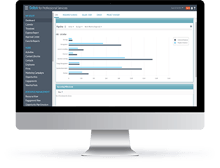
Deltek for Professional Services  Welcome to Deltek for Professional Services (DPS), the next generation solution for professional services automation (PSA). If PSA is a new term for you, think of it as a specialized system like an enterprise resource planning (ERP) solution except specifically designed for the professional services industry. Also, check out this short article to learn more about PSA.  So, what can DPS do for your firm? Let’s see how this new cutting-edge solution will add value.

What is Deltek for Professional Services?

At its core, Deltek for Professional Services is a solution to assist your professional services firm with overcoming industry challenges and give you the tools needed to gain a competitive advantage. Whether it’s winning more work, recruiting new talent, providing top-notch project delivery or accurate forecasting of final performance, DPS will help your firm stay focused on the future. As a complete and all-inclusive package, DPS will positively affect all the core areas of your business by streamlining your processes.

Intelligent Business Development

Knowing if you have enough pipeline to meet your firm’s future goals is critical to measuring the success of your business development efforts. With Deltek for Professional Services, you can eliminate business development shortcomings by providing your team with a collaborative platform to enable every team member to stay engaged and up to date. Even more, DPS is an integrated solution that allows your business development team to create proposals based on the historic performance of your firm. As a result, your firm can create actual target revenues per account and realistic revenue forecasting.

Simplified Project Management   

Using Deltek for Professional Services, building a project plan has never been easier. With an improved user interface based on iAccess for Deltek Vision, DPS allows project managers to develop plans based on the performance of similar projects. Managers can simply build key performance indicators (KPIs) and milestones into these plans which can track the success of a project. Furthermore, these KPIs and milestones can be used to develop a project management dashboard that lets project managers see all critical project information on a single screen.

Improved Financial Insights

Tracking project profitability can be challenging. However, Deltek for Professional Services makes this process simple by eliminating the guessing game with dashboards and alerts to let you know how a project is faring. DPS allows you to monitor the key metrics that can determine the success of a project like margins, utilization, and cash flow. With this tracking system, you can keep your finances on target.

Transitioning to Deltek for Professional Services

Ready to make the move? Deltek has a plan to transition your firm to DPS if your firm is currently on Deltek Vision. Contact us to find out more about preparing for the migration. If you’re not currently using a Deltek product, Full Sail Partners can help your firm determine if DPS is right for you!


Mixing Business with Fun at Deltek Insight 2017

Posted by Amy Balassone on Sep 6, 2017

Deltek Insight 2017 Celebrating 10 YearsDeltek Insight 2017 is fast approaching­! Have you made your plans to go? This year it will be in Nashville, Tennessee from October 23rd to 26th at the Gaylord Opryland Resort. If you aren’t yet convinced of why you should attend Deltek Insight, here’s a look at some reasons to make it worth your while.

Sessions With Deltek Vision Experts

Deltek Vision can do more than most can even imagine. At Insight, there are numerous breakout sessions with Vision experts where you can learn tips and tricks that would otherwise remain undiscovered. Sessions are provided for Deltek Vision users of all skill levels from the novice to the expert Vision user. Sessions offer continuing education, provided by Vision experts, geared to increase your knowledge and ability to utilize Vision successfully.

Full Sail Partners will have several of its own experts on-site leading sessions. Rana Blair will demonstrate capabilities available to on-the-go project managers by displaying how iAccess can help more effectively monitor projects. If concerned with the challenge of recruiting top talent, you can join Sarah Gonnella as she shows how you can improve your HR effectiveness by deploying marketing tactics. Check out the whole list of Full Sail Partners’ led sessions here.

Network With Other Deltek Vision Users

Insight is the largest gathering of Deltek users. Attending Insight you will have many opportunities to network with Vision users from around the world. You will be able to talk with others in your industry about common user issues. In these pleasant interactions, you may be given answers to problems you have encountered, or you may be able to provide feedback that you acquired in using Vision.

Mixing Business With Fun

Deltek Insight begins with a huge welcome reception giving attendees the ability to mingle while learning more about the planned events for Insight 2017. Attendees will enjoy delectable hors d’oeuvres provided by Deltek. The welcome reception is a great time for you to stop by our booth and see what we are doing to improve our customer experiences and help you get the most out of Vision.

Insight 2017 also marks its 10th anniversary. At the Celebrate Insight event on the last night of the conference, LoCash will take the stage at the Grand Ole Opry. Attendees are never disappointed with the way that Deltek closes the action-packed week of networking and education. Between the food/dessert buffets and entertainment, this Insight event is sure to please.

Register Now for Deltek Insight 2017

It should be pretty obvious now that Deltek Insight provides great benefit to you and your firm. From the networking to the learning experiences to the fun, it is worth the effort to attend.


Key Performance Indicators vs Benchmarking

Posted by Amy Balassone on Aug 30, 2017

KPIs vs Benchmarks How does your company measure up to the competition? Are you performing above the industry standards or below? Are you achieving the objectives necessary to continue to grow and operate successfully? In order to answer these questions, management must have a way to track performance. Evaluating the progress of individuals, projects, and specific departments is important, but management also needs an in depth look at the company as a whole.

The two most popular methods for measuring performance are Key Performance Indicators (KPIs) and Benchmarks. Both KPIs and Benchmarking are used to motivate employees by giving them measurable targets to meet. By meeting these targets, the employees help to increase the overall performance of the company. So, if they are both used to measure performance, what’s the distinction?

Key Performance Indicators

Key Performance Indicators are measures of how well a company, individual, business unit, or project is performing compared to specific strategic objectives or goals set by the company. KPIs that are well constructed provide direction leading to a clear understanding and awareness of current performance. KPIs often differ from company to company or department to department within a company based on the goals of the specific company or particular department.

A company’s desire to measure the indicators often dictates the KPIs put into practice. When developing a KPI, how that KPI relates to a specific business objective needs to be considered. Here are a few examples of KPIs that you may use for your business:

  • Staff Retention
  • New Customer Acquisition
  • Timeliness of Projects
  • Financial Growth

Planning is key when dealing with KPIs for measurement. It is important that they are significant, understandable and current. Using customized KPIs will provide great insight into your business.

Benchmark Indicators

Benchmarking compares other organizations in your industry to your own organization. Benchmarks are often measured by studying the results of other company operations that have best practices put in place to achieve exceptional results. The goal of benchmarking is to improve your processes to strengthen company performance, enhance customer satisfaction and increase revenue.

Performance benchmarking and strategic benchmarking are commonly used by firms. Performance benchmarking generally compares products and services with target companies in your industry allowing your firm to measure your economic position. Whereas strategic benchmarking involves observing and evaluating how other companies compete (which may include those outside of industry).

There is a significant amount of benchmarking data already gathered and available for companies to allow them to measure themselves against industry peers. The Deltek AE Clarity report, for example, is done annually. Sometimes there is a fee associated with acquiring benchmarking data, but it is easily recouped by the savings of resources and time in not having to do your own research.

Benefit from Key Performance Indicators and Benchmarks

Both of these methods allow management to identify areas where the company excels as well as areas that need improvement. However, to benefit from using KPIs and Benchmarks, a company needs to be willing to set objectives, make changes and follow through. Keep in mind, it is vital for company growth and success that those objectives are set both based upon internal history as well as industry standard criterion.

Why Take Deltek Vision to the Cloud?

Posted by Ryan Felkel on Aug 23, 2017

Deltek Vision Cloud Did you know that 30% of Vision customers are in the cloud today? That is a fact, and the number is growing every day as more and more Deltek Vision clients are deciding to take their systems to the cloud. Now, what makes the Deltek Vision Cloud so attractive for so many firms?

Always Available and Reliable 

Being able to always fully utilize your Deltek Vision system is vital to run a successful business. With the Deltek Vision Cloud, you can rest assured that your firm will have access to Vision whenever needed with a 99.9% average uptime. What makes this possible? Well, Deltek has a dedicated cloud operations team. Ensuring your data is always safe in case of disaster, with a top-notch disaster recovery environment, is the number one priority.

Know Your Data is Secure in the Deltek Vision Cloud

As the leader in ERP solutions for project-based firms, Deltek knows the importance of data security to these firms. Therefore, Deltek selected Amazon Web Services (AWS) to ensure your data is protected by a leader in the data security industry. Working together, AWS maintains the physical infrastructure and security, and Deltek handles application management in the Deltek Vision Cloud. To learn more about AWS, click here.  

Access Deltek Vision from Anywhere

With the Deltek Vision Cloud, if you have a secure internet connection, you can access Deltek Vision from anywhere. This allows your mobile workforce to search data and update information while working remotely. Since Deltek makes protecting your data its top priority, you can be certain that these remote connections are secure.

Keep Up with the Latest Versions

When you use the Deltek Vision Cloud, timely updates to the latest versions of Vision are automatically done for you. As a result, you can free up valuable IT resources from having to implement the updates and hot fixes. Additionally, custom reports and other customizations are easier to maintain in the cloud environment during the update process. Deltek also allows you to determine the best upgrade window for your firm.

Consider Moving to the Deltek Vision Cloud

If your current hardware is aging or you have plans for growth, you can avoid the cost of replacing old hardware or adding new hardware by moving to the Deltek Vision Cloud. Your firm will have safe and reliable Vision access, as well as remote employees with a secure internet connection. Futhermore, you can leave the burden of Vision updates and hot fixes to the dedicated Deltek cloud operations team instead of your IT resources. The cloud is waiting for you.


Top Free Resources for Deltek Users

Posted by Ryan Felkel on Aug 16, 2017

Free Resources Yep, you read that right. I said free resources are available for Deltek users. Using these free resources, you can become more familiar with Deltek products and keep up with the newest features and how they work. Even more, Full Sail Partners and Deltek both offer these free resources for your consumption. So, what are these useful yet complimentary tools and where do you find them?

User Groups 

User groups are a great way to network with your peers, learn tips about how they utilize their systems and perhaps better ways to accomplish specific tasks. User group meetings are led by a Deltek expert and you will enjoy an interactive environment where you learn more about a feature and get questions answered in real time. Additionally, user groups provide the opportunity to talk with other users about challenges you may be having so you can discover solutions. Look for a user group in your area and check out our upcoming list of user group events.

Webinars 

Both Full Sail Partners and Deltek offer webinars on a variety of topics presented by subject matter experts. These webinars can be attended live or viewed later on demand. You can ask questions during live webinars and walk away with the answers you are seeking. Additionally, webinars can be attended from anywhere that has internet access making them extremely convenient. Check out a list of upcoming and on demand webinars here.

YouTube 

Full Sail Partners also offers short training videos and demos for Deltek Vision users. These give you the ability to learn as your schedule allows. In our YouTube videos, we show you how to complete time saving tasks so you can quickly move from novice to power user. The videos are packed with valuable information to benefit all users. Make sure to check out and subscribe to our YouTube channel. 

Blogs 

Our weekly blogs cover hot and relevant industry topics. Each blog is written to provide helpful insights and tips with the intention of keeping users up to date on all of the latest information available. You will find links to our blogs in our monthly newsletter or you can check out our blogs on our website. 

Stay Tuned for the Latest Free Resources

While you can always visit our website daily, there are other ways to keep in the loop. We use Facebook, LinkedIn and Twitter to spread the word about our new educational resources. Also, make sure to subscribe to our monthly newsletter where you can find lists of new blogs, webinars, and events.

Why Your Firm Needs Professional Services Automation

Posted by Ryan Felkel on Aug 9, 2017

Professional Services Automation First off, you’re thinking what does this perplexing term, professional services automation (PSA), actually mean? Well, before we jump into the need for it, let’s first look at what determines a professional services firm. At its core, a professional services firm sells knowledge and time as opposed to an actual tangible product.

As a result, tracking revenue to product sold isn’t as simple as selling a “widget” for a predetermined amount to ensure a profit. Instead, time must be tracked to a project to ensure the professional services firm is able to make a profit from the services they provide. Therefore, the purpose of a PSA is to help streamline the delivery of those professional services.

Enterprise Resource Planning Versus Professional Services Automation

All bourbons are whiskey, but not all whiskeys are bourbon. That’s right, and not all enterprise resource planning (ERP) tools are PSA tools. This is because many ERP systems aren’t designed to meet the specific requirements of professional services firms. Instead, many firms try to piece together their own systems using a variety of generic tools such as an off the shelf accounting product and a homegrown project management solution, or in other cases, using a generic ERP and trying to customize it to meet their needs.

PSA systems, on the other hand, are designed to meet the unique requirements of the professional services industry. These systems come complete with all of the tools a firm needs to manage its business. More importantly, all of these systems communicate with each other. Thus, firm leaders have a 360-degree view into their business.

Benefits of Professional Services Automation

Firstly, PSA systems support new business development by integrating the client relationship management tool with the entire system that maintains your business. This integration makes it easier to take a lead to opportunity and finally create a project.

Secondly, resource planning and strategy development are based on past project performance data. The data ensures that your bid for a project is representative of how your firm delivers its services. Consequently, your firm can rest assured that, at the end of the project, the projected profit will be close to the actual profit.

Lastly, PSAs bring all of your business components together in one system. This reduces operational complexity and shortens the amount of time spent on many of your critical business processes. Not only is the time savings a benefit, but smooth operations for back office personnel are ensured which supports improving the client experience and satisfaction.

Moving Your Firm to a Professional Services Automation Software

Implementing a PSA solution can increase your firm’s productivity and ability to deliver projects on-time which guarantees accurate project planning. However, don’t go at it alone. Make sure you pick a solution that meets the majority of your firm’s needs and choose a trusted partner to assist with the implementation. Trying to force the wrong system to work for your firm will only lead to wasted money and poor usage practices from employees. 


Uncovering the Value of Deltek Vision for Project Based Firms: A Short Story

Posted by Michael Kessler, PMP on Aug 2, 2017

Short Story The following account is a true story. It begins with an AE firm recognizing the need for change in order to support its growth. This firm quickly realized that bringing disparate systems to one integrated platform like Deltek Vision was the fix they needed.

Here’s the firm’s story…

Identifying the Need for Change

Initially to manage its business, this firm was using several different systems that communicated poorly. Specifically, each critical function for the firm used a separate system which had its own unique database:

  • Accounts Receivable – MS Access database
  • Accounts Payable – MS Access and an outdated accounting program
  • Project Management – Internally developed and managed databases, spreadsheets, and online systems
  • Reporting – Internally developed and supported 

Desiring the ability to make better and faster decisions, the firm opted to move to a single enterprise-wide and industry-proven software platform. The move would allow this firm to streamline operations and reduce overhead time/costs by eliminating duplicate efforts and manual operations. The software of choice for this firm was Deltek Vision. 

Implementing Deltek Vision 

The implementation began with the drafting of processes using the project life cycle as a template. It was built to engage project managers earlier and more often throughout the entire process. Additionally, the firm recognized the need to ensure a budget could be developed using Resource Planning (RP). 

Having a budget became a requirement before a project could be initiated. As a result, the contract compensation was directly tied to the budget making routine maintenance integral to the project’s life. Furthermore, time charging, invoicing, and revenue recognition were not allowed without a project budget. 

The firm also sought to embrace the automation capabilities of Deltek Vision. Automation, of course, enabled the streamlining of processes. As an example, they decided to utilize invoice review automation to allow accounting to work in tandem with operations to deliver financial results. 

Most importantly, the philosophy around reporting changed dramatically. The firm now wanted to standardize reporting practices. Originally, employees had created and used their own desired data and had determined not only individual key performance indicators, but how and what those measurements were based upon.  

The Result of Choosing Deltek Vision 

I began working with this firm three years ago, and there is so much success to share: 

  • Reduction of invoicing time
  • Faster and more reliable monthly closes
  • More and better insight into project performance based on standardized reports 

These are just a few of the identified areas where using Deltek Vision has improved this firm’s performance. In the end, using Deltek Vision, the firm has seen its overall financial performance improve. 

Advice for Implementing Deltek Vision 

Here are some tips to help ensure successful Vision implementations:

  • Engage and work closely with a Deltek consulting partner like Full Sail Partners
  • Plan, design and configure based on your firm’s unique requirements
  • Testing, testing and more testing - both transactional and end to end
  • Make necessary changes and continue testing
  • Prepare for go live including preparing your staff with training  

Why Architectural and Engineering Firms Need To Properly Manage Their Documents

Posted by Full Sail Partners on Jul 28, 2017

Document Management

It is interesting to note that most document management systems are designed for the Architectural and Engineering (A&E) world where document management is quite the opposite of most other industries. Whereas typical industry documents are standardized and repeatable, with templates that rarely ever change, those required of the A&E environment are not. Here, every drawing is unique, and workflows require systems specifically designed to meet the needs of the A&E space. Here are some examples of the differences for standard businesses and project-based business.

Standard businesses

  • Documents are standardized and repeatable
  • Minimal revision control with unidirectional workflows
  • Basic transmittals
  • Simple file naming

Architectural & Engineering Firms

  • Every drawing is unique
  • Revision control is crucial due to edit-review-rework flows
  • Transmittals can include documents, drawings, xref images, specs and more
  • Complex naming schemes including: Project & Client Name, Discipline, Floor or Phase of Project, Sheet Category, Drawing # and more

Do You Have More than One Version of the Truth?

Employees can spend hours or days updating a drawing. If an obsolete version is used, then that work must be repeated, costing your firm time and money. Also, using the incorrect version of an engineering document can leave your firm vulnerable to increased corporate risk, failed audits, cost overruns that can extend into the millions of dollars, not to mention significant risks to safety, schedules, and reputation.

Furthermore, manual methods of version control are difficult and prone to error. In most companies, you can find multiple versions of files, one on the server, on a user’s hard drive, in email, and even a paper copy. Using a document management system creates a central point for document access which ensures users across the organization always can obtain the latest version. Document management systems also store previous versions and maintain the historical metadata for auditing the document history.

Are Transmittals Weighing You Down?

Gathering files, ensuring the correct version, attaching xrefs, specs, and any other necessary files are all very time consuming and tedious. Because it is a manual process, there is always a high risk for missing information. Once you include creating, sending, and tracking transmittals, this process becomes a very large, time-intensive process. 

A good A&E document management system provides automatic cover sheet creation and a built-in address book for quickly adding recipients. It also automatically tracks sending, receiving, editing, and routing so you can easily maintain the relationship between the cover sheet and all the files and data you send.

Are Your Naming Conventions Working?

Many companies try to impose naming standards, but without a way to enforce or automate these standards, all it takes is one person choosing to name a document in a way that makes sense to them, and an important file could be irretrievable. When more than one department or branch is involved, or new businesses are acquired, chaos can ensue!

An A&E focused document management system will auto-generate number sequences, include fixed width text place holders for user entered text, predefined data from drop down lists, user entered free texts, and delimiters. In addition, file names would not be the only way to search for files…using metadata either manually tagged to the document or found within it, would be a key part of your file storing and searchability. 

Where Are Your Critical Communication Documents?

Are your firms’ critical communications being housed in email boxes and scattered throughout your organization? What happens when someone is out of the office, or leaves the company? Do you or your staff spend hours trying to locate that critical communication?

A document management system allows you to save emails from Outlook to your projects, contacts and organizations, including version controls, with very few steps. It also saves just one copy of an email and eliminates duplicates to reduce storage and communication that must be sorted through and searched. These emails would then be stored centrally and permanently for audit and legal purposes, essentially preventing them from ever being deleted or lost, especially if a team member leaves the practice.

Why an A&E Document Management System?

A great document management system will provide documentation that is:

  • Accurate, current, and trusted
  • Easily found, even without knowing specific identifying information
  • Under control, using predetermined workflows
  • Easily communicated
  • Fully audited for changes

If users can bypass procedures to access and change files without proper auditing, you aren’t truly managing your documents. Document management software uses database tables to store both data and files and ensure compliance.

Document management systems cut costs. The time needed to locate a document using easy searches and metadata should drop to seconds. No walking, telephoning or emailing is required - just a connected computer. Errors from using incorrect documentation virtually disappear. Only the latest, approved and published versions are used.

Time spent manually moving files and attaching to emails is eliminated with file sharing. Instead, documents are displayed to the user as soon as they are found. Audit reports can be automatically generated. Knowledge recorded in markup is stored in the system, visible to all who need to know, and your staff are more productive when they know information is reliable.

Calculating the Costs of Disorganized Documentation…Are You Scared to Know the Truth?

Do you know how much time your staff spends naming, organizing, and then trying to find documents? Are you, like many, scared to really find out?

  • How much time is spent by users looking for drawings or other documentation?
  • How much time your staff spends helping others find what they need?
  • How much downtime is also a consequence of these delays?
  • How many occasions production has been lost and/or re-working was required due to use of incorrect or outdated documentation?

Multiply these hours by burdened rates and estimate the costs of incidents caused by inaccurate data to extrapolate a typical yearly cost. It appears to be very expensive. Without a good document management system in place, these situations put a true financial strain on your firm.

Are You Ready for a Document Management System?

Using a proper document management system will not only save time, which we know equates to money, but will also prevent the unnecessary headaches of having to constantly forage through numerous files trying to find needed documents. We all know that the A&E industry is a unique and specialized industry which requires organization for project management. It doesn’t need to be so challenging to manage your documents.


Malware is Out to Get You

Posted by Heath Harris on Jul 19, 2017

MalewareIn today’s world of technology, computer users are faced with the constant threat of security issues. One wrong click of the mouse and your computer can be instantly crippled. It is not only important that you are aware of the types of threats that are out there, but you should also be familiar with the steps you can take to protect yourself.

Such security threats are collectively known as malware. The term malware is short for malicious software and references a variety of forms of intrusive software. It encompasses ransomware, spyware, viruses, email spoofing and multiple other malicious programs.

What’s Lurking Behind Your Next Click? 

Here’s a look at the different types of threats and the damage they do to your computer:

  • Computer Virus – A computer virus is a self-replicating program that can be spread via email or also by inserting copies of itself into other computer programs or documents. Viruses can lead to the inoperability of your computer and spread quickly to the computers of everyone you share files with or correspond with via email.
  • Ransomware – Like it sounds, ransomware literally holds a computer ransom by rendering it inoperable and attempts to extort “ransom” money from the unsuspecting victim. Ransomware is typically acquired via email messages and can be spread rapidly throughout the network.
  • Spyware – Spyware is an executable program that is extremely difficult to detect and has the ability of secretly gathering personal information about you or your company. Generally, it is not created to cause damage to your computer. However, it is utilized to monitor keystrokes, copy files and gather information about you. Spyware is most often installed on your computer with something you have clicked on, such as a pop-up ad, browser add-ons, or piggybacked on another software installation.
  • Email Spoofing – Email spoofing refers to sending emails with a sender address that is forged to make it look like it is sent from someone or somewhere other than where it came from. The sender of the email is hoping that the recipient will believe the forged address is from a legitimate person or company and will open it. Generally, spoof emails are more of a nuisance than anything, but they can contain links which install spyware, ransomware or viruses.

Protect Yourself from Malware Attacks 

The good news is that it is relatively easy to protect yourself from all the above-mentioned security attacks. In most cases, your IT person will have already taken measures to protect the network by installing firewalls, virus protection software and deploying DNS protection. The real question at hand is what can you do to help with the security of your information?

Here some of the measures you can take to be sure that you are doing your part:

  • Careful Clicking – Do not click on email attachments or links if you do not know the sender and you are not expecting the document. It is always best to open a browser and manually navigate to the website rather than click on a link which may or may not take you where you intend. Also, take a moment to run a virus scan on any attachments prior to opening them.
  • Smart Surfing – Always utilize pop-up blockers within your web browser and never enter personal, financial or any other sensitive information into any web browser that you have not manually navigated to.
  • Perform Routine Scans – At times, spyware threats and viruses can slip through the active protective engines due to the sheer number of new threats that are created daily. It is crucial that you update your malware protection and run system scans consistently.

Happy Clicking and Surfing 

Take these simple precautions to protect yourself from a software security breach. While all of this malware fear may seem a bit overwhelming, if you educate yourself, remain alert, and follow the measures listed above, your surfing and clicking will be worry free. Remember, keeping your data safe and secure is easily manageable.

Most Recent News Mentions

We’re changing the way project-based firms operate.

People can’t help but notice.
Who will be next?

Check out our latest newsworthy work:

Recent Posts