Full Sail Partners Blog | ERP

Posts about ERP:

From Data to Decisions: How Firms Leverage Expertise to Get More from Their ERP

Posted by Katie Manning on Mar 19, 2026 12:00:00 AM

2026-03-19 Data to Decisions_banner

This month, we’re focused on a simple idea: leverage.

Not as a buzzword, but as a practical way of thinking about how firms get more value from what they already have — and when to bring in the right tools, resources, or expertise to unlock even more.

Across our blogs, social content, and virtual sessions, we’re exploring what it really looks like to turn information into insight — and insight into better decisions.

Let’s take a closer look at how that plays out in today’s blog.

Most firms have more data than ever before — but far fewer answers than they expected.

Between project metrics, financial reports, utilization dashboards, and CRM insights, ERP systems like Deltek Vantagepoint generate an incredible amount of operational data about how a firm runs.

And yet, many leadership teams still find themselves asking the same question:

Why isn’t this data translating into clearer decisions?

The difference between a system that simply stores information and one that drives business decisions often comes down to something far less technical: expertise.

Why Data Alone Doesn’t Drive Better Decisions

In today’s business environment, data is everywhere. Firms track project performance, monitor utilization, analyze revenue forecasts, and review financial metrics across multiple systems.

All of that information is valuable — but raw data alone rarely answers the most important questions.

  • Why are certain projects trending off budget?
  • Why does utilization fluctuate between teams?
  • Why are we so successful in one geographical area versus another?
  • Why do reports sometimes tell a different story than what project leaders are experiencing day to day?

Numbers can highlight patterns, but they don’t always explain the context behind them. That context often lives with the people who understand how projects, finances, and operations function inside the firm.

Without that perspective, even the most sophisticated reporting can fall short of driving meaningful action.

ERP Systems Are Powerful — But They Still Need Expertise

Modern ERP platforms are designed to bring together many of the operational components that drive project-based businesses. They connect project data, financial performance, resource planning, and reporting into a single system that helps firms understand how their business is running.

When configured well, systems like Deltek Vantagepoint can provide real-time visibility into budgets, staffing, profitability, and project performance — helping teams make faster and more informed decisions.

But technology alone rarely solves operational challenges.

Even the best systems still depend on people to:

  • structure projects correctly
  • interpret reporting trends
  • configure workflows that reflect real processes
  • translate data into insights leadership can act on

Many firms begin exploring ways to optimize how their Deltek Vantagepoint system supports their operations once they realize that the technology itself is only one piece of the equation.

In other words, systems generate data.

People generate understanding.

The Internal Expertise Many Firms Overlook

One of the most valuable resources many firms have is also the easiest to overlook: their internal experts.

These are the people who understand the nuances of how the firm operates.

The project manager who knows how scope shifts impact budgets over time.
The finance professional who understands the complexities of revenue timing and billing.
The marketing leader who sees how pipeline and project delivery intersect.

These individuals carry years of practical knowledge about how the business runs — knowledge that doesn’t always live inside a system.

When their expertise is incorporated into how systems are structured and used, data becomes more meaningful.

Reporting reflects reality more accurately. Processes begin to align more naturally with the way teams work.

But that only happens when those experts are included in system conversations.

Too often, systems are designed around software capabilities instead of the people who rely on them every day.

And that’s where leverage gets lost.

Real Leverage Happens When Systems and Expertise Work Together

At its core, leverage isn’t about adding more tools.

It’s about getting more value from the systems, processes, and knowledge that already exist inside the firm and then filling the holes with the appropriate resource.

When the right people are connected to the right systems, data becomes far more than numbers on a screen. It becomes a foundation for better conversations, clearer reporting, and stronger decisions.

For example, some firms are combining Deltek Vantagepoint data with tools like Power BI to make reporting more accessible across their organization. We’ll be touching briefly on this approach in an upcoming LinkedIn Live conversation with RTM Engineering Consultants, where their team will share how they built dashboards that engineers and leadership teams use.

Stories like this illustrate an important point: technology becomes far more powerful when it is designed around how people work.

How Outside Experts Help Firms Unlock More Value from Their Systems

Internal expertise is essential, but sometimes the fastest way to uncover opportunities inside a system is by bringing in an outside perspective.

External consultants bring something internal teams rarely have access to: pattern recognition across many firms.

They’ve seen how different organizations structure projects, manage billing workflows, design reporting frameworks, and configure systems to support their operations.

Because of that experience, they can often identify opportunities quickly — whether that means adjusting project structures, simplifying reporting, or helping teams take advantage of capabilities already available inside their ERP.

In many cases, the biggest improvements don’t come from implementing new software.

They come from unlocking more value from the technology a firm already owns.

A structured review — such as a Navigational Analysis  — can help organizations evaluate how well their system configuration, data structure, and processes are working together.

Unlock More Value from Your System

If your firm has valuable data inside your ERP but struggles to translate it into meaningful insights, it may be time to bring a fresh perspective into the conversation.

Our team works with project-based firms every day to evaluate systems, align processes, and uncover opportunities to get more value from Deltek Vantagepoint.

Start a conversation with one of our consultants to explore where greater leverage might exist inside your system.



5 Signs Your Organization Needs an ERP Tune-Up

Posted by Sarah Gonnella on Feb 5, 2026 12:00:00 AM


2026-02-204 ERP Tune Up_banner

Enterprise Resource Planning (ERP) systems play a crucial role in managing business processes in an integrated manner. When functioning optimally, they streamline operations, enhance decision-making, and improve productivity. However, as organizations evolve and their needs change, so too must their ERP systems. Here are five signs that indicate it may be time for an ERP tune-up.

1. Slow System Performance

A noticeable decrease in performance speed is one of the first indicators that your ERP system may need attention. When your ERP system becomes sluggish, it can lead to significant delays in transaction processing, hampering sales and customer service responses. Users may encounter longer load times for reports and dashboards, resulting in frustration and decreased productivity.

Slow performance is a clear sign your ERP needs a tune-up. For Deltek Vantagepoint clients, consider checking if routine database maintenance is being overlooked—re-indexing and updating statistics can prevent queries from scanning large tables. Additionally, purging or archiving oversized audit-trail tables and ensuring proper SQL Server configuration (including memory allocation, throttling, query plans, I/O, and lock monitoring) are essential steps. Setting report servers and transactional databases to the Simple Recovery model can also help alleviate log-file write issues. Moving to the cloud can address many on-premise bottlenecks, as modern cloud ERPs often automate indexing and statistics updates, scale resources on demand, and manage recovery, allowing your system to remain fast without extensive manual tuning.

2. Integrations Fail Quietly

Another critical sign that your ERP may require a tune-up is the quiet failure of integrations. Although systems may connect seamlessly, jobs run, and dashboards look green, warning signs often reveal underlying issues when:

  • Data requires double-checking.
  • Numbers are reconciled in spreadsheets.
  • There’s an uneasy feeling about accuracy.

When automation seems to work but lacks trust, the problems often stem from earlier decisions that weren’t clearly defined, such as data ownership during disagreements, responses to broken timing assumptions, and the lack of practical error handling. Over time, companies develop compensatory mechanisms, which can lead to the emergence of spreadsheets and the normalization of manual checks.

Most integration failures are rooted not in technical issues, but in decision-making failures that manifest later as data inconsistencies. To improve integration outcomes, organizations should focus on proactively designing solutions for ambiguity, failure, and change. This approach fosters trust in the systems from the outset. If your ERP doesn't provide a unified view of operations, it can result in misinformation and hinder effective decision-making. Deltek Vantagepoint offers one source of truth throughout the project lifecycle for finance, project managers, marketing, and sales. Meanwhile, Full Sail Partners’ Blackbox Connector solutions are pre-built but configurable to adapt to your firm’s unique data needs.

3. User Adoption Challenges

If your employees are reluctant to use the ERP system or struggle with its features, it may indicate that the software requires an update or a comprehensive tune-up. User adoption is vital for any ERP system's success. When users find the system difficult to navigate, they may revert to outdated practices or manual processes, undermining the advantages of an integrated approach.

Gathering user satisfaction through surveys and feedback can provide invaluable insights. Enhancing training and support resources is essential to ensure a more user-friendly experience. After all, continuous training is imperative. Full Sail Partners addresses this by offering monthly events, including mini demonstrations, client stories, webinars, and livestreams, to keep clients informed about the latest features and trends.

4. Inaccurate Reporting

Inaccurate or inconsistent reporting signals that your ERP system may be experiencing underlying issues that need attention. A dependable ERP should generate reports reflecting real-time data to enable informed decision-making. Frequent discrepancies can lead to poor strategic choices and wasted resources.

Most reporting inaccuracies stem from data entry errors or gaps in data. Implementing workflows can alert employees to the need for additional data as a project progresses, ensuring critical information is added in a timely manner. Firms that assign individuals to oversee data entry are more likely to maintain accurate reporting. Regular audits of your data and reporting processes can help identify and rectify these issues, equipped with the aim of providing decision-makers with the most accurate insights possible.

In the future, we can envision AI assisting with this manual process, ultimately enhancing the quality and reliability of reports, which is crucial for maintaining the integrity of your organization’s decision-making processes.

5. Increased Manual Processes

An increased reliance on manual processes or spreadsheets is a significant sign that your ERP might be falling short. This reliance often arises not from carelessness but from a system that fails to align with reality. When integrations can’t handle exceptions, timing mismatches, or “almost right” data, employees create spreadsheets not to undermine the system but to protect it.

These spreadsheets act as a buffer between the ideal world the system presents and the actual workflow. The real danger arises when these manual tools quietly become the source of truth. If a spreadsheet is trusted more than the ERP itself, it indicates deeper design flaws rather than just a tooling problem.

Continuous reliance on manual interventions signals that the ERP isn’t meeting the team's needs effectively, leading to errors, inefficiencies, and unnecessary strain on your workforce. Furthermore, if employees lose faith in the ERP's capabilities, the implications for productivity and morale can be significant.

Instead of asking, “How do we get rid of spreadsheets?” organizations should focus on understanding the essential work these tools perform that the system doesn’t currently support. By identifying these gaps and limitations within your ERP, you can enhance workflow and improve overall operational efficiency.

Empower Your Organization

Recognizing these signs early empowers organizations to take swift action in addressing limitations in their ERP systems. If any of these indicators resonate within your organization, consider consulting with a professional for a Navigational Analysis.

Full Sail Partners offers consulting services tailored to identify and address ERP challenges. Our expert team can assist you in optimizing your ERP system, ensuring it effectively meets your organization’s evolving needs. Don’t let inefficiencies linger, reach out to Full Sail Partners today to discuss your ERP requirements and how we can help!


Hosting Solutions for the Agile Workforce: Remote Access, Security, and Scalability

Posted by Amy Balassone on Oct 16, 2025 12:00:00 AM

2025-10-16 Cloud_banner

The way we work has changed and looks very different than it did even just a decade ago. Teams are no longer tied to one office or one location, and many employees are collaborating from home, on project sites, and even across the world. While this shift has opened exciting opportunities such as new levels of productivity and talent reach, it also creates unique challenges around data access, security, and system performance leading management to ask, “How can firms keep everyone connected, secure, and equipped to grow?

That’s where cloud hosting solutions come in. By moving your firm’s systems and data to the cloud, you can give your teams the secure access they need, while ensuring your business is ready to scale as it grows.

Secure Access from Anywhere

One of the most critical requirements for today’s workforce is the ability to access information and applications from any location. In today’s business environment, flexibility is key. Cloud hosting allows employees to log in securely whether they’re in the office, on the road, or at a client site. Instead of being limited to a single computer or network, your team can access the tools and information they need whenever and wherever they’re working.

For executives, this also means more reliable visibility into project performance and financials. Leaders can access dashboards, reports, and KPIs in real time—without waiting for updates from siloed systems. That level of access supports faster decision-making, better client responsiveness, and stronger competitive positioning.

Protecting What Matters Most

Security is not optional—it’s essential. Cybersecurity threats are a concern for every business, and for good reason. Cloud hosting providers offer layers of protection that go far beyond what most firms can maintain on their own, including firewalls, intrusion detection systems, and continuous monitoring. By leveraging a cloud hosting solution, firms can confidently protect client data and proprietary information, meeting both internal security needs and regulatory requirements. This means peace of mind for executives and confidence for your clients.

For IT managers, cloud hosting also provides access to enterprise-grade security tools without the burden of managing them in-house. Routine patches, threat detection, and compliance audits are handled by experts, reducing risk while freeing up valuable internal resources.

Effortless Scalability

Growth brings opportunity—and technical demands. Adding new staff, projects, or locations can put strain on in-house systems. As your firm takes on new projects or adds more staff, your technology needs to grow too. With cloud hosting, scaling is simple. You can quickly add capacity or users without having to purchase new servers or go through complicated system upgrades. It’s a solution designed to grow with your business, not hold it back.

This agility is especially valuable for project-based firms that experience seasonal or project-driven fluctuations in demand. The ability to scale up or down ensures resources are used efficiently, helping to maximize profitability while supporting business expansion.

Simplifying IT Management

Managing IT infrastructure in-house can be expensive and time-consuming. Cloud hosting shifts that responsibility to the hosting provider. With cloud hosting, firms no longer need to budget for costly servers, hardware upgrades, or extensive onsite IT staff. The hosting provider is the one that will handle updates, maintenance, and troubleshooting, so your team can focus on serving clients and growing the business.

For executives, the predictable monthly cost structure provides budgeting clarity, while IT leaders benefit from being able to redirect their focus from “keeping the lights on” to more strategic initiatives like digital transformation and data analytics.

Making the Move with Confidence

For firms embracing remote teams and distributed project sites, cloud hosting is more than just a technology upgrade—it’s a strategic investment. By delivering secure remote access, protecting what matters most, and offering effortless scalability, hosting solutions empower the agile workforce to thrive in a fast-paced, evolving business environment.

Whether you’re an executive looking for business continuity and growth or an IT manager seeking operational efficiency and reduced risk, cloud hosting positions your firm to meet today’s demands—and tomorrow’s opportunities.

Ready to explore how Deltek Cloud hosting can support your firm’s future?

Take the first step today by filling out our Cloud Conversion Interest Form. Our team will help you evaluate your options and build a secure, scalable path forward.


Understanding and Effectively Using Cross Charge in Deltek Vantagepoint

Posted by Rhiannon Schaumburg on Jul 3, 2025 12:00:00 AM

2025-07-03 Cross Charge DVP_Banner

The multi-company functionality in Deltek Vantagepoint serves as a tool for sharing and accounting for resources across the companies within an enterprise. Cross charge capabilities in Vantagepoint are based on similar theories as multi-company but are focused on the interaction within a company and its organizational breakdown structure (OBS). Before we dive deeper, here are some links to blogs about multi-company functionality and OBS in case you are unfamiliar with these topics.

High Level Insight into Cross Charge in Deltek Vantagepoint 

It is important to understand that cross charging is a financial tool and is based on the general ledger. It is not an attribute of project reporting since time charged to a project remains on the project for billing and reporting purposes. Cross charge is labor-focused and occurs after the timesheet is posted. 

By default, Vantagepoint is built to be project-centric, which simply means that the process of entering and posting timesheets determines where the labor charges are assigned. If the cross charge process is not configured or run, the cost will remain on the “books” of the organization where the project is assigned. 

Why Use Cross Charge? 

As financial and operational managers, we must always remember that revenue can only be earned once and a cost incurred once. For this reason, cross charge allows businesses to move revenue and cost from one “bucket” within their organization to another. When a combined income statement is run, all cross charge entries zero out and the original revenue and cost will remain. 

The cross charge process is used when firms loan and borrow labor at the lowest OBS level, which could be: 

  • Office
  • Department
  • Discipline
  • Market Sector 

A good example is a civil engineer where projects live in the various disciplines. The survey department would loan their staff to the engineering projects and cross charge would be the financial component to drive and manage the accounting for the labor. 

There are two internal pricing options to choose from when configuring cross charge: 

  1. Project Centric – This is when labor remains on the books of the organization where the project resides. A multiplier is then used to account for some portion of operational/overhead (OH) costs. This factor could be limited to a fringe benefit rate, could represent a breakeven OH rate or even include some profit. The purpose is to ensure that the loaning organization has an incentive to keep their staff busy, but they also need to be careful so as not to overextend their resources. 
  2. Employee Centric – This works by adjusting labor back to the employee’s organization. Using typical billing rates, although a multiplier can be used, the revenue is moved from the project’s organization to the employee’s organization. The purpose, again, is to ensure the loaning organization doesn’t lose the ability to show a profit by sharing their staff. 

Real-life Application of Cross Charge in Deltek Vantagepoint 

Here is a success story where the operational process and projects are built on the premise that fee and scope drives work breakdown structure (WBS) in a clients’ Deltek Vantagepoint database. Under this model, high accountability becomes the first option where phases and tasks within a project are assigned to different organizations based on the portion of the work. Employees then charge the phase/task that is assigned to the organization they “live” in. This results in more closely managed projects because the profit accountability is shifted back to the organization supplying the labor. This process eliminates the need for cross charge. 

But wait…realizing that to run successful projects, there is a necessity to anticipate unplanned needs. This means that the firm must have the ability to borrow an employee from another department for a short-term assignment or a last-minute need. For example, the base building studio decides it needs input from the interiors studio. In this scenario, the client falls back on the project centric method noted above as a mechanism to facilitate resource sharing and not impede project progress. Furthermore, this is a prime example of a need for cross charge. 

Gain Control of Resources with Cross Charge 

Whether your current OBS is solid or you are considering a change, cross charge can provide the functionality required to ensure an open and smooth process of resource sharing. With a thorough understanding and effective implementation, cross charge can provide another dimension in managing your business.

Interested in more information about using cross charge and how it can help unlock the full potential of Deltek Vantagepoint? Want to learn other ways of ensuring your project-based firm is running as efficiently as possible? If so, Full Sail Partners is happy to offer your firm a Navigational Analysis. 

Clean Your Dirty Data and Improve Data Integrity

Posted by Sarah Gonnella on Apr 10, 2025 12:00:00 AM

04-10 Clean Your Dirty Data and Improve Data Integrity_Banner

You can smell it in the air—spring is here. And while most people are reaching for dusters and donation boxes, we’re over here thinking about a different kind of mess: your data. Yep, we’re talking about those outdated contact records, confusing project statuses, and duplicate entries multiplying like rabbits in your ERP system. 🐇

We get it. Data management isn’t the most glamorous task. But it is one of the most important—because clean data powers accurate reporting, better decisions, and ultimately, a more profitable firm.

Let’s dig into why data gets dirty (no judgment here), and more importantly, what your team can do to clean it up—and keep it clean.

Why Data Gets Dirty (Even When You're Trying Your Best)

Your firm isn’t doing anything wrong—data just naturally decays over time. People change jobs. Projects wrap up. Opportunities stall out. And if you’re using a system like Deltek Vantagepoint, where multiple team members can enter or edit data, those inconsistencies can stack up fast.

Some common culprits:

  • Contacts that left the company three years ago (but you’re still emailing them… awkward)
  • Projects marked “active” that haven’t had billable time since 2022
  • Custom fields created with good intentions but never used consistently
  • Multiple definitions of statuses like “inactive,” “on hold,” or “archived” floating around your team like urban legends

Sound familiar? Yeah, we thought so. Let’s fix it. 🔧

Step 1: Define Decision Points 🔍

Before you start cleaning, take a minute to figure out what needs attention and how you’ll make decisions. Otherwise, you’ll waste time spinning your wheels—or worse, accidentally delete important info.

Start by identifying the fields you want to review. Let’s take project records, for example. You might want to evaluate:

  • Project Status
  • Last billed date
  • Assigned project manager
  • Client contact information

Ask yourself:

  • What makes a project “dormant” vs. “inactive”?
  • Should we dormant projects that haven’t had activity in over 12 months?
  • What criteria can we search by to build a clean-up list?

Example: Run a search for all active projects that haven’t had time billed in the past 90 days. That’ll give you a short list of projects to investigate. Maybe some need to be marked as inactive or maybe even dormant. Maybe others are still technically open but should’ve been closed out months ago. Whatever the case, narrowing the list makes it manageable.

Step 2: Standardize Everything ✏️

Inconsistent data doesn’t just look messy—it creates reporting nightmares. Imagine running a report on “Dormant Projects,” but half the team labeled them as “Inactive.” That data’s not helpful—it’s confusing.

So, this is your opportunity to:

  • Clean up dropdown options that aren’t in use
  • Create a shared glossary of field definitions
  • Use tooltips in Vantagepoint to help users enter data correctly

💡 Pro Tip: Review custom fields and user-defined labels. If something hasn’t been used in a year—or if it’s being used inconsistently—either standardize it or remove it.

Also, talk to your teams. Ask them how they actually use the system. Sometimes the data structure doesn’t match real-world workflows, and that’s where inconsistencies creep in.

Step 3: Automate Where You Can 🤖

Once the clean-up is done, set up some automation to help keep things tidy moving forward. In Deltek Vantagepoint, that could mean:

  • Workflows that trigger an alert when a project hasn’t been updated in 6 months
  • Dashboards that highlight missing key fields like contact phone numbers or opportunity stage
  • Scheduled reports that flag records needing review—like unassigned project managers or expired client emails

Example: Let’s say you want project managers to review project statuses quarterly. Create a workflow that sends a reminder on the first of each quarter to check and update their projects. Boom—ongoing accountability without manual chasing.

Step 4: Assign a Cleanup Crew 🧽

Let’s be honest—if everyone owns data integrity, no one really owns it. Designate specific people or roles to be your data gatekeepers. This doesn’t mean they do all the work, but they’re the ones ensuring standards are followed and reviews are happening.

Ideas for building a data integrity plan:

  • Assign a Data Champion for each department (Marketing, Accounting, Project Management)
  • Create a monthly or quarterly data audit checklist
  • Host a “Data Day” once a quarter—throw in some snacks and make it a team effort 🍩

And yes, this might mean investing time and people up front, but the payoff is massive: more trust in your data, faster reporting, and less stress when leadership asks for a metric yesterday.

Bonus Tip: Start with What Hurts the Most 😣

You don’t have to fix everything at once. Start with the areas that cause the most frustration:

  • Is your CRM full of dead contacts? Start there.
  • Struggling to run accurate pipeline reports? Review opportunity stages.
  • Marketing getting bouncebacks from email blasts? Clean up email addresses.

Small wins lead to momentum—and momentum leads to lasting change.

Final Thoughts: Clean Data = Clear Decisions

If your data is a hot mess, you're not alone—but you can do something about it. By defining clear decision points, setting standards, automating what you can, and assigning real people to own the process, you’ll give your ERP system a much-needed refresh.

And hey, if your team needs help figuring out where to start or how to set up those automations in Deltek Vantagepoint—we’ve got your back.

📩 Let’s clean up that hot mess together. Contact us to schedule a data integrity consult with one of our friendly experts.

Because nothing feels better than a database that’s as fresh and clean as your spring wardrobe. ✨

The Ultimate Checklist for a Smooth Vision to Vantagepoint Upgrade

Posted by Cate Phillips on Jan 30, 2025 12:00:00 AM

01-30-25 V to VP Upgrade -  Banner


Upgrading from Deltek Vision to Vantagepoint is a big step, and it can feel overwhelming. But fear not! With the right preparation, guidance, and tools, the transition can be smooth and set your firm up for long-term success. At Full Sail Partners, we’ve assisted numerous firms in navigating this process, and we’re here to share our expertise.

This checklist will help your firm prepare for the upgrade, ensuring a seamless transition. Let’s dive into the steps you need to take:

1. Explore Upgrade Resources on Full Sail Partners’ Website

Your first stop should be the Vantagepoint Upgrade Assistance Page on the Full Sail Partners’ website. This page consolidates everything needed, including links to resources from both Deltek and Full Sail Partners. It provides:

  • Guides and best practices for upgrading
  • Links to Deltek resources
  • Exclusive tools and services from Full Sail Partners

In addition to Full Sail Partners' resources, Deltek offers several tools to assist with your upgrade, including the Customer Assistance Program (CAP) and the Vantagepoint Readiness Portal. The CAP provides access to personalized consulting and technical support, while the Readiness Portal contains videos, training modules, and checklists to help firms navigate the upgrade process. Together, these resources ensure you have comprehensive support at every stage.

Navigating these tools will give you a clear understanding of what to expect and where to start.

2. Schedule a Vantagepoint Upgrade Consultation

Requesting a consultation with the Full Sail Partners’ team is an essential step. Consultants can:

  • Assess your firm’s current setup
  • Identify potential challenges or customizations
  • Provide tailored advice and a clear roadmap for the upgrade process

Ready for a consult today? Request a Vantagepoint Consult by clicking here.

3. Get a Personalized Vantagepoint Readiness Report

The next step is to identify the issues before upgrading. Our Vantagepoint Readiness Report identifies things that need to be cleaned-up prior to obtaining your preview environment and upgrade. The cost includes a consultant that will meet with you to review everything and discuss areas of importance. The report gives you a snapshot of your entire database and the items your firm needs to address.

This is the most critical and helpful step. It starts you down the path of knowing what you need to know. This process includes:

  • Reviewing your current database configuration
  • Helping you prepare a preview environment for your new solution
  • Identifying key areas for clean-up and adjustment

This readiness report ensures your firm is set up for success and ready for the next stages.

4. Review System Requirements and Compatibility

Before diving into the upgrade, verify that your hardware, software, and integrations meet the Vantagepoint requirements. The assistance page includes links to Deltek’s technical specifications. Ensure the following:

  • Servers and workstations meet performance requirements
  • Third-party integrations are compatible
  • Current workflows are reviewed to identify custom configurations

5. Cleanse Your Data, Review Processes & Make Desired Changes

Upgrading is the perfect opportunity to declutter your system and review your firm’s processes. The Vantagepoint Readiness Report is the perfect checklist of where to target your efforts. Some common reviews and updates include:

  • Archive old projects
  • Update and validate contact information
  • Standardize data fields for consistency
  • User roles and security settings

Clean data and clear processes will make the transition smoother and your new system more efficient.

6. Backup Your Current Vision System

Creating a full backup of your existing system is critical. A backup ensures you can recover data if any unexpected issues arise. This backup should include:

  • Project records
  • Contact lists
  • Financial data

It’s always better to be safe than sorry!

7. Configure Your Vantagepoint Preview Environment

This step may be handled internally, but many clients may ask for our assistance. Some of those things include technical services, weekly meetings, establishing new processes, training and configuration changes, and programming to automate clean-up. Some firms want to take the lead and only need guidance, while others want a more hands-on approach.

For projects that require more coordination, our firm will assign you a consultant to oversee the project and offer additional resources depending on what is revealed from the Vantagepoint Readiness Report. Should we need any additional custom scripts, that would be handled by one of our developers. Firms might also need assistance from one of our IT consultants for any technical items. It is hard to estimate needs since the readiness report helps to outline what is necessary.

8. Test the System in a Sandbox Environment

Before going live, testing is essential. A sandbox environment allows you to:

  • Simulate daily workflows
  • Run key processes, like project setups and reporting
  • Identify and resolve issues

Involve team members from various departments to get a holistic view of the system’s performance.

9. Train Your Team and Make Adjustments

Your team’s success depends on their understanding of the new system. Full Sail Partners offers comprehensive training resources. To prepare your team:

  • Host training workshops
  • Provide access to user guides and videos
  • Encourage hands-on practice in a sandbox environment

Deltek’s Vantagepoint Readiness Portal is also an excellent resource for team training. It includes interactive modules and videos tailored to various roles, ensuring every team member has the knowledge they need.

10. Make the Shift to Full Production

This step involves moving the preview environment to production. With our Transition Copy Scripts, firms can capture many of the changes in the preview environment and move them to production which eliminates having to redo things. The scripts can be run as many times as you would like at no additional charge.

During the Deltek Vantagepoint transition, firms can save time by capturing the changes made in the test environment. During the Vision upgrade, the upgrade scripts to Deltek Vantagepoint will bring over all of your data and custom fields. However, the field order is not retained, and screen design properties, saved searches, reports, and dashboard/dashparts will reset.

Using Full Sail Partners’ Transition Copy Scripts allows firms to retain their changes and eliminates redundancy and rework between each test upgrade and your final production environment. The execution of the scripts can be customized and/or run independently of each other.

11. Execute the Upgrade with Expert Support

When it’s time to go live, rely on experienced professionals to guide you. The Full Sail Partners’ team provides support to:

  • Troubleshoot issues
  • Minimize disruption
  • Ensure a smooth transition

Key considerations include:

  • Scheduling the upgrade during off-peak times
  • Having IT and consulting support on standby
  • Communicating a clear “go-live” plan to all users
  • Using the Deltek Vantagepoint Readiness Portal to confirm upgrade dates provided by Deltek - This portal includes the specific timeline for your firm’s upgrade and ensures that everyone involved is aware of the schedule

12. Follow Post-Upgrade Best Practices

Your upgrade doesn’t end at go-live. Post-upgrade optimization ensures you’re getting the most out of Vantagepoint. Post-upgrade steps include:

  • Monitoring system usage and performance
  • Scheduling follow-up training sessions
  • Staying informed about updates and new features

Scheduling regular check-ins to review system performance and address any user feedback is essential.

See All Vantagepoint Upgrade Resources in Mini-Demo

Upgrading to Vantagepoint is an exciting opportunity to enhance your firm’s operations. To explore all the resources available, including how to access the Vantagepoint Readiness Portal, watch my mini-demo. In it, you’ll find step-by-step guidance and practical tips to ensure your upgrade process is as smooth and stress-free as possible. Click the image below to watch today!

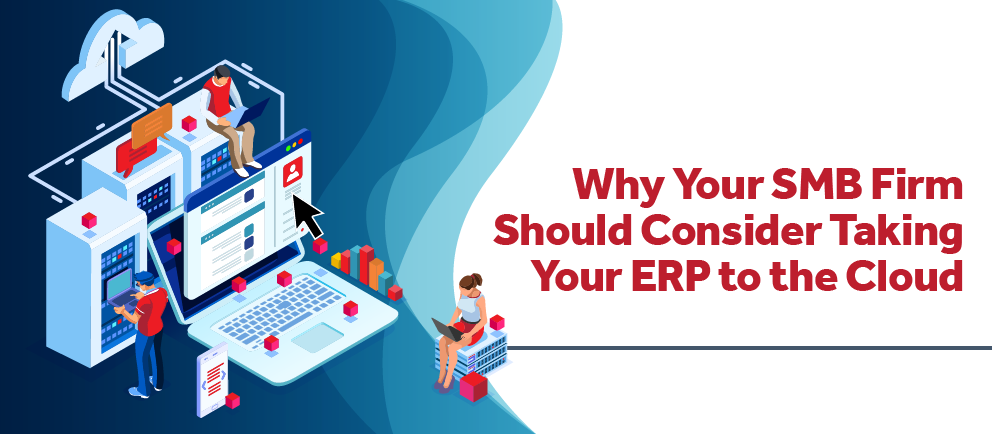
Why Your SMB Firm Should Consider Taking Your ERP to the Cloud

Posted by Gina Stamper on Aug 29, 2024 12:00:00 AM

08-29-24 DVP Why Your SMB Firm Should Consider Taking Your ERP to the Cloud - Banner

Gartner corroborates that 85% of organizations will go for a cloud-first approach by 2025. Is your professional services firm in this 85%? If not, what’s holding you back? And what does it mean to have a ‘cloud-first approach’? A ‘cloud-first approach’ means information is loaded, stored, and accessible from the internet. If your firm hasn’t evaluated taking your ERP (Enterprise Resource Planning) system to the cloud, here are 5 key things to consider:

1. Easy Access:

With a cloud-based ERP system, your team can access essential project data from any location, at any time. This real-time accessibility allows for seamless collaboration, ensuring everyone is working with the most up-to-date information, no matter where they are. By eliminating the need for physical proximity, the cloud enables faster decision-making and more responsive project management.

2. Affordability:

Moving your ERP system to the cloud eliminates the need for costly upfront investments in hardware. Instead of paying for servers and infrastructure, your professional services firm benefits from reduced IT maintenance costs, as the cloud provider handles system updates and monitoring. This pay-as-you-go model also offers flexibility, allowing your firm to scale its resources as needed without breaking the bank.

3. Fast and Easy Updates:

Cloud-based ERP systems ensure that updates are handled automatically by the provider, meaning your firm always has access to the latest features and improvements. This eliminates the need for time-consuming manual upgrades, keeping your system up to date without disrupting your business operations. Regular updates also ensure better performance and security, keeping your software running smoothly.

4. Security:

Cloud providers offer robust security measures, including encryption, continuous monitoring, and automatic updates to protect your data from cyber threats. Your professional services firm can rely on their expertise to ensure that the latest security patches are applied without delay. With data backed up in multiple locations, you can rest easy knowing that your information is safe and recoverable in case of a disaster.

5. Competing With Larger Firms:

Cloud-based ERP systems level the playing field by providing smaller firms access to the same powerful technology that larger organizations use. The cost savings from reduced hardware and maintenance allow smaller professional services firms to invest more in growth and innovation. Cloud technology also provides the flexibility to scale resources quickly, helping your firm stay competitive in an evolving marketplace.

Ready to Make the Move to the Cloud?

Many professional services firms, small and large alike, are benefiting from taking their ERP to the cloud as it is keeping them competitive, lowering overall operating costs, and allowing their employees to focus on their primary job rather than maintaining an on-premises system.

Deltek Cloud has over 19 thousand SaaS customers that are using 17 different products with more than 1.8 million cloud users in over 50 thousand databases with an uptime of 99.98% in 2023, and those numbers are continuing to grow in 2024. Can your professional services firm afford to ignore the advantages of the cloud? It’s time to put yourself on an even playing field with other organizations regardless of size and resources.

Still Require More Convincing?

Worried about the downtime involved in moving to the cloud? 99.9% of customers are able to make the move from their on-premises system to Deltek’s cloud environment over the weekend ensuring business hours aren’t interrupted.

Worried about data loss? Deltek keeps daily backups in 2 different time zones and a transaction log backup every 15 minutes!

But don’t just take my word for it, here is what one client, Kathy Krol-Ramirez, from Parikh Consultants, had to say:

“Change is hard. Most of us never want to disrupt things that are going smoothly. However, I realized that upgrades and backups could be easier in the cloud and my IT guy was very thankful to not have to handle the program in-house. Now my staff has the latest update with 24/7 access.”

With hackers coming at us from all angles at all hours, why take the risk? Why put your professional services firm's data, and your lifeline, at risk. Can your firm afford 24/7 security and server monitoring? In Deltek’s cloud, there is a dedicated team of security experts that monitor your data 24 hours a day, 7 days a week, 52 weeks a year with security safeguards that typically exceed any on-premise solutions.

One More Compelling Reason to Move to the Cloud

Need one more compelling reason to move to Deltek’s cloud? Vantagepoint! While being in the cloud is not required to move to Vantagepoint, it does offer many conveniences during your upgrade process. This includes a Vantagepoint preview environment using your professional services firm’s data that is not only created by the Deltek Cloud Operations team but is managed and maintained by them. Which means no need to invest in additional hardware or time to manage and maintain it.

Don’t wait and continue to fall behind the curve and jeopardize your firm's success. Reach out to your account manager today to find out if Deltek’s cloud makes sense for your professional services firm.

Red Flags There’s an Accounting Problem

Posted by Jenny Labranche on Aug 8, 2024 12:00:00 AM
08-08-24 DVP Red Flags Theres an Accounting Problem - Banner

Why are the month-end financials so vital to professional service firms? Why does the finance team have deadlines? Understanding the importance of accurate and timely financial reports across all roles in a professional service firm is vital to the organization's health. Let us understand the “what” behind the “why” of the deadlines imposed on us by our friendly finance and accounting professionals. Finance and accounting professionals are often the rule enforcers, the data junkies, and the last group of people we want to disrupt because their head might just pop off their necks. I know, because I was once in that hot seat, constantly “encouraged” to produce accurate reports and metrics, and close the books as soon as possible. Forget about taking a vacation during the first two weeks of the month. Anyone else with me?

So, before we dive into the tools available for our finance friends, I hope that non-finance team members will take a few minutes to read this article and have a better understanding of why monthly financials are so vital to everyone in an organization.  

We plan our lives; we plan our projects but how do we measure that success? It all comes down to the actuals. The actual results of our planning and hard work in every aspect of our lives are how we determine what decisions we are going to make in the future. Logically, the actual financial results of a firm will help drive future decisions, right? So, the next time your finance and accounting friends ask you to submit your timesheet, submit your expense report, review a subconsultant invoice for your project, and review a client invoice for submittal know that they are doing their part to prepare the data necessary for accurate and timely reporting for EVERYONE in the firm. The data gathered and reported on for that financial period may impact your future as well.  

Let us work together to find a better solution to close those books faster, provide better project metrics, and help the firm make quick and accurate decisions.  

Now, moving on to some tips and tricks for our finance friends to help them leverage the most of their Deltek Vantagepoint system. Part of the monthly close process is to ensure that one can document and justify the balances on the financial reports. If your process involves ticking and tying to a manual spreadsheet, STOP! Deltek has tools that can help you!  

To assist accounting departments at professional services firms with verifying commonly used balances, Deltek has created some useful tools. There are two such tools in Vantagepoint that accountants can use to monitor activity and know when to raise the red flag to address accounting problems. So, what do these tools look like and how do they benefit accounting?  

Financial Analysis Report

The File Reconciliation Report (Utilities/Analysis/GL Reconciliation/File Reconciliation Report) provides a big picture of the general ledger from the standpoint of the firm’s income statement and balance sheet vs. the supporting sub-ledger reports. Deltek Vantagepoint has implicit entries that happen automatically in transactions based on configurations as well as explicit entries that occur by user entry in the transactions.

For example, when entering an AP (Accounts Payable) voucher, the user selects the expense account (explicit entry) for the voucher but does not select the Accounts Payable account (implicit entry) – the Accounts Payable account is captured in the AP Liability code (which is set Settings/Cash Management/Accounts Payable/Liability Accounts).

The areas covered in the File Reconciliation Report are:

  • YTD Revenue: Accounts (Set in Configuration/Accounting/System Settings) Settings/Accounting/Chart of Accounts/Type) = Office Earnings Report (My Stuff/Reporting/Office Earnings)
  • YTD Reimbursable/Direct Expense: One report that can be used is the Project Detail to total direct and reimbursable expenses.
  • YTD Indirect Expenses: One report that can be used is the Project Detail to total the indirect and expenses.
  • Accounts Receivable: Accounts (Set in Settings/Billing/Accounts Receivable) = Open Accounts Receivable (My Stuff/Reporting/AR Aged)
  • Accounts Payable:  Accounts (Set in Settings/Cash Management/Accounts Payable/Liability Accounts) = Open Vendor Balances (My Stuff/Reporting/Voucher Ledger or Voucher Schedule)
  • Unbilled Revenue: Accounts (Set in Settings/Accounting/Revenue) = Office Earnings Report or Project Earnings Report (My Stuff/Reporting/Office Earnings or Project Earnings)

The reports listed above can be run to verify the balances of the sub-ledger, and the File Reconciliation Report will provide a professional services firm with a quick snapshot to know if there is a problem immediately. It is recommended to review this report as part of month-end processing, although it can be reviewed at any time during the month.

Upon viewing this report for the first time, looking for the differences in AR (Accounts Receivable), AP (Accounts Payable), Revenue, and Unbilled and when the out-of-balance initially began is the first step. There are several reasons an out-of-balance can occur - for example, making a journal entry directly to a GL account that is linked to an AP Liability Code. Once red-flagged by this report, working with a knowledgeable system consultant to determine which entries caused the out-of-balances and learning how to correct them is advisable.

Bank Reconciliation

Another critical month-end activity is reconciling the bank account. Depending on your financial department structure, you could choose to use the Bank Reconciliation tool more frequently than waiting until the month-end. If you do not have systems in place to prevent fraud in your bank accounts, it may be beneficial to review and use this tool weekly or daily. Vantagepoint allows a professional services firm to create ‘Bank Codes’ for every bank account used by the firm. Each ‘Bank Code’ is linked to a single general ledger account number to track and report transactions for the bank code.

The bank reconciliation process allows for the user to ‘clear’ transactions as they ‘clear’ in the bank. The transactions in the bank reconciliation are only those entered via a cash transaction type (Cash Receipt, AP Disbursement, Cash Disbursement, AP Vouchers, AP Payment Processing, or Expense Payment Processing). The reviewer will know if the transaction type is a ‘cash’ transaction type as they will be asked for a ‘bank code.’              

Any transaction entered against a General Ledger account that is linked to a Bank Account code that is not a cash transaction, for example, a journal entry, will not be available in the Bank Reconciliation feature and could cause a difference from the reconciled bank balance to the general ledger account balance if not added to the misc. tab of the bank rec.

When working through the bank reconciliation process each accounting period it is recommended to compare the “reconciled GL balance” on the printout of the bank reconciliation to the balance sheet GL account that is tied to the bank code. The calculations on the bank reconciliation report are:

Beginning Balance (which should agree to the Bank Statement ending balance from the prior month.

  • + Cleared Deposits
  • - Cleared Payments
  • Calculated Balance – this should agree to the Bank Statement ending balance
  • + Uncleared Deposits
  • - Uncleared Payments
  • Reconciled GL Balance – This should agree to the GL account balance on the Trial Balance and Balance Sheet

If the reconciled GL balance does NOT tie to the trial balance, research is needed to find the entries that caused the out-of-balance and correct them.

An out-of-balance between the reconciled GL and balance sheet can happen and can still show that the bank reconciliation ties to what was deposited and paid from the bank. This is because the reconciled GL is a calculated balance of cash transaction types and not a balance from all transactions being entered against the GL account. Internal processes should be set up so that all cash-related transactions are entered via a cash transaction type.

Close Efficiently and Effectively

Accounting departments at professional services firms need to have efficiency in their month-end closings. Having a published monthly close calendar will help the entire organization stay on track with timely reporting both on a financial and project reporting level. With both the File Reconciliation Report and Bank Reconciliation tools offered in Deltek Vantagepoint, accountants can quickly identify red flags in their accounting processes.

For more tips and tricks on how to streamline your financial close reach out to one of our friendly financial consultants. One of the most valuable investments a firm can make is ensuring the entire firm gets the most out of its ERP system. Deltek Vantagepoint provides real-time data to help all members of an organization manage their projects, financials, opportunities, resources, and more. Give yourself a break, it is ok not to know what you do not know; Full Sail Partners is here to help!

How Professional Services Firms Benefit from Multicompany in Deltek Vantagepoint

Posted by Scott Gailhouse on Oct 12, 2023 12:00:00 AM

10-13-23  Benefits of MultiCompany_Banner rev02

Within Deltek Vantagepoint lies an extremely useful tool that, when enabled and configured, allows a professional services firm to manage multiple companies within a single Deltek Vantagepoint database. However, the benefits of multicompany functionality seem to elude many professional services firms that would gain the most from its capabilities. So, in this blog, let’s delve into this multicompany functionality and discuss why, when, and how firms should use this fantastic feature.

Why Use Deltek Vantagepoint Multicompany?

Basically, the need for a multicompany environment comes down to the ability to track entities with separate tax ID numbers in a single Deltek Vantagepoint database. Some of the scenarios that require multicompany management include:

  • Banking relationships
  • Investments and/or holding company requirements
  • Tax reporting
  • Professional licensing requirements
  • Foreign country reporting requirements

Additionally, the need for intercompany billing can occur when two or more related companies make payments on behalf of the other companies. The most common reason for intercompany billing is the sharing of labor resources between companies that have separate payrolls and/or vendor payments for another related company.

When a professional services firm decides to utilize multicompany functionality, it is recommended that sub-ledgers be enabled to track the due to and due from, and clear intercompany balances. With multicompany enabled, users can use both the Accounts Payable and Accounts Receivable aging reports for intercompany balances.

First Determine the Internal Pricing Structure

Upon implementing multicompany functionality in Deltek Vantagepoint, professional services firms must first determine what internal pricing structure to adopt. The options are:

  • Re-class only - moves the transaction to intercompany Accounts Receivable/Accounts Payable at cost
  • Project Centric - leaves the transaction on the books of the project’s company with some amount of compensation also moving to keep the loaning organization whole
  • Employee Centric - moves the transaction back to the employee’s company with some amount of revenue moving back as well
  • High Accountability – which uses a work breakdown structure (WBS) to manage transactions and point directly to the company that owns the transaction

Keep in mind that there is considerable flexibility within the options above. Different methods can be configured for different transaction types. Also, by order of operation, the distinct options can be overwritten at the individual company level or by the project at the lowest WBS level.

Intercompany billing makes accounting’s job easier regarding multicompany transactions. When transactions are made to projects not in the home company (the company where the transaction is being posted), invoices and vouchers are created through a series of postings that are reflected in the general ledgers (GLs) of the respective companies. These invoices and vouchers also appear on the Accounts Receivable and Accounts Payable aging reports noted above. The Accounts Payable and Accounts Receivable balances can then be cleared by using the standard check processing and cash receipt routines.

More Benefits of Multicompany

Using Deltek Vantagepoint’s multicompany functionality provides another benefit to firms with consolidated reporting. Consolidated reporting allows a view of the performance of all the companies within the database. Consolidated groupings can represent all companies or a cross-section of companies depending on the needs of company leadership. The consolidation process incorporates standard eliminations of configured control accounts and client-defined accounts, such as capital investments in related companies. Consolidations are “memo” entries and are not posted to the GL.

A multicompany database permits each company to maintain a unique GL while still only creating one set of shared GL account numbers. Furthermore, professional services firms can restrict GL account numbers, and other master records can be shared and/or restricted as well. Vendors (managed in the Vantagepoint Firms Hub) can be shared across the enterprise. However, the accounting tab is company-specific for account number and 1099 purposes.

In addition to the benefits mentioned above, the multi-currency application works in tandem with multicompany to allow companies to have a unique functional currency – the currency the company does business in. This is an excellent feature for professional services firms that work internationally. Lastly, the consolidation process can include Generally Accepted Accounting Principles (GAAP) compliant currency translations and gains/losses entries.

Take Advantage of Deltek Vantagepoint Multicompany Functionality

Is the multicompany functionality in Deltek Vantagepoint the right fit for your professional services firm? Don't leave it to guesswork. Schedule a Navigational Analysis with Full Sail Partners today. We'll help you assess your firm's unique needs and guide you in determining if the multicompany feature is the best solution for you. Dive deeper, make informed decisions, and ensure your firm sails smoothly towards success. Contact us now and let's chart the best course for your business!

Eleven Reasons Vantagepoint's Project-Based ERP is Right for Your Firm

Posted by Sarah Gonnella on Mar 23, 2023 12:00:00 AM
03-23-23 11 Factors When Selecting Project Accounting Software - Banner rev

How do you know when it is time for your professional services firm to move to enterprise project management tools or ERP? There are many factors to consider in your decision. Although you may be familiar with the name Deltek, you might not be aware of its latest solution, Vantagepoint. You might be surprised by all of its new capabilities. Not to mention that Deltek Vantagepoint’s cloud pricing ensures your firm stays up to date with the latest enhancements and reduces the burden on your IT team. We've outlined 11 important items to think about when looking at new project accounting, resource management, and client relationship management (CRM) software tools for your business.   

1) Not Your Mama’s Accounting Software

The first thing you will notice about Deltek Vantagepoint is that it’s very approachable with a modern look and feel. AE firms have come to know Deltek for its robust capabilities, but now users of Vantagepoint are talking more about its intuitive and user-friendly capabilities. This new solution is breaking down silos and getting teams to work more collaboratively because of its new project lifecycle design.  

2) Simplified Access Anywhere, Anytime

Let’s face it, not everyone works from his or her desk these days. Being able to access information anywhere and anytime is no longer a luxury, rather, it is an expectation. Deltek Vantagepoint provides users the ability to enter their time and expense data right from their phone or tablet rather than having to get on a computer and access the system directly. Users with CRM can also view and log Contacts, Activities, and Pursuit information. Deltek Vantagepoint also now includes an integration with Outlook that provides two-way synchronization of your contacts and calendar items within your Outlook email application.  

3) Reduce Manual Entry  

One of the best new features of Deltek Vantagepoint is its Intelligence Character Recognition (ICR) capabilities which simplify and improves the accuracy of expense reporting by reading text from receipts and populating the information into your expense report. This capability is also used to allow users to capture business cards or to create a new contact. The “Hey Deltek” feature allows users to speak directly to Vantagepoint and acts similarly to “Siri,” “Alexa” or “Google.” Users can use the feature to quickly find a record or to quickly add a new contact, pursuit, activity, or reminder.   

4) Streamlined Processes  

When Deltek approached the design of Vantagepoint, it had two decades of providing the gold standard of project-based solutions under its belt. Additionally, feedback and suggestions were received over those years on areas that users wanted to see improved. Some of these key areas included:  

  • Merging Clients/Vendors, Leads/Contacts, and Opportunities/Plans/Projects to reduce redundancy 
  • Ability to manage project performance in one centralized area  
  • Easily assign and reassign resources and redistribute plan hours 
  • Plan for the unpredictable changes - Deltek Vantagepoint allows project managers to control the details of their projects, whether they want to look back at JTD or look forward with ETC 
  • Improved billing tools notify invoice approvers electronically that a draft is ready for review, and approvers can use the draft invoice approval feature to mark up and enter comments using the new PDF editor function 
  • Approvals happen electronically with no more paper approval or emails to keep track of any longer 
  • Email templates are available when sending electronic payment remittances in the Vendor Payments, Employee Payments, and Payroll Payments applications saving accounting users' time. 
  • Automated bank feed improves efficiency with bank reconciliation 

5) Decision Ready Information 

Deltek continues to provide more improvements to filters, dashparts, and dashboards for ease of use for the end user. To get the most out of your software, firms need the ability to easily create, manage, and monitor projects, since projects are at the core of any project-based company. Deltek Vantagepoint delivers just that. Through a streamlined project creation process, using visuals and dashboards, project managers are able to focus on project performance through a centralized project hub. Those using Resource Planning have further capabilities through a highly developed and scalable resource management tool.  

6) Easily Create Automated Routines with Workflows 

Even though Deltek Vantagepoint is purpose-built with professional services firms in mind, firms may still need the ability to further automate processes and functions. With built-in workflows, your firm can automate front-end processes like sending emails, and alerts, updating fields, and running processes or reports automatically. In addition, stored procedures can be customized to automate non-standard processes on the back end.  

7) Integrated Systems 

Many firms have data silos with disparate systems. This separation between team members can increase inefficiencies and keep the firm from reporting on one truth for the company. Many of Deltek’s competitor ERPs are separate systems that have to share data back and forth through integration. Deltek Vantagepoint provides accounting, planning, resource management, and CRM all in one system. Firms can work as a team and build upon each other's data to gain a holistic view of the company and processes.  
 
However, there are times when firms will need to connect separate systems. For example, to their HR or marketing solutions. That is when Deltek Vantagepoint’s open APIs can be utilized. Vantagepoint has a RESTful API service, which is perhaps the most popular approach to building APIs. The RESTful service for Deltek Vantagepoint empowers programmers to build custom applications that interact with Vantagepoint. Integrations help ensure firms get the most out of their investment by sharing data between critical systems. Sometimes firms have in-house programmers that can leverage Deltek Unionpoint, while others prefer a seasoned development team, like the Blackbox Connector team, to build out their solutions.  

8) Work Breakdown Structure 

Enterprise project management accounting software becomes a “must-have” for firms that want to track detailed information around deliverables. How do you know if it is suitable for your firm? Your firm may need the ability to:  

  • Break down a project into manageable work elements by separating out the deliverables for the project 
  • Identify the start and end time of each deliverable 
  • Define the overall budget for the deliverables as well as the entire project 
  • Attach key persons to the project for reporting 
  • Set up work breakdown structures to show the effort required to achieve an objective 

By having the right software for your firm, you gain the ability to track detailed cost estimating and provide guidance for future development and controls. The ability to break a project into manageable work elements, and track the elements, allows firms to better estimate future projects while maintaining the projects that exist today.  

9) Accrual and Cash Capabilities 

Many firms want the ability to run cash books alongside accrual books to get the most accurate view of where the business stands with income and debts. Income and expense tracking is integral to project accounting software. While a cash basis may give you a better idea of where the firm stands with actual cash, the accrual method can show the ebb and flow of the overall business income and debts for the most accurate view of the overall organization and long-term profitability.  

10) Audit Trail 

Many firms require modifications that fit their project-based firm. In QuickBooks and other software, Excel workarounds with manual manipulation are required outside of the software. This can impact the firm’s audit trail. Vantagepoint has the capability of running reports for changes made in key records as well as the ability to see the financial audit trail, which is important for the firm to be compliant with GAAP, IFRS/FASB, or any other requirements.  

11) Security 

Security is one of the most important features of a program because it either allows or restricts employees from seeing sensitive information such as costs or other employees' sensitive information. Your firm will need to be able to provide access to the system for many roles in the company to work holistically with the organization’s needs. Without this ability, there is no visibility, and management of the system and processes becomes very difficult. It is important for all players to have access to the information they require to manage their duties and keep the business running smoothly.   

Gold Standard of Project-based ERP Systems for Professional Services Firms 

If you haven’t seen Deltek Vantagepoint, it is time to talk to a partner like Full Sail Partners to see why Deltek Vantagepoint is the flagship ERP solution when it comes to professional services firms. Whether you’re a 10-person or a 2,000-person firm, Deltek Vantagepoint is designed to help manage the entire project lifecycle better than any of its competitors. This intuitive, powerful solution puts your people and projects at the center of your business so you can be more efficient, productive, and profitable. Be sure to check out our latest mini-demonstration by clicking the image below or reach out to us today


Latest Posts