Full Sail Partners Blog | Technology Solutions (10)

Posts about Technology Solutions (10):

Why You Should Be Using Deltek Dashboards

Posted by Ryan Felkel on May 10, 2017 12:00:00 AM

Deltek DashboardAre you maximizing your time by taking advantage of a dashboard? Dashboards are one of the most beneficial and functional parts of a system and yet are often the most underutilized. Dashboards are comprised of dashparts, or widgets, which are used as a portal into your Deltek database. For firms using Deltek Vision or Deltek Talent, the dashparts are extensive and include reports, metrics, links, alerts, tips and more.

Three Major Benefits of Deltek Dashboards

Deltek Dashboards not only provide you immediate access to the needed information right at your fingertips, but also serve as the entry point to your company data. They provide you quick visibility into areas significant to your specific role and can be easily customized for your needs. While there are many benefits to a dashboard, let’s focus on three major ones.

  1. Instant Access to Information – A dashboard allows you to view already compiled daily reports when you open your software in the morning. The dashboard also shows reminders of the day’s tasks and alerts that require follow-up. Each dashboard is set-up with the information vital to each user’s role. In addition to reports and reminders, dashboards include information to ensure you are meeting goals and objectives for your role and for the company.

  2. Avoid Repetitive Navigation – When you utilize the dashboard components, you avoid the tedious and time consuming task of searching through the navigation panel to get to the data needed on a daily, sometimes hourly, basis. Reduce your clicks down to one or two by creating shortcuts to reports, URLs, links, and more. The extra time saved allows you to focus on other areas of your work.

  3. View Role Specific Data – Role specific data can be set up to focus on the role you play in your firm. Even more, specific predefined dashboard configurations can be pushed out to you based on your role. For example, if you are a project manager, you may want to have project budgeting, billing information and possibly accounts receivable invoicing review. With role specific data, each user has immediate access to the tools necessary to do his unique job.

Setup Dashboards to Improve Productivity

Regardless of your role, there are benefits for every user when utilizing a dashboard. Immediate data access, saving navigation time and the convenience of role-based setups are just to name a few. Now that you have realized the benefits, it’s time to fully utilize dashboards at your firm.  

Emergency Preventing a Commute into Work? Don’t Get Stuck, Get Virtual

Posted by Amy Balassone on Apr 26, 2017 12:00:00 AM

Virtual OfficeIt seems like every time you turn on the news, there appears to be a new emergency. It might be a man-made disaster like the recent I-85 bridge collapse in Atlanta or a natural one like a Snowmageddon event or a devastating wildfire. The concern of lost work time due to an emergency is a reality, especially if employers expect all employee work to be done on site at the office. In order to decrease downtime and loss of productivity due to such emergencies, firms should provide flexible work options for their employees.

Getting virtual is a necessity and it is becoming a common occurrence. According to statistics from Global Workplace Analytics, the telecommuting workforce has increased by about 102% from 2005 to 2014. How your firm gets virtual first requires the employer to evaluate the specific needs of the employees and identify what would be best for the employees and the firm.

Let’s Get Virtual

The ideal situation would allow employees to work from anywhere, anytime which requires virtualization. There are different options available to get virtual depending on your firm’s desires. At a minimum, a plan should be in place for unforeseen circumstances that keep employees from getting to the office.

Let’s take a look at some solutions that would help professional services firms:

Desktop and Application Virtualization

A desktop solution like Desktops2Go is a perfect option. Using any internet connected device, such as a tablet or smartphone, you can access your virtual desktop from home or another location. Work files and resources are housed remotely in the cloud, so there is no need to be physically in the office to get your work done. Whatever your job may be, from accounting professionals to project managers, all company information and software such as Vision or AutoCAD would be accessible in this cloud solution. 

Additionally, this cloud solution has the benefit of allowing you to switch between devices and pick right back up where you left off. In case one device fails or is stolen, you could continue working without missing a beat. Since none of the company information is stored locally, you don’t ever have to worry about losing control of company collateral.

Virtual Private Network

If you don’t want to be completely in the cloud, you could take advantage of Virtual Private Networks (VPN). This solution allows you to connect your company issued laptop directly to the company network and work virtually that way. While you will feel like you are at the office, you can work from any location with internet access. The only downsides of this option are:

  • IT department approval and configuration are required
  • It may not work from every remote network an end user is connected to, such as a hotel, café or airport
  • Additional training and user actions are needed to get connected and can be difficult to troubleshoot 

Remote Control Software

Another good option to get virtual is to use remote control software such as GoToMyPC to access a company workstation from anywhere. This solution does not require a company issued laptop. Instead, any IT department approved device can be used to work remotely with internet access. The drawbacks are:

  • It requires additional software and training for remote access which can be expensive
  • IT security policies may preclude this option

Web-enabled Products like Deltek Vision, Deltek PIM and Microsoft Office 365

Finally, and specifically for Deltek and Microsoft users, you can take advantage of web-enabled Deltek Vision, Deltek Project Information Management (PIM) and Microsoft Office 365. With these products, you can access Vision and all company information such as company files, emails and Microsoft Office from anywhere. However, remote access to Vision and PIM do require IT involvement and approval to configure for remote access.

Full Sail Partners Can Help You Get Virtual

Full Sail Partners can assist you with any of the solutions you feel will fit your firm’s needs. We look forward to helping you get virtual so you will never have to get stuck again in any emergency. Click here to request more information! 


Why Aren’t Project Managers Taking Responsibility for Their Projects?

Posted by Rana Blair on Apr 12, 2017 12:00:00 AM

iAccess for Project Management It wasn’t long ago that firm management took a “need-to-know” approach with sharing project performance information with staff. Today, most firms have changed their attitude about access to project information. Firm managers want project managers to be engaged with the financial results of their projects and have taken great steps to train them to use the Deltek Vision reporting tools and dashboards. Still, project managers are intimidated and paralyzed by the information they receive.

So why are project managers not taking responsibility for their projects?

  • Budgets are not easy to access or review against actual performance
  • Reports are complex and rely heavily upon the accounting cycle that many project managers don’t understand
  • Too much information in reports makes it difficult to focus on what is important
  • Analyzing data requires pulling information into Excel for What-If scenarios
  • Access to information “on-the-go” is not available 

How Can We Change This? 

Enter iAccess. The tool built for project managers to provide them the information they need at their fingertips to successfully manage projects. Even more, it’s ready to go right out of the box. Sure, that sounds too good to be true and one might wonder what you get with iAccess’ standard configuration. 

Here’s a high-level summary. An iAccess core feature that requires no configuration provides a simple project review tool that allows users to quickly review, analyze, and focus on projects needing attention. Any project accessed will appear with current contract, labor, and expense information in graphical and tabular formats at the project or lower levels. This removes the need of having complicated reports and performing What-If scenarios. 

Can iAccess Do More? 

iAccess, like Deltek Vision has the flexibility to meet the different and complex needs of each individual firm. From simple custom configuration of reports to in-depth configuration of projects, iAccess provides the same information that’s stored within Deltek Vision to project managers from anywhere they have an internet connection.   

With just some minimal configuration, project managers can use iAccess as a comprehensive project management tool from the beginning of the project through closeout by using the planning functionality. Starting with an original budget, project managers can interact with their projects as needed to review actual data and then provide estimates of additional effort required to complete the project. 

Stay Connected with iAccess 

The real-time connection to your Deltek Vision database and the mobile accessibility of the iAccess tool may be the missing link in motivating your project managers to take more control over their project financial management responsibilities. The use of iAccess allows them to absorb data in a friendly format while creating a platform for predictive information entry and sharing across the firm. Stop giving project managers an easy excuse for not taking responsibility.


Lower Costs and Risks with an Effective Spend Management Solution

Posted by Full Sail Partners on Apr 5, 2017 12:00:00 AM

Spend ManagementSpend Management is a popular term, but what is it really? Spend Management can encompass anything from procurement, supply chain management, expense control, outsourcing and more. For most businesses, managing spending may not seem to provide a competitive advantage nor differentiate them from the competition. While this task doesn’t directly drive revenue, figuring out how to better manage and control your travel costs, expenses and invoicing does provide significant business value.

So, what exactly does a good Spend Management strategy need to accomplish? It should:

  • Simplify accounts payable (AP) workflows
  • Enhance the end user experience
  • Encourage mobility in the AP process
  • Improve compliance levels
  • Provide increased insight into spending
  • Allow for visibility of expenses before they are incurred

What Can All This Do for Your Firm?

Spend Management will lower your capital expense profile, increase employee productivity, lower costs for managing operational functions and drive new capabilities that have a direct impact on business performance. Accomplishing these goals allows your firm to continue to compete in this hypercompetitive environment that continually rewards sustained agility.

Organizations typically start with a manual process for managing purchasing, expense reports, and invoice management. As the company grows in size and complexity, workarounds like spreadsheets and physical reconciliation are simply no longer efficient and directly impact the further ability to grow and manage spending.

According to an IDC study (Document #US42246116 © 2017 IDC), implementing effective strategies can result in:

  • 68% less time processing invoices
  • Improving company procurement compliance by up to 14%
  • Increasing productivity by an average of 11% using mobile/OCR management tools
  • Reducing IT staff time to manage spend by 29%

How to Evaluate Solutions to Help Your Firm with Spend Management?

There are many factors to consider when evaluating a Spend Management solution. Here are some key things to contemplate:

  • Business ready: Solutions must be able to scale to accommodate your firm now and in the future, and must automatically link into existing accounting and ERP systems. These are secure, cloud-based solutions that fit within the CIO’s IT policy framework, are cost-effective and easy to deploy across the organization.
  • Business Intelligence: These solutions must be capable of providing greater business performance visibility and driving smarter decision-making. With a solution that offers more than automation, executives are armed with the insights to identify business opportunities that never existed before. What used to take days or weeks can now take hours.
  • Complete visibility: Encompassing all areas of spend in one solution, including travel costs, expenses and invoice management, is ideal. If you only see a piece of the puzzle, it is virtually impossible to view the entire picture. With solutions that can integrate all of the data and incorporate your firm’s spend management regulations, you can ensure there is maximum compliance and have the easiest adoption across the company with only one solution to learn.
  • End-user adoptability: As better financial performance rests with reducing accounts receivable turnover and achieving greater efficiency in cash flow management, businesses need to ensure that finance and accounting staff, as well as their employees, are able to quickly and accurately execute a modern, mobile process. When end users are satisfied and are able to employ solutions anywhere and anytime, this results in faster and increased adoption of the solutions and increased financial performance.

The best systems provide better visibility and insight into non-PO spend, P-card spend, and corporate card spend as well as meet employees where they are. They allow for visibility into spend before the money has been spent (PO management) and follow through to auditing with full details completely integrated into your firm’s ERP system. They also can incorporate all of these areas of spend into one solution so it’s easy to quantify spend across all areas.

Gain Control of Your Spend Management

Expectations and demands for employees, especially finance staff, have never been higher. The cost of lower productivity, employee turnover, and inefficient financial operations is now even more critical to a firm’s success and must be addressed. Employees require mobile, efficient solutions to increase their overall satisfaction and productivity. With increased industry compliance regulations, accurate reporting is now a necessity instead of a luxury. Now is the time to get control with a Spend Management solution.


Have You Seen the Newest Features in Constant Contact?

Posted by Full Sail Partners on Feb 22, 2017 12:00:00 AM

newest-features-in-constant-contact.pngIf you have been wondering about the newest features of Constant Contact, then look no further, this blog is for you! As the people over at Constant Contact like to say, “New year, new features.” Trust me, there are a whole heck of a lot of new features in Constant Contact. Let’s go ahead and dive right in!

The Newest Features in Constant Contact

  • Connect with new prospects using the welcome email | Constant Contact’s new welcome email functionality allows you to enable your website forms with the power of Constant Contact. When new contacts submit a web signup form, they will receive an automatic welcome email. This functionality allows your firm to make the right first impression by sending new contacts relevant and targeted emails. Doing so will allow you to reach out to the contacts when their interest levels are at their highest point.

  • Utilize previously sent emails | The days of starting from scratch with each email campaign are long behind us. You can save time and avoid hassle by intuitively copying previously sent emails.

    Here is how it works:
    1. Select a previously sent campaign in Constant Contact
    2. Under the Actions Menu select ‘edit’
    3. Click ‘copy’ in the dialogue pop-up box
    4. Newly created email is now ready to go through your edit process
  • Create stunning emails with background patterns | Are you looking for new ways to spice up your email? You can choose one of Constant Contact’s new templates with a background pattern. It is easy to customize your background pattern by selecting the design and color of the pattern directly from the visual editor.

  • RSVPs made easy with the RSVP block | Are you planning on hosting a lunch and learn or some other kind of industry event? You can quickly get a head count by using Constant Contact’s “RSVP block.” You will be able to streamline your event planning by capturing RSVP responses from contacts in a single click. The RSVP block can be fully customizable with your specific event details, allowing you to avoid using complicated sign-up forms.

    Here is how it works:
    1. Click on the ‘build’ tab on the left hand design menu in Constant Contact
    2. Select the ‘add-ons’ option
    3. Drag the ‘RSVP’ widget into your email
    4. Click on the new block in your email, select the ‘edit’ button and customize the information for your event
  • Introducing the video block | Sharing videos in your email campaigns has never been easier. You can increase reader engagement by providing your videos directly in the body of your email!

    Here is how it works:
    1. Simply copy your video link from YouTube
    2. Click on the ‘build’ tab on the left hand design menu in Constant Contact
    3. Drag the ‘video’ widget into any part of your email template
    4. Click on the new block within your email, and select the ‘edit’ button
    5. Paste your video link from YouTube and select ‘insert’
  • Image options | We all know that images are one of the best ways to engage our audience. Now you can enjoy additional functionality with images! You can utilize images to link your reader’s out to important PDF documents or link directly to an email address.

    Here is how it works:
    1. Click on an image within the body of your email
    2. Click on the 'link' button that appears within the popup dialogue box
    3. Use the dropdown menu the select 'email address' or 'document'

Get Started with the Newest Features in Constant Contact

Are you ready to get started with these new features in Constant Contact? Here is the great news! These features are already available for all existing Constant Contact users.

You’re not already a Constant Contact subscriber? That is no problem! You can just click on the link below to sign-up for a 60-day free trial and see how the world’s leading email marketing platform can help you take your outbound marketing to the next level.

Bid / No Bid – When to Decide During the Proposal Process

Posted by Ryan Felkel on Feb 15, 2017 12:00:00 AM

Deltek Kona, Deltek Vision, Win ProjectsIn today’s day and age of fast changing technology, firms must stay abreast of all available solutions to better compete with competition, and win work. Since the ‘great recession’ of 2009, competition on winning work has increased exponentially. Successful firms have combated this increased competition by staying current with technology, and using well thought out techniques to win projects. Included below are five tips that will help your firm better impress clients, and ultimately win more work.

  1. Collaboratively share information with your project team. When responding to a client request / RFP, sharing data can become a cumbersome task in itself when working with remote teaming partners or staff. Often, the ability to seamlessly coordinate tasks/assignments, or share large files amongst your team can be the difference in winning or losing the work. To avoid these types of hiccups, leverage collaborative sharing tools such as Deltek Kona to keep your project team on the same page. Deltek Kona allows users to share files, and schedule important dates, seamlessly as though the users were all working in the same centralized office. You will be amazed at how Kona will empower your project team!
     
  2. Hasten your proposals process through the use of templates. Unfortunately, many times firms will find out a about a project that they are a perfect fit for days before the due date. These time restrictions can ensnare the proposal process and make it difficult to respond sufficiently. Empower your marketing/business development department by creating templates that will allow you to export your information from Deltek Vision CRM to Microsoft Word or InDesign. This will allow you to streamline the proposal process, and concentrate on the areas of the proposal that require custom attention.
     
  3. Avoid boring old PowerPoint presentation. Many firms make it to the short-list process only to utterly disappoint the client through the use of a boring, stale PowerPoint presentation. If you are unable to separate yourself from your competition, you are not doing your best to win projects. PowerPoint has been around since the late 1990’s, and sadly a large majority of presentations look like they came out of that same era. By using presentation software such as Prezi or PreZentit, your firm can immediately stand apart from your competition. With that said, don’t forget the importance of impressing the client by being personable and demonstrating your understanding the project. Overly relying on the use of presentation software is one of the quickest ways to lose a client’s attention.
     
  4. Use a CRM solution to track relationships. We have all heard the saying, “It’s not what you know, but who you know!” This begs the question; does your firm know who it knows? If you are not tracking your relationships through CRM software such as Deltek Vision, then you are simply throwing darts at a board, blindfolded. A CRM solution will allow you to track who you know, recent conversations, and other important relationship data such as birthdays or anniversaries. This type of knowledge insight is important for creating meaningful relationships between your company, and your clients.
     
  5. Optimize information for smart devices. If you own a smart device, and you have not optimized your marketing contact the device, you are not working smart! You never know when, or where, you might bump in to a perspective client. If you are unable to demonstrate your firms expertise at the drop of a hat, expect to lose out on a lot of potential work. Your firms website should be optimized for smart devices (iPhones, Androids, Tablets, Everything!) allowing you to be ready to show off how great your firm is, at a moment’s notice! In addition to optimizing your website for these smart devices, take the initiative to pre-load content on to your smart phone, in case you are unable to get internet service! By doing this, you will not only impress the client with all of your great works, but you will also demonstrate your ability to think ahead and be ready for the unexpected.

    If your firm is utilizing Deltek Vision CRM, make sure to check out Vision Unleashed. Vision Unleashed will allow you to access your full Vision system on teh go, from a mobile device. It also allows MAC users to access Vision without the need for running parallels or bootcamp. This allows MAC users to utilize their workstation to it maximum potential without dedicating resources to addition process just to access Vision!

I hope you learned something from this blog. Some of these technologies or techniques might seem obvious, but unfortunately many times it’s the obvious omissions that cause us to lose out on winning new work. If you use any of the concepts highlighted in this blog, make sure to comment below and let us know. We love to hear success stories!

Once you win your next project, make sure to review these project management concepts.

Document Management with Deltek Project Information Management (PIM)

Posted by Full Sail Partners on Jan 13, 2017 12:00:00 AM

PIM - Blog Q1 2017.pngOver the past couple of decades, advances in technology have significantly changed the way businesses are run. As a positive result, employees have increased their productivity as they are able to do more with their available time. On the other hand, with the various ways of receiving data now, an enormous amount has been and is currently being collected which has exponentially increased the time required to manage it. Putting an effective document management system in place has become crucial to ensure successful business operations. Employees must understand how and where to store important files and project information to keep business running smoothly.

Now with Deltek Project Information Management (PIM), formally known as Union Square, firms have a powerful tool for document management that integrates with Deltek Vision. Here are some core capabilities that support best practices for document management.

Proper User Access and Permissions

Deltek PIM provides firms the power to assign the proper permissions and restrictions to protect your firm’s data. Documents include everything from your finished products to confidential HR records. Without a comprehensive policy and system in place, everything can be at risk.

Deltek PIM offers a solution to document access restrictions in the form of defined user access and permission controls. Role-based security allows your IT department to create user groups with pre-set access rights. This ensures that entry-level HR employees are in a different access group than the HR manager and have no access to documentation in other departments unless permitted to do so. Here are some security levels that are included:

  • At the department level – All rights (system, group and user) are assigned by department
  • At the systems level – Set global permissions that apply to all groups within a department
  • At the group level – The most efficient way to manage security because you only need to set up security permissions once for multiple users
  • At the user level – Set permissions for individual users
  • At the project level – set permissions separately for each project and document type within the project

Create and Maintain a Consistent Naming Convention

Consistent naming conventions are critical, especially in the Architectural and Engineering Industry. If not followed, having standards in place is useless. Deltek PIM ensures consistent file names by preventing users from creating their own file names independently.

Although pre-defined terminology is a great feature, your company also has the option to customize the naming scheme to suit your conventions and even include date stamps that make chronological file searches possible.

Use the Central Template Library in Deltek PIM

The template library allows firms to maintain a set of company standard templates that are version managed, controlled and accessible by operational staff. This ensures consistent formatting of documents regardless of which staff member creates the document. A key thing to remember when creating a new document is everyone has to have access to those templates to ensure compliance with company standards. Additionally, templates in Deltek PIM automatically include the metadata for the document type and key information with limited access to changing this information.

Keep a Document Audit Trail

With all of the liability concerns, document auditing is a critical feature for all document management systems. The audit trail must be able to account for each version of the file, who created it, and who downloaded the document. In addition, Deltek PIM keeps all deleted documents in a separate location, ensuring no critical data is ever completely lost. Furthermore, based on the requirements of your state and/or areas of work, the audit trail will remain intact for the required term.

Use Proper Version control

Deltek PIM provides a project-wide document numbering system to prevent duplicate document numbers within the same project. It also provides a consistent revision coding system and sequential coding of revisions for the life of the documents. Even more, an automated tracking of who is responsible for each version and who has reviewed it allows for complete insight into the version history of documents.

Eliminate Duplicate Documents

Aside from taking up storage space, duplicate files make searching for what you need significantly more time consuming. Keith Pickavance in his work, Delay & Disruption in Construction Contracts notes “It’s not uncommon for a large project to produce millions of pages of documents, of which only 5,000 are critical.” A system that automatically finds and eliminates duplicate documents becomes more and more important as the project size increases.

With email communication, often there are many copies of the same email. Each copy could be filed by a different staff member into a different location. A system that locates and deletes those duplicates while tagging the primary email with proper metadata for searching can considerably decrease duplications and increase the ease of search-ability.

Keep Project Management and Document Management in Sync with Deltek PIM

The core benefit of Deltek PIM is the integration of the project opportunity and project management that creates a link with everything from document management to contacts. The central hub for creating an opportunity is in Deltek Vision, and being able link it to a specific project allows for everything related to the project to be stored and viewed in one location. By clicking on a contact, you can easily see the projects they’re associated with and what actions they have. This convenient access allows employees to quickly find and view critical project documents to allow them to do more!


Better Manage Your Professional Services Firm’s Margins with Deltek Vision

Posted by Ryan Felkel on Dec 15, 2016 12:00:00 AM

Manage Profit Margins

One area that challenges professional services firms is managing margins. As a result, the profits from a particular engagement or project fall short the projected amount. However, you’re not alone. In a recent study by Consulting Magazine, 80% of professional services firms indicated that they struggle with managing and protecting margins. For Deltek Vision users, this does not have to be the case.

The Challenges with Managing Profit Margins

There are four main reasons professional services firms struggle with managing margins: over-servicing, scope creep, unrecorded and lost time, and changes in client fee structures. Firms should be able to maintain control over these things with the exception of changes in fee structures. So what’s the problem here?

The long and short of it comes down to cumbersome processes and tasks, and disjoined systems limit visibility and insight into real-time critical project data. Additionally, let’s not forget about the time required to enter the same information into multiple systems. This time is now lost when it could be used for more beneficial purposes such as, keeping up with tracking time and expenses.

Increase Profit Margins with Deltek Vision

Successful businesses need to make informed decisions quickly. With Deltek Vision, critical project data are in one accessible place. Therefore, executives can review the health of the firm, identify areas of weakness and develop plans to change the direction of the business. At the same time, accounting and project managers have insight into real-time project data, which allows them to manage their projects effectively and eliminate surprises.

Deltek Vision has several helpful features which ensure project managers are able to protect profit margins. With Vision, accountants and project managers have access to mission critical data which allows them to:

  • Compare budgets to actual
  • Compare costs versus billing
  • Identify outstanding invoices

Furthermore, projects which are built in Vision are based on actual people and actual hours using the Vision Planning Module. In addition, time tracking and expenses are part of the core system and are easily associated with a specific project so project managers are able to keep a close eye on project performance.

Visualize Project Performance with Deltek Vision

Numbers are definitely necessary in managing projects, but they don’t reveal critical project data like a colorful chart or graph will. Using Vision Performance Management (VPM), executives, project managers and accounting all have the ability to clearly visualize project performance quickly in a user friendly dashboard. This allows users to identify problems at a glance before taking a deep dive into the means for overcoming them. Think about VPM as visual performance management. To learn more about VPM, check out this article.

Take Control of Managing Profit Margins

In the end, firms using Deltek Vision don’t have to struggle with managing profit margins. Foremost, all professional services firms must keep a close eye on their projects using the features provided by Deltek Vision. Additionally, firms can then add the convenience of visual performance management to their toolbox with VPM. Let Deltek Vision help your firm take back control!


Full Sail Partners Strengthens Development Team with Addition of Tim Burns, SQL Developer

Posted by Ryan Felkel on Dec 8, 2016 12:00:00 AM


Tim BurnsFull Sail Partners, a Deltek Premier Partner, is pleased to announce that Tim Burns has joined the firm as a SQL Developer. With the hire of Mr. Burns, Full Sail Partners continues to strengthen its development team enabling the firm to meet its clients’ growing needs. In this role, Tim will work closely with clients and key stakeholders to ensure they have proper insight into the data that affects their businesses.

Tim brings his extensive experience in SQL development and database management to his new position with Full Sail Partners. Additionally, Tim has in-depth knowledge of how Deltek Vision supports the unique challenges of the professional services industry.

Deltek is an amazing tool with the standard features. However, Vision’s true power is in the wide-ranging customization it allows,” said Tim Burns. “I truly enjoy working with clients to identify their unique business requirements to make Vision work for them.”

With an enormous skill set including programming, reporting, product development and process automation, Tim will be able to provide valuable expertise to Deltek Vision users by assisting them with workflows, SQL stored procedures, and custom reports and invoices.

“Tim has extensive experience as a developer, and also a natural affinity for translating complex business requirements into streamlined and automated routines,” said Pete Nuffer, Full Sail Partners’ Director of Product Development. “With Tim on board, we will significantly extend our ability to provide our clients greater efficiency in their operations surrounding Deltek Vision and their broader technology ecosystems.”

For more information, please contact Full Sail Partners’ Marketing Communications Department. Interested in learning more about the Full Sail Partners' team? Check out our crew!

The Deltek Vision to Concur Connector: The Simple, Secure Way to Manage Spending

Posted by Jennifer Renfroe on Dec 7, 2016 12:00:00 AM

concur + Vision.pngThe Deltek Vision to Concur Connector allows both systems to work together seamlessly, automatically synchronizing finance data throughout the entire spending process, from pre-spend approval to reconciliation. Manage every expense and invoice transaction accurately and with ease, and get a complete view of your finances in one place. 
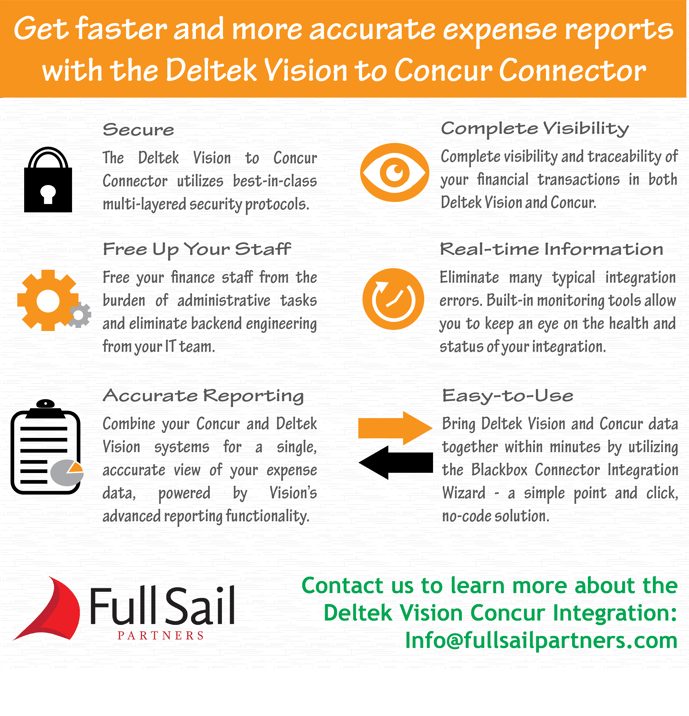
Gain Complete Visibility and Greater Control of Your Finances with the Deltek Vision to Concur Connector

Concur Meets Vision_blog.png

Latest Posts