

Full Sail Partners Blog | Full Sail Partners (13)

Posts by Full Sail Partners:

Understanding Project Budgets in Deltek Vision
Posted by Full Sail Partners on Mar 8, 2018, 12:00:00 AM

Project Budget

More often than not, firms that use Deltek Vision can find project budgets in the Budget and Revenue tab of the Project Info Center. There you will find a series of fields that will be further defined later in this blog. Before we go too far down the rabbit hole, let’s dive into some basics. 

Deltek Vision Project Info Center

A good place to start is the Project Info Center, and whether you use the Budget and Revenue or Contract Management tab, the definitions are the same. Deltek Vision refers to budget as total compensation, but in very simple terms, it is your contractual fee or upset amount. It is statutory, referring to the agreed upon amount between seller and buyer. In no way should this be minimized as Vision uses it for many calculations and processes, but it may not necessarily be the budget. Here are some key terms you should be familiar with: 

  • Direct Labor is the portion of the contract value that relates to your firm’s effort and you can segregate WIP and backlog specifics to this amount using revenue categories
  • Direct Expense is other direct costs such as travel that is part of your fee and not a pass through
  • Compensation is the sum of Direct Labor and Expense in Vision
  • Direct Consultants are third party consultants that are part of your fee and not a pass through
  • Reimbursable Expenses are other direct costs such as travel that are going to be passed (possibly with a markup) to your client through invoicing
  • Reimbursable Consultants are third party consultants that are going to be passed (possibly with a markup) to your client through invoicing
  • Reimbursable Allowance is the sum of the Reimbursable Expense and Allowance
  • Agreed Upon Contractual Value is the sum of the Compensation, Direct Consultant and Reimbursable Allowance 

Furthermore, all these fields are available for reporting and revenue calculations. 

Locating Budget Amounts in Deltek Vision 

It is important to remember that even though these amounts are available in the Billing module, they are not systematically linked. It is true, however, that total compensation is the maximum that can be invoiced or earned. This amount is external client facing. Keep in mind, this is not the project budget. 

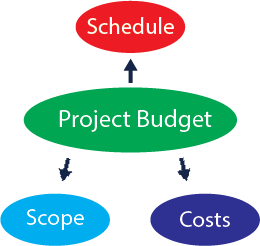
What, what, what? The above is not a budget? In the case of a fixed fee or a lump sum project, we would expect the total compensation to reflect the budget, but the budget should be comprised of labor and expense loaded hours/amounts over a proposed schedule based on fee and scope. Simply stated, a budget is internal and should be used for comparison to actual costs charged to the project. 

Maintaining Project Budgets 

In closing, budgets should be re-visited and re-casted. If managed properly, firms will gain high levels of profitability. A key take away is that, for fixed fee or lump sum projects, performing under budget creates “windfalls” or the difference between the total compensation that was invoiced and earned.


  

How to Know if Your Email Marketing is Successful

Posted by Full Sail Partners on Feb 27, 2018, 12:00:00 AM

Email Marketing Image.png

You’ve just spent hours creating a clever email with an enticing subject line to send your clients and prospects. As you prepare to push the button to send this email, you hope for a positive outcome of your campaign. Over the next 24 to 72 hours, you will log into your email marketing platform, such as Constant Contact or MailChimp, to check the performance of this email. But, which numbers really determine the success of an email marketing campaign? Let’s take a look.

Open Rate

The open rate is simple to understand but quite important. This is the percentage of the recipients that opened the email. Knowing how many people opened your email is significant because it will show you if your subject line drew enough attention to make opening it worth their time. Of course, the higher the open rate, the better.

Click-through Rate

Here’s probably the most important metric that allows you to know how successful your email marketing campaign has been. The click-through rate lets you know who actually read your email and took action by clicking on the included link. Seeing who clicked on the email allows you to know who’s interested in your content. This tells you who to target in the next stage of your marketing campaign. In other words, the more click- throughs, the more potential leads that have moved further into your marketing funnel.  

Bounce Rate

The bounce rate tells you how many of the intended recipients did not receive the email at all. There are two types of bounces, a soft bounce and a hard bounce. A soft bounce happens when the recipient’s mailbox is full, the server is down, or the email is too large for the inbox. On the other hand, a hard bounce means the message is permanently rejected because the email address is invalid or doesn’t exist. Obviously, the more bounces, the less potential for exposure to the email content.    

Unsubscribes

Like click-through rates, unsubscribes allow you to assess the quality of your content. If a person signs up to receive your emails and newsletters but unsubscribes, it is usually because the content is not what they expected. So, unsubscribes can show you how many recipients have determined that the content is not valuable or interesting.

Spam Reports

While unsubscribes are bad, being reported as spam is worse. This usually happens for one of two reasons. Either you send emails to people that never signed up to receive them or you send emails to people with irrelevant content. Email marketing platforms can and will suspend accounts that have a high spam rate. Therefore, not spamming is a priority in your email marketing campaign.

Refining Your Email Marketing Campaigns

Using A/B testing is a great way to improve your email marketing campaigns. This is a controlled experiment that compares two versions of the same content to determine which messaging improves your email marketing success rates. There can be a variation of the subject lines, the messaging in the email and the verbiage used in the call-to-action. Remember, in the end, the main goal is to get your email marketing campaign through to its intended audience and have it be well received. How you accomplish this is up to you.


Why Your Firm Should Be Using the Deltek Vision Payroll Module

Posted by Full Sail Partners on Feb 21, 2018, 12:00:00 AM

Payroll It is amazing that so many people aren’t even aware of the numerous benefits of using the Deltek Vision Payroll module. For starters, the Payroll module in Vision is a robust application that gives you control over your payroll process that you otherwise wouldn’t have if you used an outside payroll company. It allows you to meet the increasingly complex regulatory requirements by defining taxable wages based on any withholding codes that you create. You can also define how other pay wages impact a withholding calculation. All of this can be done from Payroll Withholding Setup. 

How the Deltek Vision Payroll Module Works

If your firm is using the Payroll module to process your payroll, Deltek Vision will use information from the Employee Info Center, the Project Info Center, the Transaction Center, and Accounting Cost/Pay Rate tables to process payroll.

Some of the main features of the Vision Payroll module are:

  • 2 overtime multipliers – There are some firms that are required to pay overtime (OT) to hourly employees. For example, you may have to pay time and a half for some OT hours worked and maybe double time for other OT hours worked. Vision can be configured to accomplish this. For added flexibility, you also have the option to bill these overtime hours at a higher billing rate in billing terms.
  • User-defined other pay fields – In addition to an employee’s regular salary, you can also add payments for other items. Some firms will use these fields to record bonus payments, moving allowance payments, allowances for fitness club memberships, public transit passes, etc.
  • Contribution codes – If you make payments on behalf of your employees, i.e. state unemployment or 401k matches, you can track those payments using contribution codes. Contribution codes can record those amounts by employee. Vision will also post the entry to the balance sheet liability account.
  • Withholding codes – In addition to the standard federal, FICA, and state withholding codes, users can create their own user-defined withholding codes to suite your firm’s needs. You can create withholding codes for medical insurance, cafeteria plans, wage garnishments and Roth IRA plans to name a few.
  • Direct deposit – Vision supports the direct deposit of funds directly into an employee’s bank account(s).
  • Payroll types – Most payroll runs processed in Vision are for your regular weekly, biweekly or semimonthly or monthly payrolls. You can also process adjustment payrolls to make changes to a payroll that has already been processed. Furthermore, you can use this feature to adjust pay, withholdings, regular, overtime, and secondary overtime pay hours, and accrued benefit hours. A bonus payroll run automates the process of giving your employees bonuses.
  • Payroll reporting – Using Vision payroll reporting, you can generate worksheets that help you fill out state unemployment insurance reports, quarterly state income tax reports, and federal Forms 940 and 941.
  • W-2 forms - The Payroll module prints a W-2 for each employee who was paid during the calendar year. You can print W-2s on W-2 forms that are specially designed for use on computer printers.

Integrate with Outside Payroll Companies

If, however, you decide that your firm would rather use an outside payroll company to process payroll, despite the benefits of using the Deltek Vision Payroll Module, Vision offers an interface option that can export timesheet data to most large payroll companies including ADP, Paychex and Ceridian. With this integration, a third party will be able to manage the complex areas of payroll processing such as tax withholdings.

Do More with the Deltek Vision Payroll Module

It should now be evident to most people that the Deltek Vision Payroll module is an extremely flexible tool that can be used to help your firm streamline the payroll process. The Payroll module additionally provides a wide-range of detailed reports based on the information stored in your Vision database. So, start realizing the benefits of using the Vision Payroll module and improve your firm’s payroll process today.


No More Excuses – iAccess, You Access, We ALL Access

Posted by Full Sail Partners on Feb 14, 2018, 12:00:00 AM

Business Development Now that I have your attention, I must admit I totally hijacked that title from my good friend and fellow Full Sailor Rana Blair. In January, she presented a webinar on using Deltek Vision’s iAccess features to enhance the project management function of your firm. It was such a big hit, that we decided to continue the conversation in February. We’ll shift the focus to iAccess’ capabilities for enhancing client/contact management, tracking your pipeline of new work, and preparing for Vision’s future.

I’m convinced Rana was right. We’re at a point where there truly are NO MORE EXCUSES. Now is the time for all good client-facing associates in professional services firms to have immediate access to critical client information. If you don’t, no big deal, your competition will figure it out for you.

Commit to Using Deltek Vision as Your Corporate Contact Manager

It still boggles my mind how many Deltek Vision users don’t do this, sometimes even with the CRM module in place. One of my favorite parts of the module is the remote access to Vision CRM through iAccess. You can roll out access to critical client and contact information to anyone with a license and a data connection. While we typically refer to the CRM module as more of a marketing and BD toolset, contact information is used across the entire firm.

While iAccess screens possess many of the same fields and functions as the traditional “smart client” for Vision, you can easily arrange for custom tabs and fields to appear as well. None of this works, of course, unless you’ve done a decent job at migrating existing critical data and launched a good process for capturing additional information as it comes into your firm.

Gain Clear Insight into the Next 6 to 12 Months of New Work

Pipelines do not have to be complicated, but at a minimum, they should allow your firm to pull from existing client information and maintain a weighted list of future revenue estimates. The basic information required to do this (client, name of pursuit, estimated revenue, start date, and finish date) is typically best-known by the individuals closest to the client. iAccess can assist you by minimizing the distance between those individuals and the fields where you house the information.

If you’re already well-versed at managing Opportunities in Vision, consider iAccess as a tool in your bag to help key rainmakers maintain and update information they typically receive first. Dictating updated information about an opportunity directly into a Vision record using your iPad isn’t all that far-fetched anymore. It can also be used for basic reporting to help the same people avoid stepping on each other’s toes with large clients. Distributed pipeline information in iAccess, built on Vision’s core foundation of clients and contacts, could give your business development team a great boost.

The Future of Deltek Vision Looks Like iAccess

If you’ve not heard of Deltek for Professional Services (DPS), the “reimagined” next iteration of the Vision platform, now’s the time to start thinking about when and how your transition will take place. While thinking ahead with your software vendor’s developing capabilities in mind is always a good idea, this transition is particularly important for Vision users. Many key characteristics of DPS are already present in Vision’s iAccess screens. With iAccess in Vision 7.6, you can start getting users comfortable with the browser-neutral and device-agnostic features that will eventually be pervasive throughout the DPS platform.

Not Quite Convinced Yet About iAccess?

Feeling a little uncomfortable with all this new stuff in the Deltek environment? Join me for some more discussion on iAccess and we’ll do our best to help you get there. We believe taking advantage of these capabilities will help you get the most value from your system and allow you to enhance your clients’ experiences with your firm!


Build Business With Email Marketing

Posted by Full Sail Partners on Feb 7, 2018, 12:00:00 AM

Email Marketing Ironically enough, despite the advances of 21st century technology, everyone is now busier than ever, and time is a precious commodity. It used to be commonplace to reach out to prospects and clients by phone, but these days it is time consuming and often an annoyance to the people you are contacting. So, what’s a more efficient way to share information on a regular basis with your clients and prospects? There is social media, but it warrants its own blog, and direct mail is slightly archaic. Email marketing, however, is an ideal way to capture your audience’s attention and build more business. Here are some ways your firm can use email marketing to build business.

Newsletters

Whether monthly, bi-monthly or quarterly, an email newsletter to your clients and prospects greatly benefits your marketing plan. For starters, you likely create informative material for your target audience such as blogs, webinars and whitepapers. This information is only helpful if people actually see it, so a regular email newsletter provides the perfect avenue to share your content with your target audience.

But wait, there’s more! Newsletters can also contain pertinent announcements like industry events and conferences your firm is attending or the hiring of new employees because of increased service offerings. Marketing via an emailed newsletter to your audience is a fantastic way to draw attention to your firm and build business.

Generate Brand Awareness With a Soft Touch

Building business requires building brand awareness. Email marketing allows firms to reach out to their clients and prospects in less intrusive ways than making a call or stopping in at the office. One way to look at email marketing is to consider it a soft touch technique to connect with your audience. 

There are endless opportunities that allow you to reach out to your clients and prospects via email. It’s a simple method to stay “top of mind” with your audience. Receiving something of interest this way will resonate well with your audience, and when a need comes up, your brand will be remembered.

General Promotion

Email marketing can also be used for general promotion. In this area, there are unlimited emails you can send. Is your firm attending an industry event? Is your firm hosting a webinar? Let your clients and prospects know with an email.

Your firm is already investing in attending an event or creating an informative webinar, so why not make sure you get the most out of it? With email marketing, your firm can promote these events to generate more participation which will increase the overall return on investment. Additionally, from the email marketing promotion of webinars or events, more business can ultimately be gained.

Be Smart With Your Email Marketing

As with phone calls and stopping by offices, emails can become an annoyance to your audience if not used wisely. You should consider some things before you start emailing away. First, you should segment the list of people that receive emails based on role in the firm. Next, you should use an email automation system, like Constant Contact or MailChimp, that allows you to track the performance of your email. You can see who opens your email, what they click on, and who unsubscribes. So, now that you have the basics for email marketing, start using it to build business for your firm.


Using Proper Data Analysis to Drive Business Development Decisions

Posted by Full Sail Partners on Jan 31, 2018, 12:00:00 AM

Analyze Data Many firms have a plethora of data regarding existing clients, prospects, and wins and losses just sitting around being underutilized or possibly not being used at all.  So, what should these firms be doing with all this data? Well, this significant information needs to be analyzed to create actionable insights which will help drive business development decisions. Here are some thoughts to ensure a proper data analysis.

Reports Don’t Equal Analysis

Reports are pretty and give you an easy view of your data. The line goes up and you smile, the line goes down and you frown. However, quickly glancing over these reports doesn’t actually answer why these are the results you see?

Analyzing means taking those results to the next level and learning why these are the trends your firm is experiencing. You must ask the right questions to find answers in your data and then form a hypothesis to test your data against. This will allow you to find the reason behind your numbers.  

Using Analysis to Achieve the Real Goals

As simple as this sounds, getting the right information from your data analysis can affect achieving your firm’s goals. To make actionable decisions, the goals of the business must be what drives your measurement strategy. Using the correct data analysis technique requires that you know what questions you’re trying to answer.

Think about it, generic questions tend to lead to generic answers. To determine what you’re trying to figure out from your data analysis, you’ll need to have clear objectives provided by the firm’s stakeholders. Without having a specific question to answer, you won’t get a clear answer.     

Creating Metrics That Promote Action

Communicating the results of your analysis in a way to create actionable insights can often be difficult. It doesn’t have to be when the results of your analysis answer the questions that have been established by the business objectives. Therefore, communicating actionable insights requires being able to quantitatively measure the success of the plan you recommend.

The findings of the analysis should drive the development of key performance indicators (KPIs). With these KPIs, the company knows what quantifiable objectives determine the success of the business. Keep in mind, your KPIs need to be realistic based on your data. 

Good Data in Equals Good Data out

Collecting the right data and maintaining it is the most important part of data analysis. For project-based firms, projects are the lifeblood of the business. Winning more projects is essential to generating more revenue. As a result, discovering key project related data from your analysis is integral to creating compelling proposals that win new business. 

Making Data Work for Your Firm

To learn more about project data collection and maintenance best practices, make sure to attend this year’s SMPS Pacific Regional Conference and the Southeast Regional Conference. Lindsay Diven, Full Sail Partners’ Senior Consultant, will be presenting a session titled, “Develop Your Data Collection & Maintenance Program – No CRM Needed” to address this specific topic. Let your data work for you.


Bringing Data Down the Mergers and Acquisitions Road

Posted by Full Sail Partners on Jan 24, 2018, 12:00:00 AM

Merge DataMany firms in the architectural and engineering (A&E) industry are using mergers and acquisitions (M&A) as a strategy to grow. As discussed previously in a blog by Mike Kessler, a firm must first choose the best fork in the M&A road to accomplish its goals. Once this path has been taken, a decision must then be made about which data to migrate and the steps to take for a smooth transition.

Deciding Which Data to Migrate 

If you ask project managers which data is important to them, they will usually say all of it. However, is that truly the correct answer? Probably not. Depending on which direction your firm chose in the M&A process, there are many questions to ask. Something that may help decide which data to migrate is to determine who is responsible for the work completed prior to the M&A. 

Additional concerns might be: 

  1. Are there government contracts or audit requirements that require full detail?
  2. Are there open accounts receivable that may be disputed and why?
  3. Are there any outstanding claims against a project?
  4. Did the acquisition include assets that need to be tracked?
  5. Who will own the open accounts receivable?
  6. Will you be responsible to pay any outstanding vendor payments?
  7. Do you need prior invoice details, prior invoice totals or just prior billed totals?
  8. How much value is left to recognize for revenue?
  9. Does the prior revenue method used by the previous firm line up with how you recognize revenue?
  10. Will the client let you assume the contracts?
  11. Are there reporting requirements that are ongoing with the client?
  12. Do you need visibility into prior work for cost comparisons?

The answers to these questions, or even other scenarios, may place data requirements on how much data you bring in and at what level. Again, the amount of data to be migrated depends on which fork was taken in the M&A road and the organizational structure of the entity post M&A. After addressing which data to migrate, then you can move on to the how. 

Options for Migrating the Data 

So, now that you know which data to migrate, how are you going to do it? 

Before providing the migration options, please note that having knowledgeable personnel to assist in this process can save time and prevent frustration. 

There are three options for data migration: 

  • Vision Data Import
  • Microsoft SQL
  • Manual Entry 

Determining the Data Migration Process 

Once you have picked the migration option, you must decide what order to migrate the data in. This is important because every firm has critical processes and secondary processes that need data to function and keep the company running. 

Here are some things to consider: 

  • Prioritizing the critical areas
  • Setting a schedule of what is required (this will help guide you in the process and make sure necessary parties are involved)
  • Having a company champion or champions who can answer employee questions
  • Keeping communication lines open (this will allow for an easier transition) 

Assistance with Data Migration Decisions is Available 

Regardless of which direction your firm takes in the M&A process, Full Sail Partners can offer help with your data migration decisions. Contact us and one of our subject matter experts will be in touch. Let us help you ease on down the M&A road.


The Top 10 Read Full Sail Partners’ Blogs of 2017

Posted by Full Sail Partners on Jan 17, 2018, 12:00:00 AM

2017 Most Read Blogs With all the hot topics of last year, we thought it would be interesting to see which ones were valued the most by Deltek Users. To figure this out, we compiled a list of the top 10 read Full Sail Partners’ blogs of 2017. From finance, to marketing, to HR, to project managers, it seems that we offered a little something for everyone. Let’s check them out:

  1. The Unknown Features of Timesheets in Deltek Vision

It is a mystery why we deal with time management so badly. This is our commodity which we sell to our clients. However, we treat it like a curse, as if it’s an evil process that accounting forces on us. It somehow escapes us that this is the lifeblood of our business, and without it, we are out of business. So why don’t we manage this better and how can we improve our firm’s practices? Find out now! 

  1. Maximizing Organizational Breakdown Structure and Work Breakdown Structure in Deltek Vision

As Deltek Vision systems are implemented and processes are written, the common denominator is most often the connection between the Organizational Breakdown Structure (OBS) and the Work Breakdown Structure (WBS). Whether it be the uniqueness of each or the relationship between the two, the attention paid to these early stages of development is instrumental in the flow and reporting of information in your Vision database. Click here to explore some areas to consider when designing the structure of your database. 

  1. Is This the End of Deltek Vision's Revenue Method B?

Revenue Method B is the most widely used revenue method in Deltek Vision. In fairness, this is Vision’s default method for projects whose charge type is Regular. As a result, most firms use it since it’s easy to deploy and seems to work, or so we think. Learn more about Revenue Method B here. 

  1. The Truth Behind Why Your CRM System Sucks!

The main reason why CRM implementations usually fail isn’t because of the system, it’s because of you. I told you this was going to be hard to swallow. A CRM system is meant to provide a place to house all of the important information about your clients and opportunities. However, many firms purchase a CRM system thinking it will miraculously do the work for them with no effort required. Find out what your firm needs to know to have a successful CRM system. 

  1. 6 Key Statistics that Fuel the Competition for Talent Management

Organizations with antiquated talent management philosophies will struggle to attract, nurture and retain top talent in 2017. Many HR teams make the common mistake of having decentralized or ineffective systems and processes. Check out six key statistics that demonstrate why HR teams can no longer be reactionary and should evaluate their talent management processes and systems. 

  1. Using Multi-Company in Deltek Vision: The When, Why and How

Within Deltek Vision lies a very handy tool which enables a firm to have multi-company functionality. However, the benefits of this multi-company functionality feature seem to elude many firms that would greatly appreciate its capabilities. So, let’s talk in detail about multi-company functionality and the why, when and how firms should use this fantastic feature. 

  1. Ten Firm Initiatives to Improve Deltek Vision

Although it is easy to accept the status quo, there is always room for improvement. Once improvements are made, it is hard to believe that we operated the way we did before. So, there it is, the continuous cycle of breaking the status quo to improve our firm processes which ultimately ensures future success. As Deltek Vision users, we should focus on initiatives which enhance our Vision systems and allow us to remain efficient and effective in business. Find out which initiatives your firm can take on in 2018. 

  1. Why You Should Be Using Deltek Dashboards

Are you maximizing your time by taking advantage of a dashboard? Dashboards are one of the most beneficial and functional parts of a system and yet are often the most underutilized. Dashboards are comprised of dashparts, or widgets, which are used as a portal into your Deltek database. For firms using Deltek Vision or Deltek Talent, the dashparts are extensive and include reports, metrics, links, alerts, tips and more. Find out why your firm should be using dashboards. 

  1. Understanding and Effectively Using Cross Charge in Deltek Vision

Cross charge capabilities in Vision are based on similar theories as multi-company but are focused on the interaction within a company and its organizational breakdown structure (OBS). It is important to understand that cross charging is a financial tool and is based on the general ledger. It is not an attribute of project reporting since time charged to a project remains on the project for billing and reporting purposes. Cross charge is labor focused and occurs after the timesheet is posted. Still confused? Learn what you need to know to effectively use cross charge. 

  1. Introducing Deltek for Professional Services

Welcome to Deltek for Professional Services (DPS), the next generation solution for professional services automation (PSA). If PSA is a new term for you, think of it as a specialized system like an enterprise resource planning (ERP) solution except specifically designed for the professional services industry. So, what can DPS do for your firm? Let’s see how this new cutting-edge solution will add value.

The Full Sail Partners’ team strives to provide our clients with useful resources that add value to their Vision systems. We hope that these widely read blogs from 2017 did just that. If you haven’t had the chance to review them yet, we hope you’ll do so now. Also, remember to keep an eye out for what’s coming in 2018!


On the Mergers & Acquisitions Path, Which Fork in the Road to Choose?

Posted by Full Sail Partners on Jan 10, 2018, 12:00:00 AM

Mergers and Acquisitions Mergers and acquisitions (M&A) in the architectural and engineering (A&E) industry are on the rise. Unfortunately, many firms are not prepared to successfully implement the M&A process. With an acquisition, it is imperative that the “buying” entity have a well-defined set of procedures to easily onboard the incoming firm. In the case of a merger, all involved firms would need a set plan which would dictate the transition to a new firm. However, first a firm must decide the direction it will take regarding the M&A process and evaluate how it will affect the current organization’s structure.

Navigating Forks in the Road for Your Firm 

There are many reasons a firm may decide to begin the M&A process. Each firm has its own vision for the future. On this path, there are 3 “forks in the road,” and a firm must choose one:

  1. Absorbing the acquisition into an existing organization
  2. Creating a new organization within an existing company
  3. Creating a new company 

Making the Acquired Company Part of the Buying Company

Absorbing the acquisition into an existing organization is the easiest and most straight forward. This scenario is usually the result of a simple employee purchase. For example, a design engineering firm acquires a mechanical engineering firm. In this case, the incoming engineers are integrated into an existing profit center (department). They may have brought projects with them or are going to be staffed on existing projects. Since it requires no structural changes to the database, very little of any testing is needed. The focus would be more human resources related blending the culture of the acquired firm into the existing one. 

Making a New Organization within the Buying Company 

Creating a new organization within an existing company is most often the result of expanding service offerings. For example, a base building architectural firm acquires an interiors firm. If the firm’s current structure is studio based, a new studio would be required for the interior work. Under this scenario, a change to the existing structure is made that will require testing. This will include: 

  • Cross Charging
  • Overhead Allocation
  • T&E group management 

In addition, reporting parameters need to be updated to ensure the new organization is included in all metrics and indicators. This will require reasonable lead time to do a test and final cutover. 

Making a New Company Altogether

Creating a new company by merging firms is the most common scenario, and regardless of the dynamics, is often driven by numerous outside factors such as: 

  • Tax implications
  • Buyout and payout provisions
  • Currency requirements
  • Country, state, and other municipal requirements
  • Banking relationships
  • Investment and or holding company requirements
  • Professional licensing requirements 

In a merger situation, a change to the existing structure is made that will require testing. This will include: 

  • Intercompany Billing
  • Foreign currency management
  • Consolidated reporting (in addition to the reporting parameter updates noted above) 

Additional factors that will need to be considered in risk mitigation are: 

  • Rules defining internal pricing
  • New currency being introduced into the environment 

This situation will require at least one test cutover and lead time needs to be considered during the process. 

Final Considerations for Mergers and Acquisitions   

Once you have selected which of the forks on the M&A road to take, the real work begins. Beyond the integration testing noted above, there are two other risk areas that must be considered. 

  1. Data import
  2. Revenue management 

Regardless of which direction your firm chooses to take in the M&A process, Full Sail Partners can offer consulting from subject matter experts. Contact us and we will be happy to help. You don’t have to walk alone. Additionally, we will be at the 2018 Southeast States M&A Symposium in Miami, Florida on January 24th and 25th. 


Simplify Project Controls with Deltek iAccess for Vision

Posted by Full Sail Partners on Jan 3, 2018, 12:00:00 AM

Deltek iAccess for Project Management “Project Controls” are formidable words, ones that are necessary for successful project outcomes. Those of you who have used Deltek Vision for many years may recall that “project controls” remain at the core of the Vision system and are the datacenter for all other Vision applications such as billing, CRM, proposals, resource planning, and time and expense. Fortunately for Vision users, accessing project controls has gotten a lot easier with Deltek iAccess.

What are Project Controls? 

There is no industry jargon in the name project controls. They do exactly what the name implies. They allow you to manage and control your projects. Furthermore, a complete project control system such as Vision, allows users to: 

  • Document project attributes
  • Coordinate project activities
  • Track employee time and expense
  • Apply direct and overhead costs
  • Monitor project progress
  • Generate project reports
  • Maintain project budgets 

Controlling projects requires understanding and making decisions based on the information collected. This can be a challenge if data is not updated in a timely fashion or there is too much information to absorb. So, how can Vision users make these processes simpler? 

Enter Deltek iAccess for Project Management 

With the addition of iAccess for Deltek Vision, visibility into and ease of digesting information has enjoyed a renaissance. The iAccess interface allows firms to proactively manage and track projects from creation through closeout. The real-time connection to Vision, graphical views, and simple interactive tools for planning and managing the budget make quick work of understanding the status of the project. As a result, users can efficiently manage project future costs and review the expected outcomes. 

Gain Better Control of Your Projects with Deltek iAccess 

The ability to drive your projects with a full understanding of the past and predictions for the future is the ultimate control. With iAccess for Deltek Vision, this becomes possible. So, what are you waiting for? Take control of your projects, and extend the capabilities of Vision project controls with iAccess.

Latest Posts