

Full Sail Partners Blog | Ryan Felkel (16)

Posts by Ryan Felkel:

Timesheets for Independent Contractors in Deltek Vision
Posted by Ryan Felkel on Mar 23, 2016, 12:00:00 AM

TIMESH1.pngMost firms that I work with utilize independent contractors to supplement their workforce. This isn’t a blog about “walks and talks like an employee, must be an employee.” For that, I recommend a good labor attorney. However, what I am going to clue you in on is about the proper way to track and account for independent contractor’s time in Deltek Vision.

Processing Contractor Time in Deltek Vision

In most situations, the desire is for the contractor to complete a timesheet and submit an invoice for processing by Accounts Payable (AP). There are two prevailing methods within Deltek Vision to process these types of situations:

  1. Zero Job Cost Rate

The contractor is set up as an employee, but doesn’t have a job cost rate only a billing rate. When time is posted there is no entry to the General Ledger (GL), but both the Time and Materials (T&M) invoice and project ledger reflect a billing dollar value. As a result, the AP invoice creates the GL entry reflective of the true cost of the contactors time

  1. Job Cost Variance

For this option, setup the contractor as an employee with a job cost rate. When the timesheet posts, the cost gets booked to a unique GL code reflective of contract labor. Additionally, this cost can also be included in the base for an overhead calculation. The credit end of the timesheet posting goes to Job Cost Variance similar to all other timesheets. As a result, the AP invoice is booked to an overhead project using the Job Cost Variance Account and thereby clearing it.

That Seems Simple…Right?

This is where the accounting can start to go awry. If method one is used and care isn’t taken to ensure the AP doesn’t also create a bill extension (effort) then the potential for exposure can be:

  1. Double counting of effort in project reporting leading to an understatement of profit or positive variance.
  2. Double earnings of revenue if the method is associated to effort.

To alleviate these concerns, apply the following workaround in Deltek Vision:

  1. Create an expense GL code table under Billing/Billing Rate Tables.
  2. Enter the AP GL code used above and attach a “0” multiplier.

By following these steps, the AP billing value will not be included in project reporting and you will not experience the effects of doubling down on your effort.
5 Benefits of a Talent Management System

Posted by Ryan Felkel on Mar 2, 2016, 12:00:00 AM

Employee engagement is currently a hot topic in the realm of Human Resources. As a result, the enterprise software industry has responded and created a plethora of solutions to address this growing demand. The era of Talent Management Systems is upon us, and these systems are becoming a vital role in supporting business growth and increasing employee productivity.

Talent Management Systems enable the automation of the recruitment process, performance monitoring, and implementing employee training and development. Additionally, they also enable the performance tracking of your Human Resources department. So how can your firm benefit by implementing a Talent Management System?

Click the infograph below to download the whitepaper on the "Top 10 Recruiting Metrics HR Should Care About." 

Deltek Vision How-To Series: Search and Replace Utility

Posted by Ryan Felkel on Feb 24, 2016, 12:00:00 AM

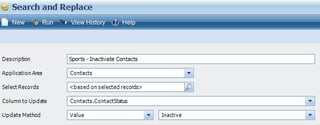
Deltek Vision Search and ReplaceDid you know you can quickly update data in seconds with Deltek Vision’s Search & Replace feature? The search and replace utility makes it possible for you to update fields globally for multiple records. Some examples of using the search and replace utility might be:

  • Making project records dormant on all levels
  • Inactivating contacts that have bounced emails 
  • Moving data from one field to another

The possibilities are endless and great for data clean-up. Be sure to check out our video demonstrating an example of using the Search and Replace Utility in Deltek Vision.

Have You Seen What’s New in Deltek Vision 7.5?

Posted by Ryan Felkel on Feb 10, 2016, 12:00:00 AM

Deltek_VISION.pngReady to learn about the much-anticipated release of Deltek Vision 7.5? With each new version of Vision, Deltek strives to include new features and enhancements to help your firm know more to do more! Let’s take a look and see what’s new with Deltek’s newest version of Vision.

Deltek Vision 7.5 Features and Enhancements:

  • Focus to Client Nurturing | The new Client Activity Status Report allows users to quickly and visually identify clients that need attention. Add a touch of color! The new feature allows you to highlight your activities by color to easily identify clients that need follow-up.
  • Proposals Made Easier | Sometimes it’s the small things that make a big impact. Deltek has made the proposal process easier. The improved proposal module allows users to apply the selection criteria to all projects and employees at the same time. Users can also choose default graphics and have an easy-to-select graphic option. Even more, users can select project experience based on actual hours worked and merge service estimates totals. Lastly, InDesign users now have the ability to display multiple records on one page. All of these little enhancements save time during the proposal creation process.
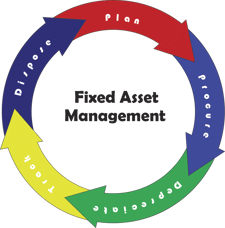
  • Newly Created Asset Management Module | Now all of your fixed assets are in one place to increase tracking and decision-making. The New Vision Asset Management Module is integrated with the purchasing and accounting functions within Vision to enable you to create, track, manage, depreciate, and dispose of your fixed assets in one central location. Be sure to inquire about Q1 2016 incentives.
  • Manage Employees with Ease Across Multiple Companies | Vision Multi-Company just got way better! In 7.5, Multi-Company Employees can be associated with more than one company with a designated “home” company. More importantly, employee specific data carries over to each company allowing for company-specific and system-wide reporting. Find out more about the new Multi-company features here.  
  • Approvals Simplified | Stop with the endless email chains full of approval requests. In the version of Vision, absence requests and accounts payable invoices can be approved by designing simple or complex workflows to automate the approval process.
  • Better Forecast Revenue and Expenses | In Vision 7.5, the general ledger (GL) enhancements allow users to consolidate budgeting into a single view allowing for better insight into your business. This new functionality allows you to create, manage, review, edit, and approve multiple GL budgets from a single view. Learn more about these enhancements here.
  • Save Time Reconciling Bank Statements | In this latest version of Vision, users can import bank statements, automatically match records, and review records to manually match any remaining transactions.
  • Smarter Project Planning | Building on the power of task dependencies in 7.4, project managers now can effectively manage project schedules and closely track a project’s critical path and identify schedule risks. Additionally, color-coded predecessor tasks, expanded right-click functionality, and better integration with iAccess are just a few highlights to enable your project managers to make smarter decisions.
  • Keep Up with Project & Business Development On-The-Go | Obtaining the information you need on-the-go just got better. iAccess 2.2 enhancements now provides users the ability to create saved custom searches on any field, including custom fields. With an improved interface and screen designer settings enhancements, iAccess is becoming the go-to tool to access project metrics and business development updates anywhere at any time.
  • Improved Touch Capabilities | Deltek Touch now supports iPhones & iPads with iOS 8+, Android Phones and Tablets with OS 4.1+, and Windows Phones with OS 8.1. Building upon timesheet and expense capabilities, users now have timesheet auditing available on their mobile devices.
  • Much More | Deltek Vision 7.5 provides even more enhancements for accounting and project management with greater connectivity and better user interfaces.
Have questions about the newest enhancements and features included in Deltek Vision 7.5, or looking for information on how to upgrade to 7.5? Reach out to us, and we will be happy to help you get a grasp on all of the new functionality available to your firm!


Where Has All My Labor Gone? – The Mystery of Non-billable Labor for AEC Firms

Posted by Ryan Felkel on Feb 3, 2016, 12:00:00 AM

Where_Did_My_Labor_Go-Blog-01.pngYou know you have spent your whole workweek devoted to a specific project, but you’re only showing 35 hours being billed/charged to the project. Where did the value of those 5 hours go? In many cases, these missing hours can be attributed to non-billable labor, and many AEC firms overlook the importance of documenting how this time is spent. However, accurately accounting for non-billable labor is extremely important to track accurate project performance.

How Can My AEC Firm Track Non-billable Labor?

If your AEC firm utilizes Deltek Vision, then tracking non-billable labor is relatively simple. Before we get started, it is important to make a distinction between the labor we are billing clients and the labor that contributes to the cost of our project. With cost in this case being the “burn” or “retail” value of this labor. Within Vision, users are able to remove the labor from both the invoice and the project ledger in two ways:

  1. A non-billable labor code under billing configuration
  2. A zero billing rate attached to a person, code or category in the billing tables

Keep in mind that best practice states that the only time we would use either of the above is if the labor is invoiced and costed through a Unit for activities such as surveying or lab testing.

What Are Reasons for Non-billable Labor?

There are several possible scenarios that would warrant not invoicing a client for time charged to a project such as:

  1. On-the-job training
  2. Rework
  3. Discounts

While all of these are valid reasons, the costs associated with this effort should be included in the project sub ledger. This is missed opportunity cost or potential lost revenue. If labor cost is nullified using any of the above, the true performance of the project becomes misstated. When reviewing project financial reports the missing cost is not there to net against revenue thereby creating a false and overstated profit amount.

What Happens to Non-billable Labor?

Ah ha, the Million Dollar question and you won’t even need to phone a friend. There are actually at least two ways to accomplish removing time from an invoice while ensuring it remains as cost for project metric measurement:

  1. Write-off the hours/cost in Interactive Billing. This removes it from the invoice, but appears on the billing status in the Project Detail Report. This allows missed opportunity cost to be valued into the overall project profitability or more commonly known as a loss.
  2. Allow the labor hours/cost to be included on the invoice. Then using an Add-On, create a discount to remove the amount. This will provide your client with the visibility of the benefit you are providing them. Additionally, it will ultimately be reflected accurately in project reporting since the overall impact is a reduction in revenue.

Following these simple rules will create accurate reporting and prevent any misunderstanding in regards to the projects true performance.

Deltek Vision Multi-Company Just Got a lot Better!

Posted by Ryan Felkel on Jan 27, 2016, 12:00:00 AM

Multi-Company_7.5.pngSometimes it’s the simple things in life that excite me, but the improvements to the Multi-company feature in Deltek Vision 7.5 are exciting. If you’re not familiar with Vision Multi-company, let me provide you some background and here’s a link for more information. Multi-company is part of the Vision Core Financial Application. Vision Multi-company allows a firm to manage more than one company in a single database and streamlines the process of managing accounting functions between companies when resources are shared. By utilizing Multi-company, each company operates as a separate entity, but data sources such as clients and contacts can be shared across the enterprise.
However, employee data was managed differently in prior versions of Vision. If an employee belonged to one company and moved to another company, a new employee record with a unique employee number would need to be created and assigned to each company the employee was associated with. This made record keeping and reporting cumbersome and time consuming. The good news is that with version 7.5 this is no longer the case!

What Changed in Deltek Vision 7.5?

In version 7.5, a single employee record can now be associated with multiple companies. As a result, associating an employee record to other companies in the enterprise is now easier with the addition of the “Associate with New Company” option in “New” dropdown on the toolbar of the employee info center.

How Does This Work?

When a new employee record is created, the employee is assigned to a home company, which is the current active company. You can then associate the employee record with other companies. There are a number of fields in the employee record that are company specific and can be modified on a company-by-company basis. For example, an employee may have a different cost rate, pay rate or may accrue PTO hours at a different rate in each company. Additionally, you can change the home company and the status of an employee if they transfer to a new company and terminate in another.

There are also fields that are non-company specific such as the employee’s name, licenses, experience, and resumes – just to name a few. Therefore, this information is shared across all companies and can be used by the CRM and Proposal functions within Vision.

Even more, a list of companies the employee is associated will display after an employee’s user name and password is entered. The employee can then select the company they will be working in at the time of log in. If an employee is associated with more than one company, timesheet and expense reports can be processed for the active company. If an employee needs to complete a timesheet and expense report for another company, they can switch between companies under Utilities by selecting “Change Company.”

Why Is This So Great?

Aside from the additional functionality of Multi-company, employee reporting is now easier in version 7.5. Prior to Employee Multi-company, reports for one employee would have to be run by selecting all of a single employee’s records across the enterprise. This is no longer the case in version 7.5. In addition to running reports for an employee in a single company, like the accrued time report or time analysis report, an employee record for multiple companies can also be selected. When sorted by company, the data can be displayed on the report by company. Furthermore, Deltek also added additional operator filters to reporting to reduce customization for unique reporting needs.

Sometimes just making life simpler is exciting and the new features in Vision 7.5 are designed to increase productivity and make your life simpler! This just happens to be one of my favorites. 

Inventory Management and Fixed Asset Management – One and the Same?

Posted by Ryan Felkel on Jan 6, 2016, 12:00:00 AM

Asset ManagementProfessional service firms don’t traditionally sell products; rather they sell their time and expertise. Increasingly, they ARE selling products and time, and are spending a great deal of capital on tools to deliver both.
A common problem is that many firms can easily see the profits generated from their services, but overlook the contribution (or lack thereof) of the inventory AND fixed assets used to deliver the service by not managing both.  Even worse, they frequently manage and track them in the same manner.

Inventory management and fixed asset management are not one and the same. Read on to learn the difference between the two and understand the importance of utilizing proper accounting for fixed asset management.

Inventory Management

In the professional services world, inventory management is only slightly different from the retail and the production world. Inventory assets represent the items sold or the materials used to create a final product that will be sold. Inventory assets in professional services firms represent the intangible or intangible assets sold along with the service. This could include software or equipment. This is not to be confused with immaterial items, which are usually expensed as overhead. For most professional service firms, the inventory asset is a relatively small percentage of total firm assets.

Most importantly, unsold inventory appears on the balance sheet as an inventory asset and sold inventory appears in the Cost of Goods Sold on the income statement. This is an important standard of Generally Accepted Accounting Practices (GAAP).

Chances are, if you are selling goods as a part of your service offering, you are likely following the standards and hopefully using the Vision Purchasing module for tracking and control. But what about Fixed Assets?

Fixed Asset Management

Like Inventory, fixed assets exist and have specific accounting treatments for professional services firms, retailers, and other types of businesses.

Fixed assets are purchased assets of the firm for long-term use to support ongoing business operations. For example, fixed assets are laptops, desks, software, and vehicles, just to name a few. Since fixed assets are transferable within the company and will be used for multiple projects and multiple accounting periods, GAAP dictates a different accounting treatment than would be used for inventory management. More importantly, fixed assets in professional services firms are typically a large percentage of the total firm assets. In today’s world, the computer, machine, and installed software are the main tools used in delivering the services and often are given the least attention in the firm.

Why Is This Important?

Inventory management is a relatively simple task, but fixed asset management presents several challenges such as:

  • Knowing the location of an asset to ensure you can deliver your projects on time
  • Maximizing the usage of an asset to ensure the maximum ROI is gained from the asset
  • Knowing the history of similar assets to make informed about purchases of new assets
  • Tracking the depreciated value of an asset for tax and insurance purposes
  • Keeping the Balance Sheet clean and free of historical errors to provide accurate ROI and other metrics

Overcoming these challenges doesn’t have to be difficult and can be easily accomplished by deploying an asset management tracking system. When choosing to implement an asset tracking system, it’s important that the system is integrated with your project management, purchasing, and accounting systems to ensure information about the asset is accurately maintained and easily accessible. 

Deltek Vision How-To Series: List View

Posted by Ryan Felkel on Dec 9, 2015, 12:00:00 AM

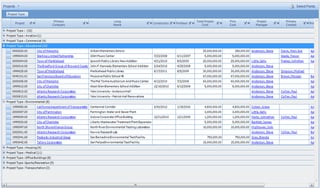
03_List_View.jpgDid you know in Deltek Vision you can view multiple records at one time through a list view? The list view was a featured added in version 7 allowing you the ability to group, filter, organize and quickly export a list. The List View is listed at the top of any Info Center’s top navigation allowing you to view multiple records.

Be sure to check out our video demonstrating all of the features of Deltek Vision's List View.


Does Your AEC Firm Practice What You Preach About Your Infrastructure?

Posted by Ryan Felkel on Dec 2, 2015, 12:00:00 AM


AEC InfrastructureI came across an article the other day written by ASCE Past President, Andrew W. Herrmann on the Golden Gate Bridge’s 75th anniversary celebration. The article Celebrating ‘Built to Last’ – Which Actually Demands a Lot of Maintenance, discussed the investment of on-going infrastructure maintenance and it got me thinking. The AEC industry touts about the government investing in infrastructure and how neglecting airports, highways, and bridges is more costly if it isn't maintained. The IT world has been saying the same about IT systems and databases. Is your firm guilty of not maintaining your IT infrastructure?  

Let's take a look at some on-going maintenance that your firm may be overlooking:  

Backup Mistakes

Unfortunately, for municipalities and governments, there is no backup for when a bridge or building falls apart. That is to say, there is no way to restore the bridge with a click of a button in the same way your firm can to restore lost data. Preparing for failure and implementing a reliable backup plan is essential to maintaining the integrity of your data.

The problem is many people believe this is an easy and mindless task, but often make some very common mistakes.

  1. Many firm’s only test their backups periodically, and it either becomes a forgotten task or done improperly. Verifying backups is a useful practice to ensure data is intact, readable, and can be restored if data is ever lost.
  2. Many firms that have their own servers tend to only backup data and not the server’s operating system and applications. While this practice saves time and valuable memory on the server, it can often be more costly in the future if the server itself fails. For example, it is much easier to restore the operating system, the applications and then the data than it is to manually install the operating system and setup the applications.   

Server and Hardware Failure

Normal wear and tear of the roads and bridges is the primary reason for the need to perform ongoing maintenance. It is required to ensure physical integrity for years to come. Likewise, many firms overlook the parts of their IT infrastructure that are prone to wear and tear. Although most of the components of servers and hardware are electrical, they also contain a few mechanical parts that tend to be more prone to failure. The reality is, as these components age, they tend to experience wear and tear that will inevitably result in a failure.

Interesting enough, failure can be avoided if you’re aware of common warning signs.

  1. Servers and hardware are designed to operate while creating minimal noise. If you start hearing a clicking or grinding sign coming from your server or computer, it’s likely you’re going to experience a failure soon.
  2. Mechanical failure is the result of wear and tear, plan on replacing servers and hardware more frequently to avoid the unexpected and dreaded failure.

Avoiding Updates

An ACEC whitepaper titled, Our Infrastructure Crisis – Your Turn to Act noted that one of the consequences of under-investment by municipalities and governments is an aging and outdated energy infrastructure. Aside from the inefficiencies of using outdated technologies, the cost to update the energy infrastructure is going to be massive. The problem is that the energy infrastructure has to work in sync, therefore updating one component means other key components will need to be replaced so the overall system can continue to work in harmony.  These same consequences can affect a firm using outdated software.

When deciding to update your antiquated software, you may also have to update other enterprise software your firm uses and maybe some hardware as well.

  1. Firms using older software that runs on unsupported operating systems, such as Windows XP, will have to update their hardware to support the new software.
  2. Also, even if your operating system may support some newer software, those can potentially impact other software that are reliant upon them.
The take away here is that using supported and current software versions might seem expensive, but in the long run, it pays to stay up-to-date. By not being on the most current software, your firms' productivity and efficiency can greatly deminish. 

The Big Picture

Just like municipalities and governments failing to maintain the roads, bridges and airports, AEC firms can experience significant costs for failing to maintain their IT infrastructure. The big picture is that maintaining your IT infrastructure requires you to ensure you backup your information, proactively prevent server and hardware failure, and most importantly, stay-up-date.    


Anderson Hallas Architects Selected as a Finalist for a 2015 Deltek Project Excellence Award

Posted by Ryan Felkel on Nov 13, 2015, 12:00:00 AM


Full Sail Partners is proud to announce that Anderson Hallas Architects, PC was a finalist for a 2015 Deltek Project Excellence Award in the Biggest Business Impact Category. Deltek specializes in providing project-focused enterprise software and information solutions for professional services firms and government contractors.  

Deltek’s annual Project Excellence Awards recognizes firms that use Deltek products to achieve remarkable success in various categories. This year, Deltek honored selected firms for five categories, and Anderson Hallas Architects was a finalist for the Biggest Business Impact award. This award recognizes organizations who received the biggest benefits and ROI using a Deltek solution.

During 2014 and 2015, Anderson Hallas Architects migrated to Deltek Vision with the assistance of Full Sail Partners. This migration from their existing disparate systems to Deltek Vision allowed them to centralize and integrate their financial, operations, marketing and business development, project data, and human resources into one system.

“We used to track everything in separate places (timesheets, marketing, labor utilization, weekly status, personal project memories, etc.). Each category of information had its own ‘home’ – a custom program, an Excel spreadsheet, a Word document or our individual brains – there was a lot of time, effort and duplication in updating and retrieving information. Now, it’s literally the click of a button,” explained Nan Anderson, FAIA, LEED AP, Principal with Anderson Hallas Architects.

As a result, Anderson Hallas Architects now has increased visibility into firm-wide metrics, improved cost control and resource planning, and delivers more projects on time and on budget. The implementation of Deltek Vision has influenced their thinking about how to approach marketing and business development and provided a centralized and integrated business better able to serve and respond to clients. 

“For a firm their size, Anderson Hallas aimed for massive transformation in information management, and achieved it,” stated Sr. CRM Consultant, Kevin Hebblethwaite, FSMPS, CPSM. “They demonstrated what is possible with unified goals and commitment - working with them was a blast.”

Latest Posts