

Clean Your Dirty Data and Improve Data Integrity
 Now that Spring has arrived, it is an excellent time to clean-up your database. Is your data clean, consistent, and accurate? Almost everyone you talk to would answer this question with an emphatic "NO" for one reason or another. Data is always degrading in any database you review because information is constantly changing. Contacts leave companies, projects progress, and opportunities move through the sales cycle.
Data integrity impacts our ability to determine business trends, success rate, and just know who and what to pursue. Misleading queries and inaccurate reports result in making wrong decisions when data is incomplete or incorrect. With an integrated ERP system everyone can help with the clean-up, but on the other hand they can sometimes add to the mess. So what do you need to keep in mind when tackling data clean-up?
Clean your dirty data by evaluating these four areas: decision points, standardization, automated clean-up, and dedicated resources. Let’s walk through an example and apply each of these four areas to project data.
- Step 1 – Decision Points: It is helpful to start by doing a search criteria to help make a decision. First, determine what fields need to be cleaned-up and what fields need to be evaluated so you can narrow down the list. Maybe we want to update the project status to determine if it should be dormant, inactive, or active. Our first criteria could be to search all projects that are active to see how many we need to evaluate. Then we need to narrow the search. Depending on what information you can search, you could do a search on when the project was opened and/or if time has been billed in the past two months. Understanding your decision points narrows down the list and reduces the number of projects that need to be evaluated.
- Step 2 – Standardization: Sometimes during the clean-up you realize there are fields or options that are not really needed. This is a great time to establish or re-establish corporate standards and expectations. Is everyone using the same definition? In our example, are you finding employees that are using inactive instead of dormant? Adding tool tips can provide a definition to help users know how to update the field.
- Step 3 – Automated Clean-up: Now that you have gone through the exercise of cleaning up the information. Think about how you can update the information periodically or better yet provide an alert to you or employees when they should update the information. Is there a specific timeframe that the status should be evaluated? Workflows can help keep the data accurate. By identifying a trigger, a workflow could alert someone to review the information or even update the status to dormant based on lack of activity.
- Step 4 – Dedicated Resources: As the saying goes, the information is only as good as the data on which is based. So dedicate the necessary resources to clean it up and better yet, maintain the data. Setting up a quality control schedule and setting expectations helps keep the data clean and manageable.
Does your firm have dirty data? For a fresh clean feeling, take the time to establish your firm’s process to clean it up! By following these four steps, your firm will improve data integrity.

 In this situation, I observed people giving advice as opposed to just sharing experiences. I found it curious that contributors to the forum assumed many of the variables the person inquiring had not provided and further, the person making the inquiry hoped to find solutions without providing any background or specifics.
 ERP – Enterprise Resource Planning is a system facilitating the flow of information between all business functions, from your Finance and Management Accounting to Project management, Client Relationship Management (CRM – see more below), Human Resources, Inventory and Purchasing.
 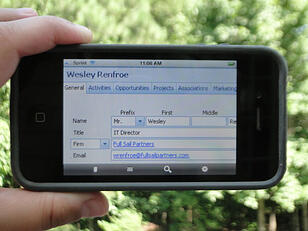 So, you’ve heard about the new Vision Unleashed, Deltek Touch Time and CRM mobile applications and want your smartphone users to be able to utilize these applications to access Vision offsite. Perhaps you like the idea of your Vision users having the ability to work from home or abroad or maybe you think the new Navigator interface would be really helpful for project managers out in the field. However, you feel opening up Vision access from the web sounds kind of scary and you have questions. Is it safe? Is it expensive to set up? Is it hard to configure?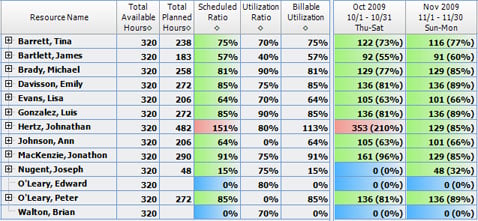
 For many of us, the mere mention of cash basis is not unlike the old “fingernails on a chalkboard” – not something we want to hear. However, cash basis accounting need not be something that is left only to your CPA. Your Deltek Vision system can be set to easily track your transactions and financials on both an accrual basis and on a cash basis with minimal effort.