

Easily Capture Project Information Using Deltek Vantagepoint
Have you ever noticed how the proposal process tends to fly by leaving you scrambling as the deadline nears? When producing proposals, project-related information needs to be found quickly. Of course, speed is important in the search, but data accuracy is imperative. Gathering accurate project details in a timely manner is a challenge I hear of nearly every day from marketing and proposal managers at project-based firms. Fortunately, with Deltek Vantagepoint, your teams can easily capture project information and reference it quickly when it matters most– during proposal crunch time. Let’s dive a little deeper.
Identify the Key Project Information You Need for Proposals
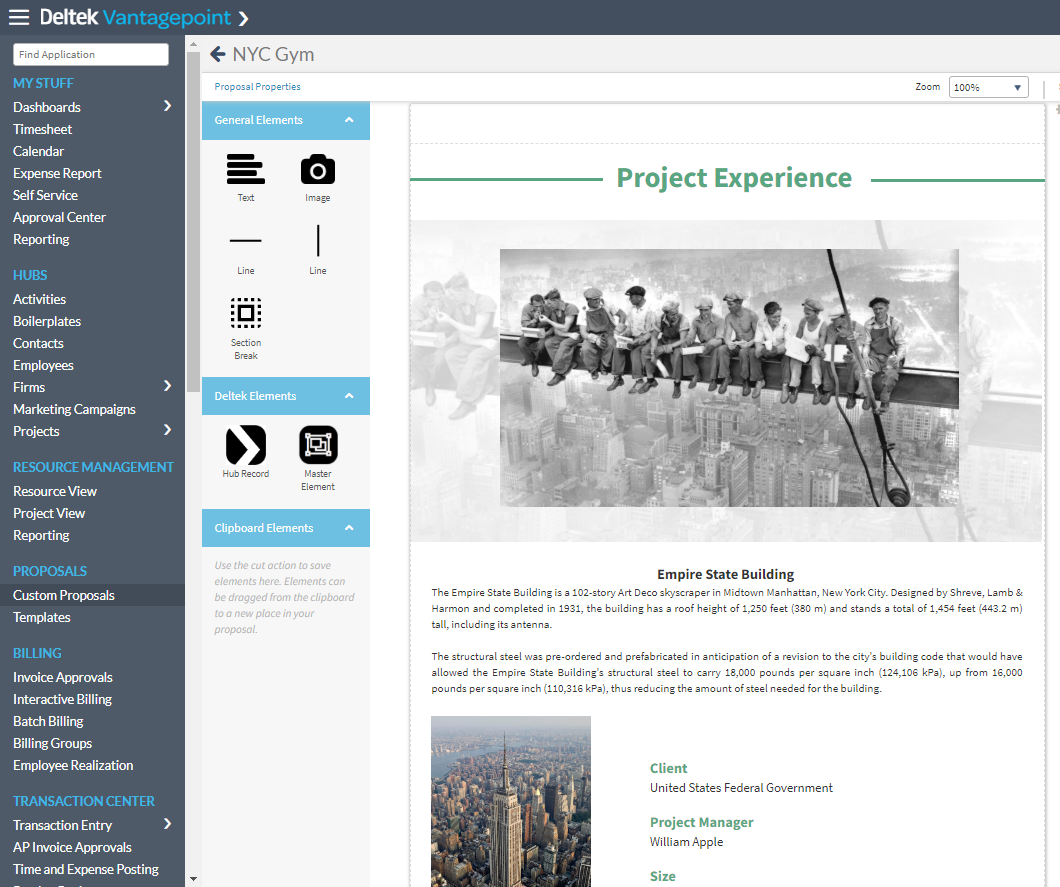
The Deltek Vantagepoint Projects Hub will become your one source of truth for the project information you need to rely on to produce winning proposals. The image below shows a project experience page created using Deltek Vantagepoint Custom Proposals. The page was built based on information captured in the Projects Hub and includes fields such as project name, project description, client name, project manager, and square footage along with a few project images.
Capture Information While Pursuing the Project
Using Deltek Vantagepoint, capturing critical project information begins in the pursuit stage. Because Deltek Vantagepoint has one project record that is maintained from opportunity to pursuit to proposal and eventually to a regular project record, the information captured during the pursuit never gets lost or goes unused.
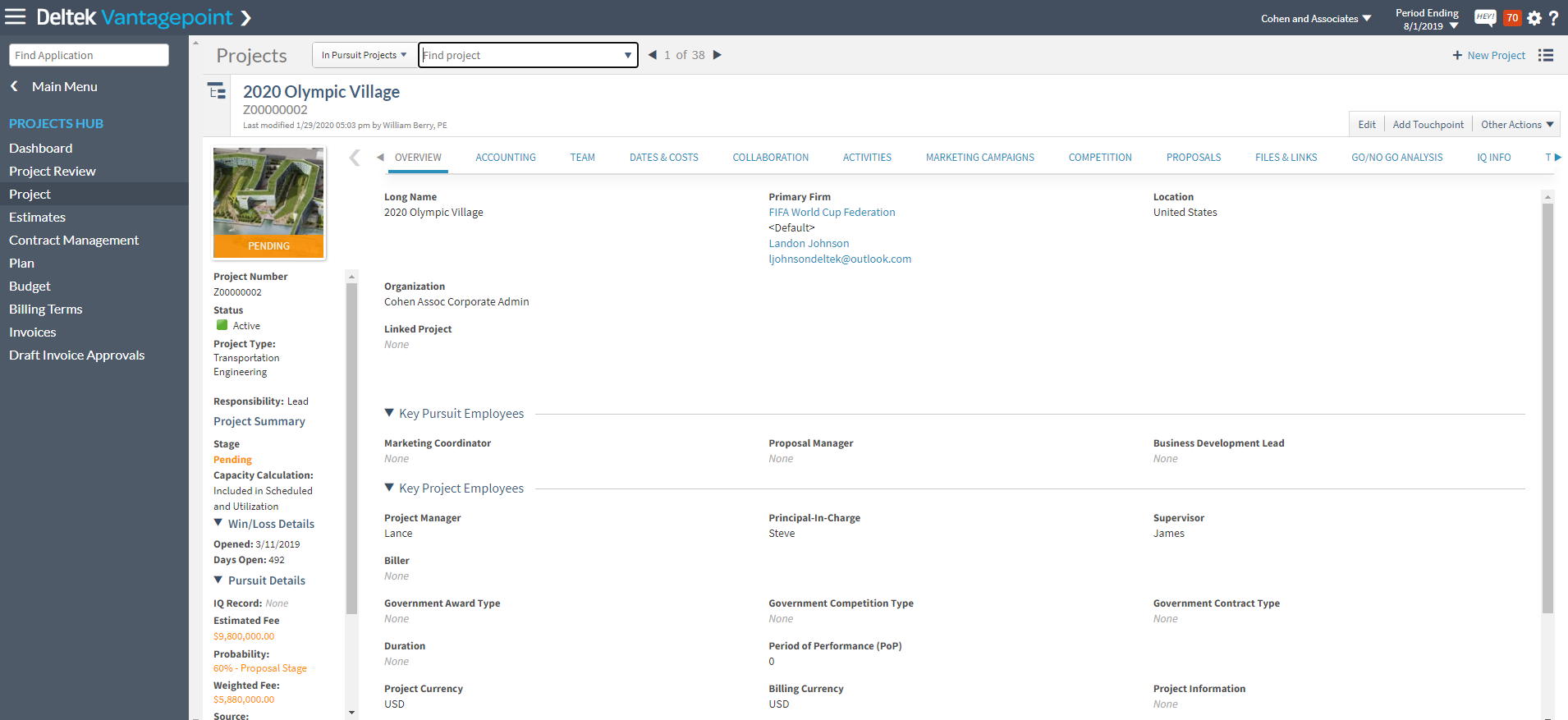
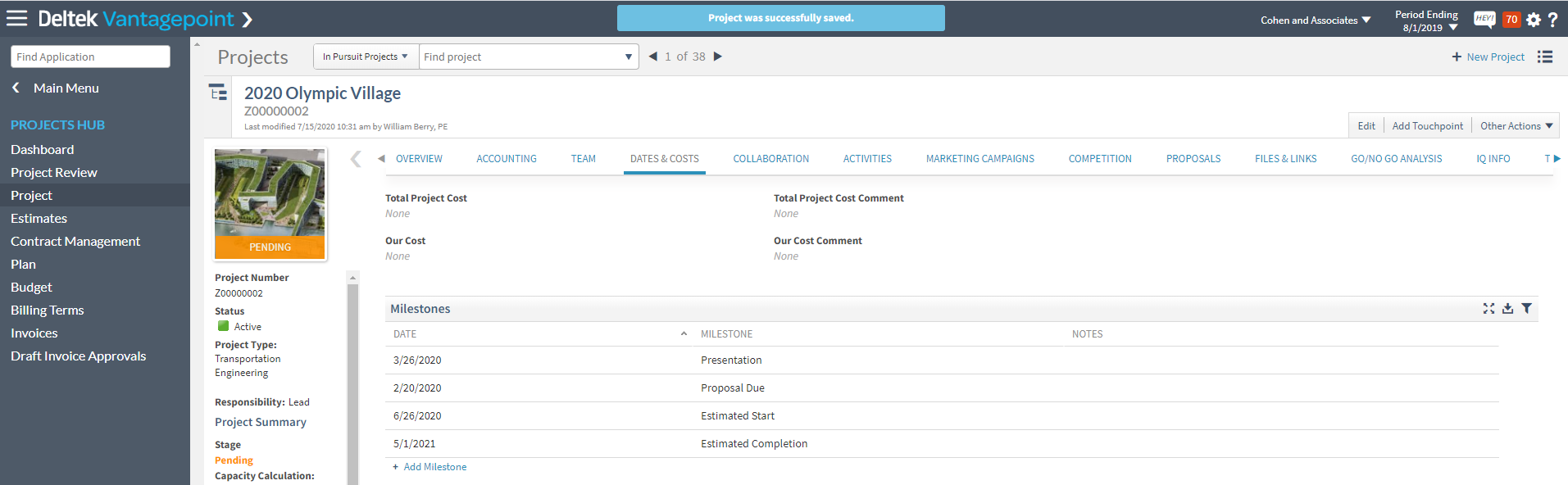
The image above is showing a project in a pursuit stage. We can tell this record is in a pursuit stage because the coloring in the left-hand summary pane is gold and the Stage is labeled as Pending. During this stage, there is common key project information that is typically collected as part of the proposal process.
Much of the information you will eventually need for your project cut sheets and proposals is typically known during the pursuit stage, and thus can be collected and stored inside the project record in Deltek Vantagepoint.
Examples of common key project information include:
- Project Name
- Primary Client and Contact
- Project Location
- Key Team Members, such as Principal-in-Charge, Project Manager
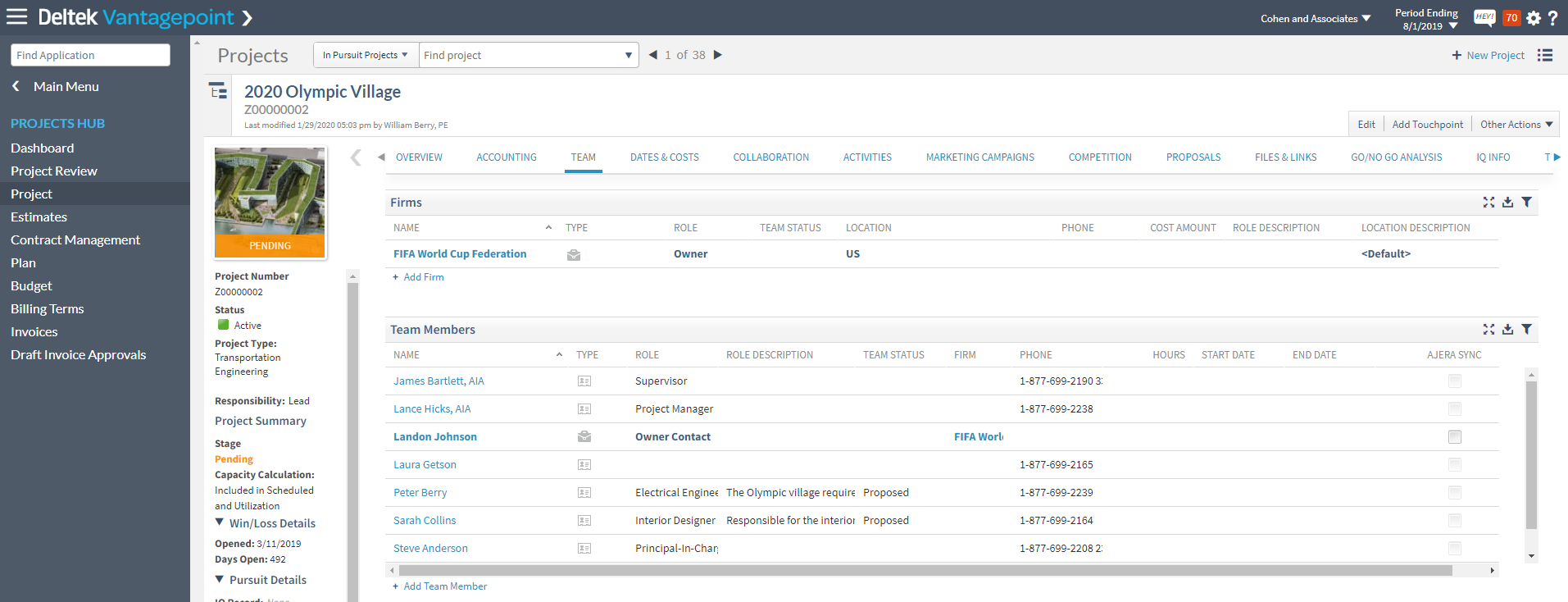
You can also identify other team members, both internal and external to your firm, for the project. See image below.
Over on the Dates & Costs tab, you can begin to capture the estimated project start and completion dates.
You may even have some information about the project from the RFP or client description of the project. Deltek Vantagepoint allows you to easily store an initial project description on the Proposals tab.

Move From Pursuit to Billable Project Without Losing Key Information
Now you might be thinking, why would I want to store this information into a record that is in pursuit? Well, Deltek Vantagepoint makes it seamless to move from a pursuit stage to an awarded project stage. When you make that move, all of the information captured in the pursuit stage stays with the awarded project record. This makes the process more efficient. Information is entered only once and is used throughout the project lifecycle.
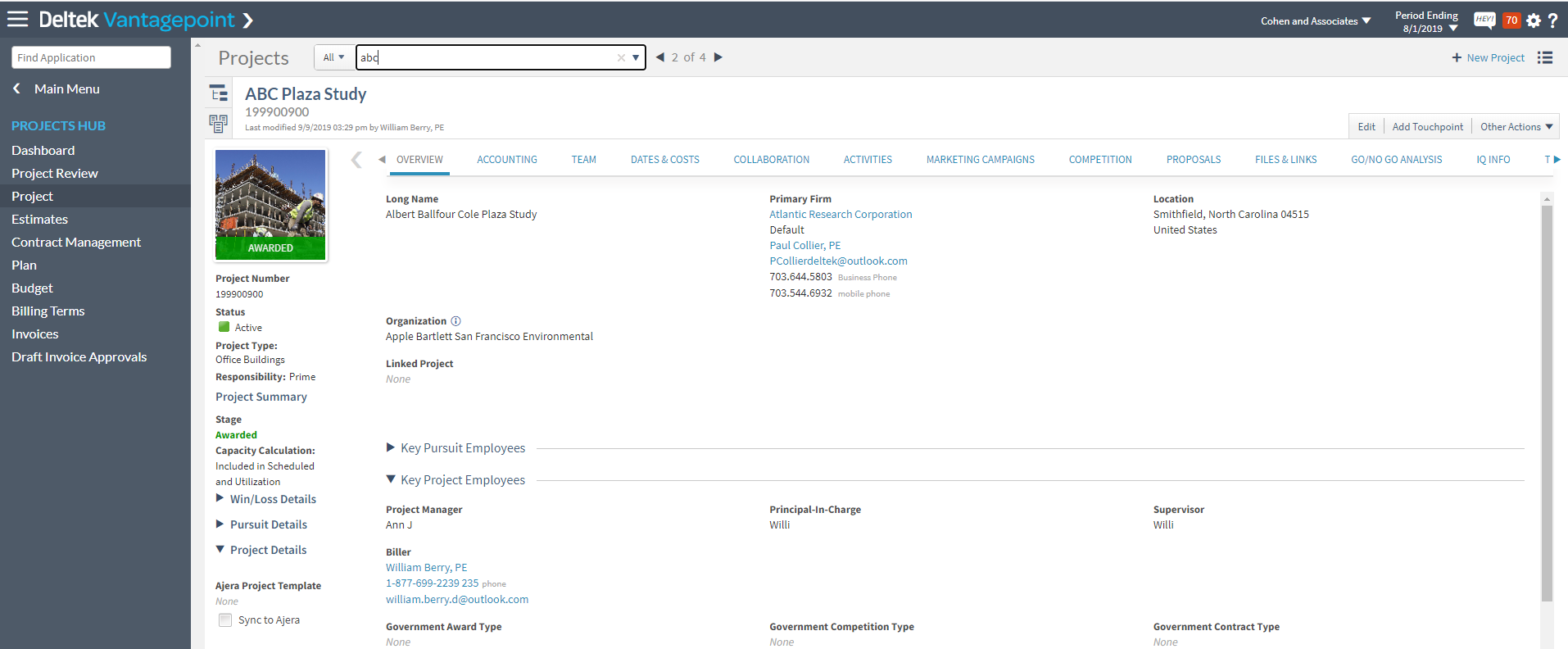
Access the Data You Need When You Need It
Once you have won the project and are performing the work, you can easily continue to enter and access key project data:
Key Team Members
Over on the Team tab, Employees are automatically added to the project when they charge time to that project on their timesheet. Then, you can easily update their role on the project.
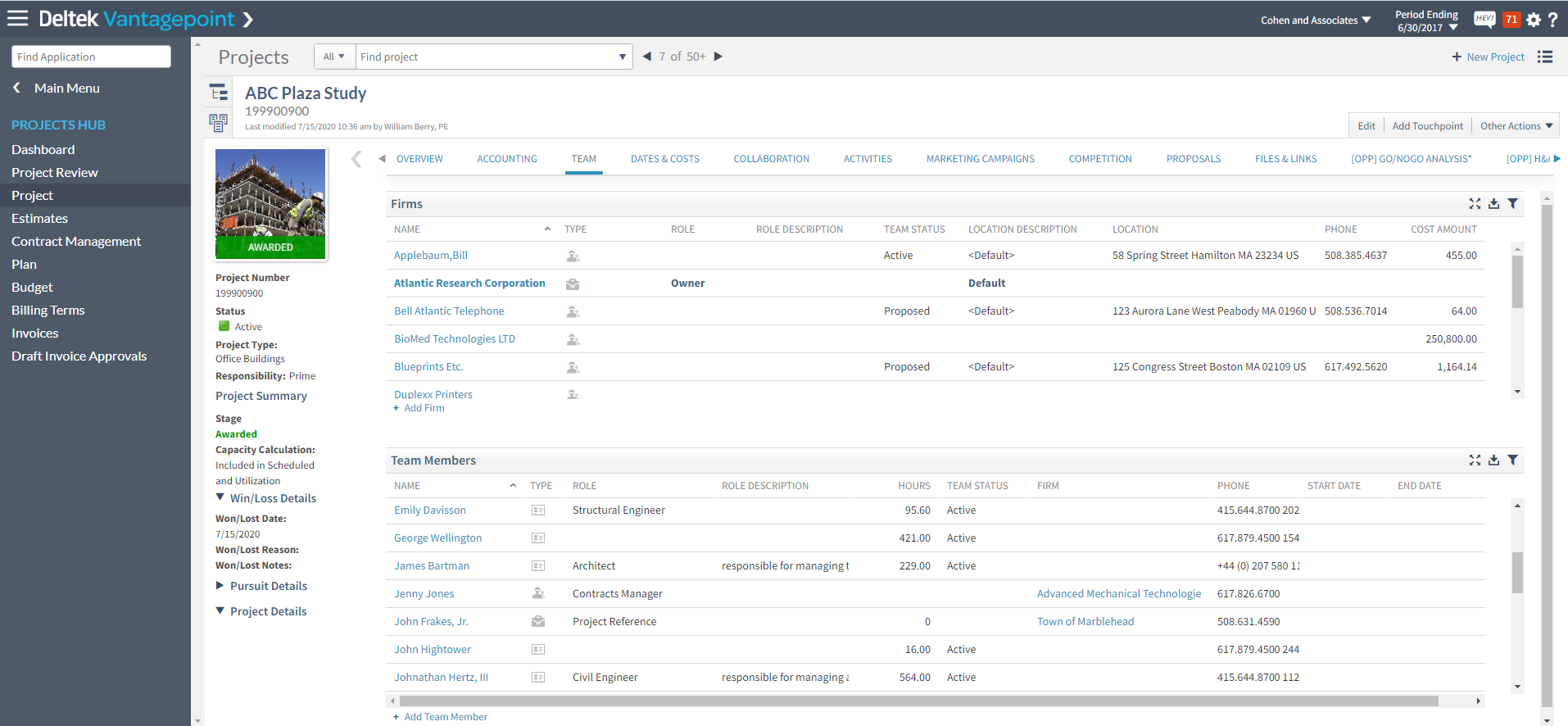
In the image above, you can also see the number of hours employees have charged to this project. Additionally on the Team tab, you can add external contacts that should be associated with the project. You can even identify who should be the project reference (for future proposals, of course).
Project Descriptions
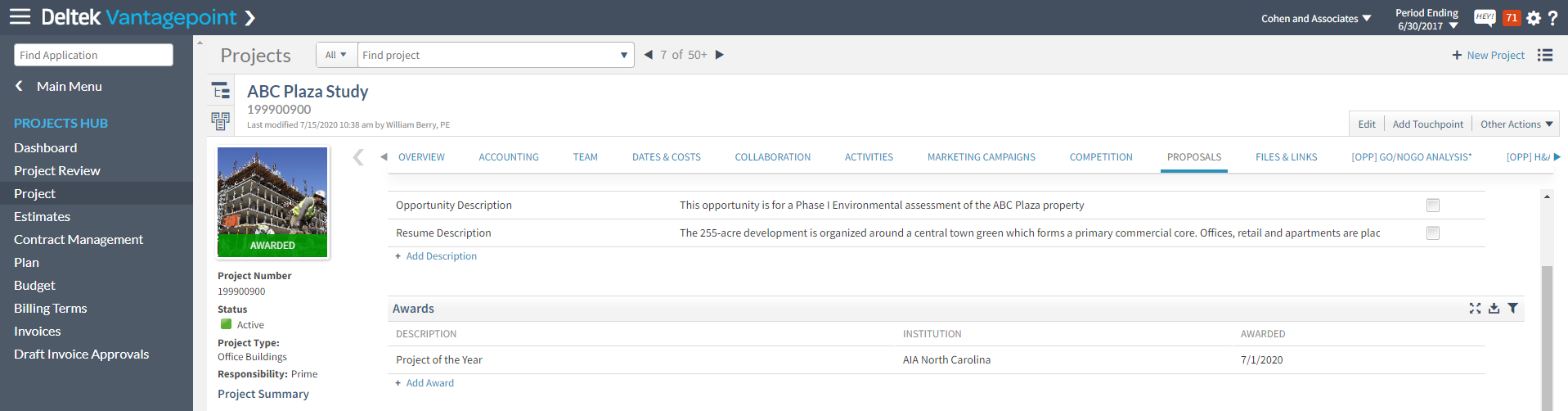
As the project evolves, you will have more details to include in the project description. That information can quickly be added to Deltek Vantagepoint on the Proposals tab. Deltek Vantagepoint allows you to store different types of project descriptions that you may need for different uses. Examples may include short description, long description, key features, etc.
Firms often have a primary project description that is used on project cut sheets, but then may need a project description that is shorter. The shorter descriptions might be good for resumes or when page limits are tight. You can mark one description as the default by checking the default checkbox. No matter how you use your project descriptions, Deltek Vantagepoint makes it easy to store and use project descriptions for proposals.
Track Project Awards
Chances are you have some award-winning projects. Vantagepoint makes it easy to track what awards your projects win in the Awards grid as shown in the image above.
Project Photos
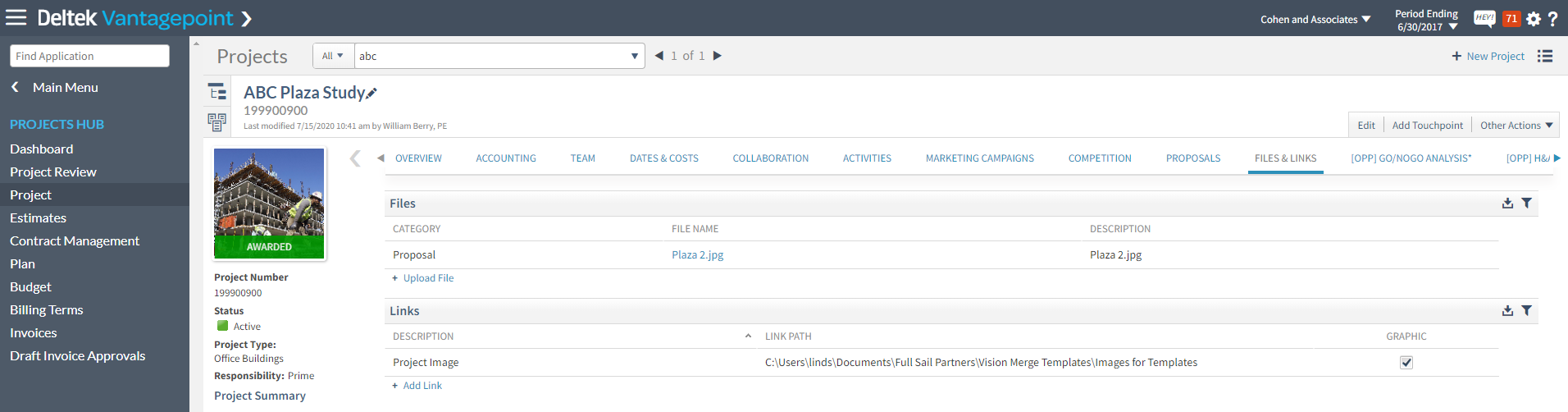
If you want to use project photos in your proposals, Deltek Vantagepoint allows you to store and manage images and other project related documents on the Files & Links tab.
Information Specific to Your Firm’s Projects
If there is information that is specific to your firm’s project, Deltek Vantagepoint allows you to create custom fields, grids, and tabs. The image below is showing a custom tab called Project Information. On this, I have added custom fields like square footage or number of floors. Other popular custom fields are around tracking sustainability goals such as LEED Certifications.

Drive Success with Deltek Vantagepoint
As you can see, Deltek Vantagepoint allows you to easily track key project information through the entire project lifecycle, from initial lead to project completion. That information can then be quickly used to build winning proposals that drive success for your firm.
 With the new Deltek Vantagepoint, Vision is re-imagined. Not only has the look and feel been improved, but there are many new enhancements that all users will love. This new browser-based solution helps your firm deliver more successful projects and grow your business. It’s built around the project—from finding, pursuing, winning, and delivering them.